Zoho CRM Gets Better: Explore the New NextGen UI Experience
Hello Everyone,
Our goal was simple: improve clarity, free up screen space, and make navigation smoother—so your everyday CRM tasks take fewer clicks and feel more intuitive.
Below is an overview of what’s new and improved.
What’s New?
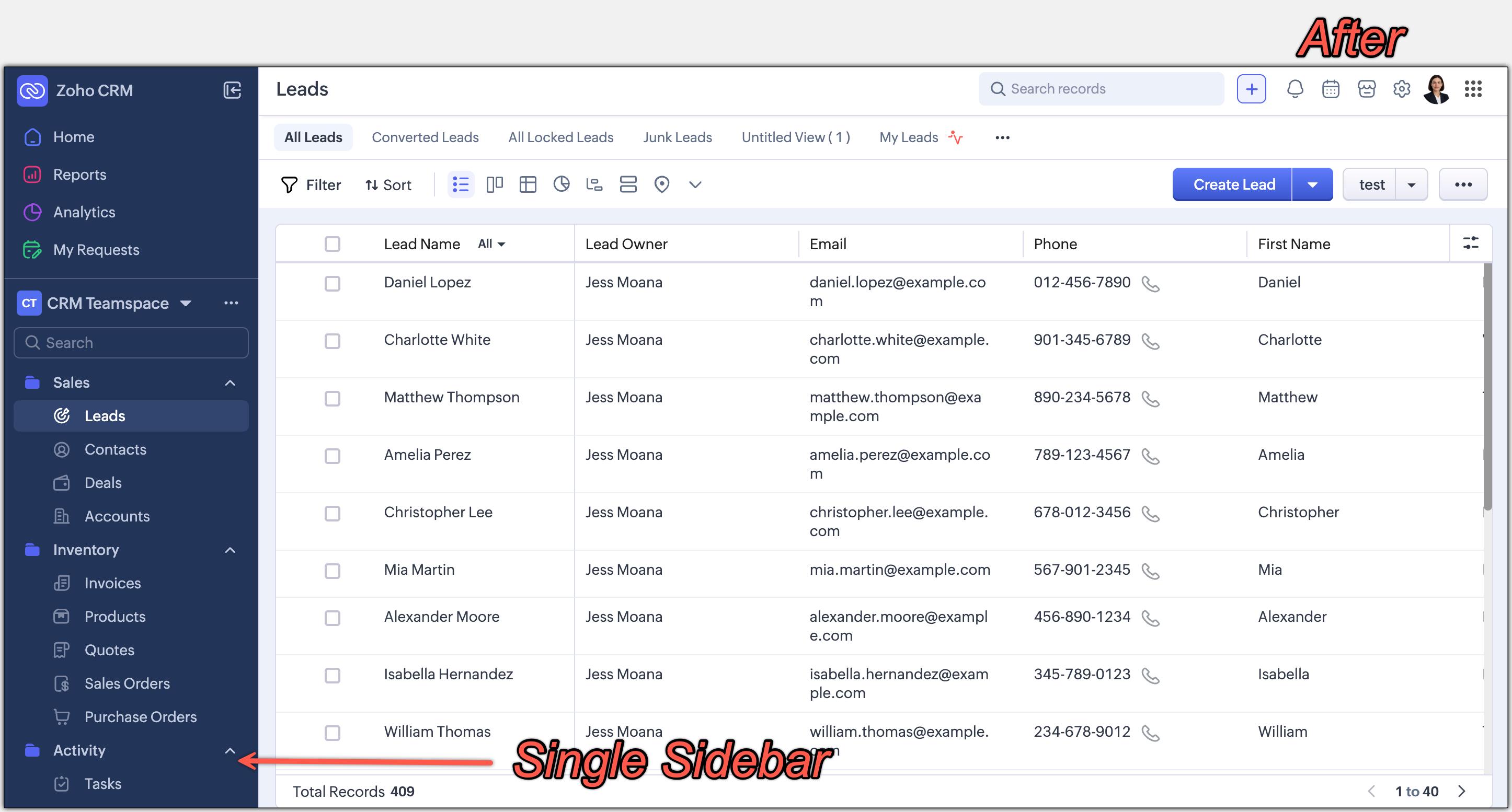
A unified sidebar for effortless navigation
Global Search + Quick Create is now highlighted at the top
The setup menu shifted to the top-right, with a brand-new Setup Homepage
Utility actions moved to the top-right section
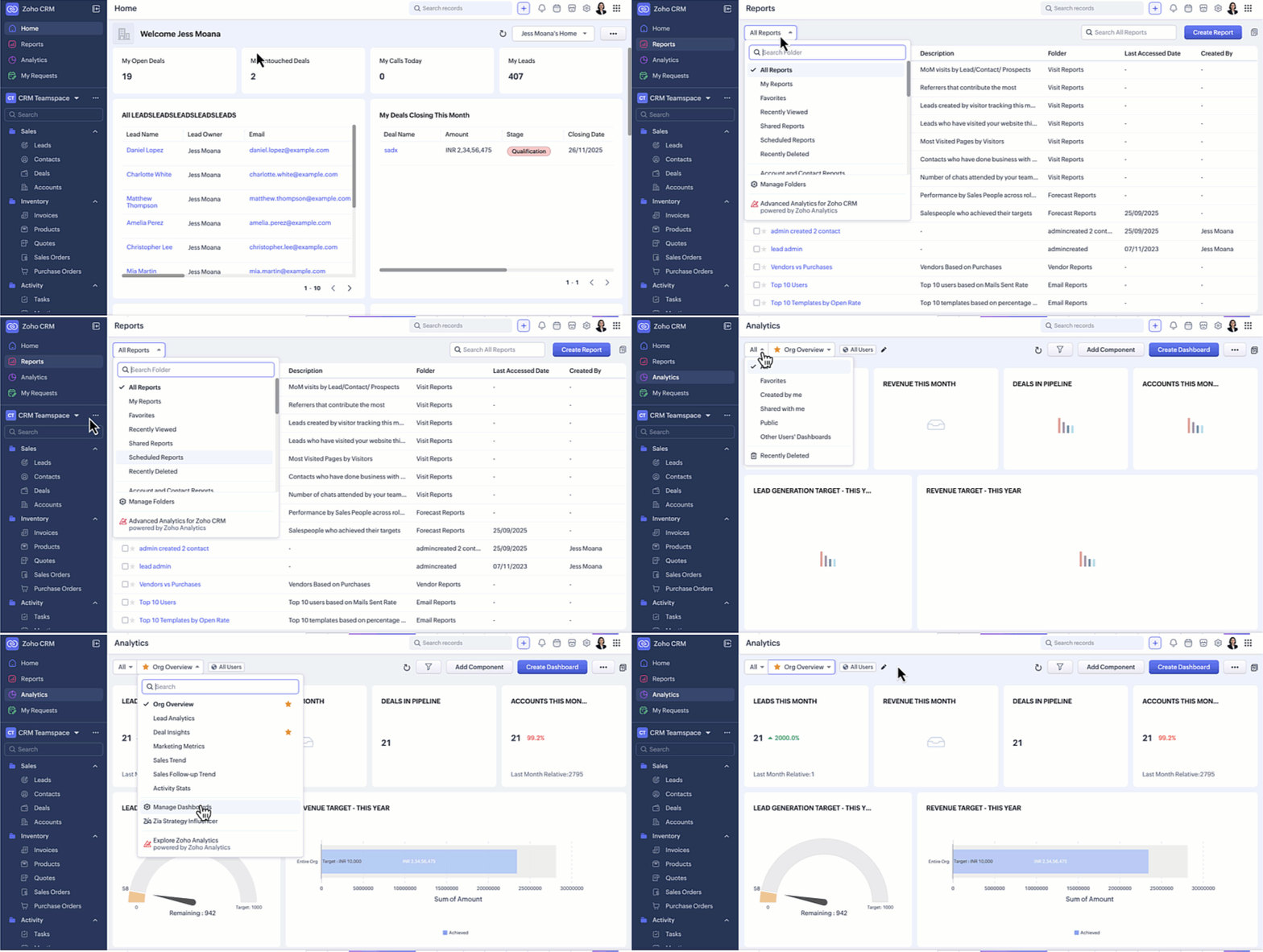
Reports & Dashboards available instantly from a dropdown
Teamspace switcher relocated for faster access
Sidebar hide/show retained
Filters, sorting, and view options grouped together
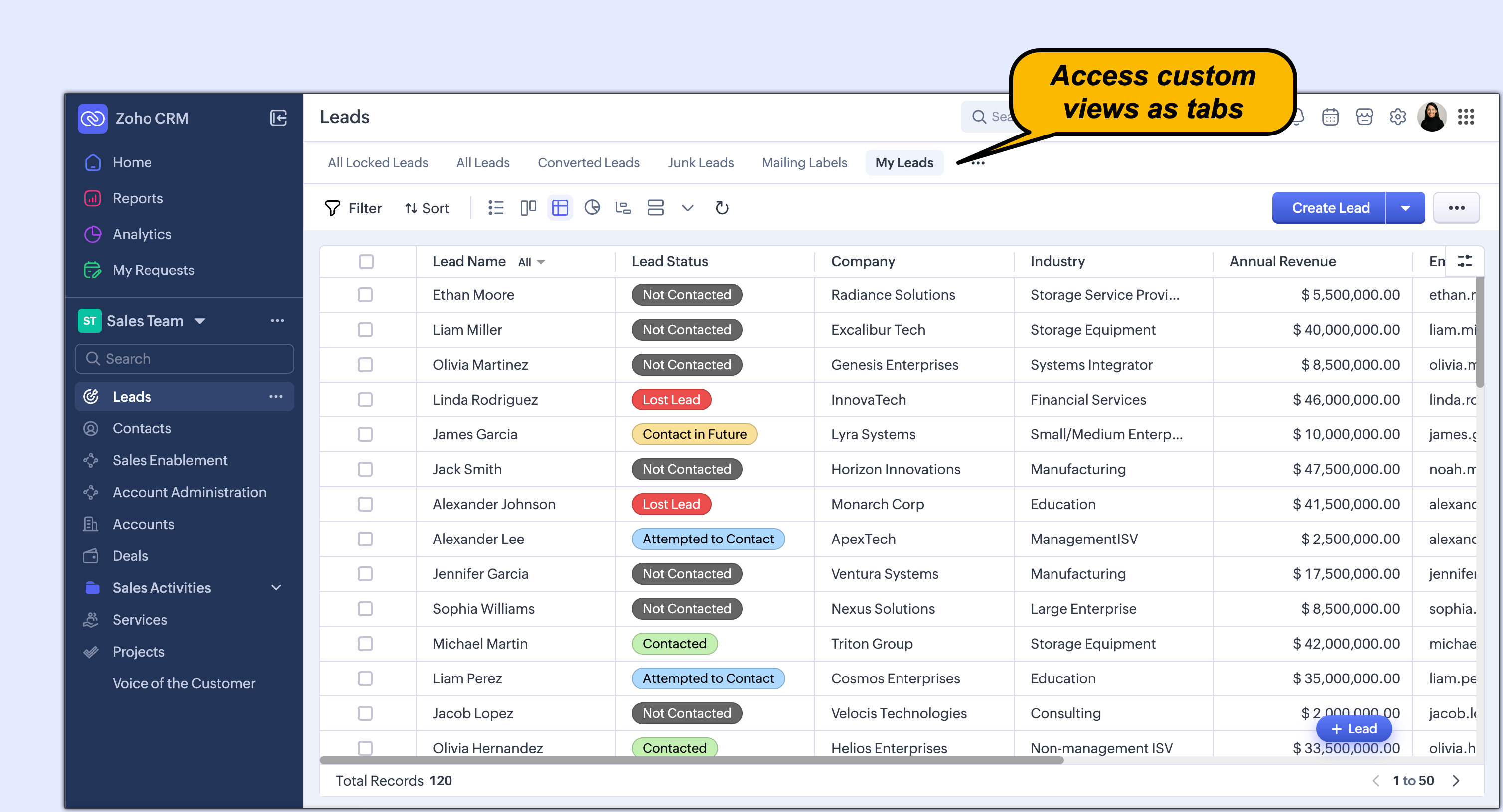
Custom Views can now be displayed as tabs
Navigate Through a Single Sidebar
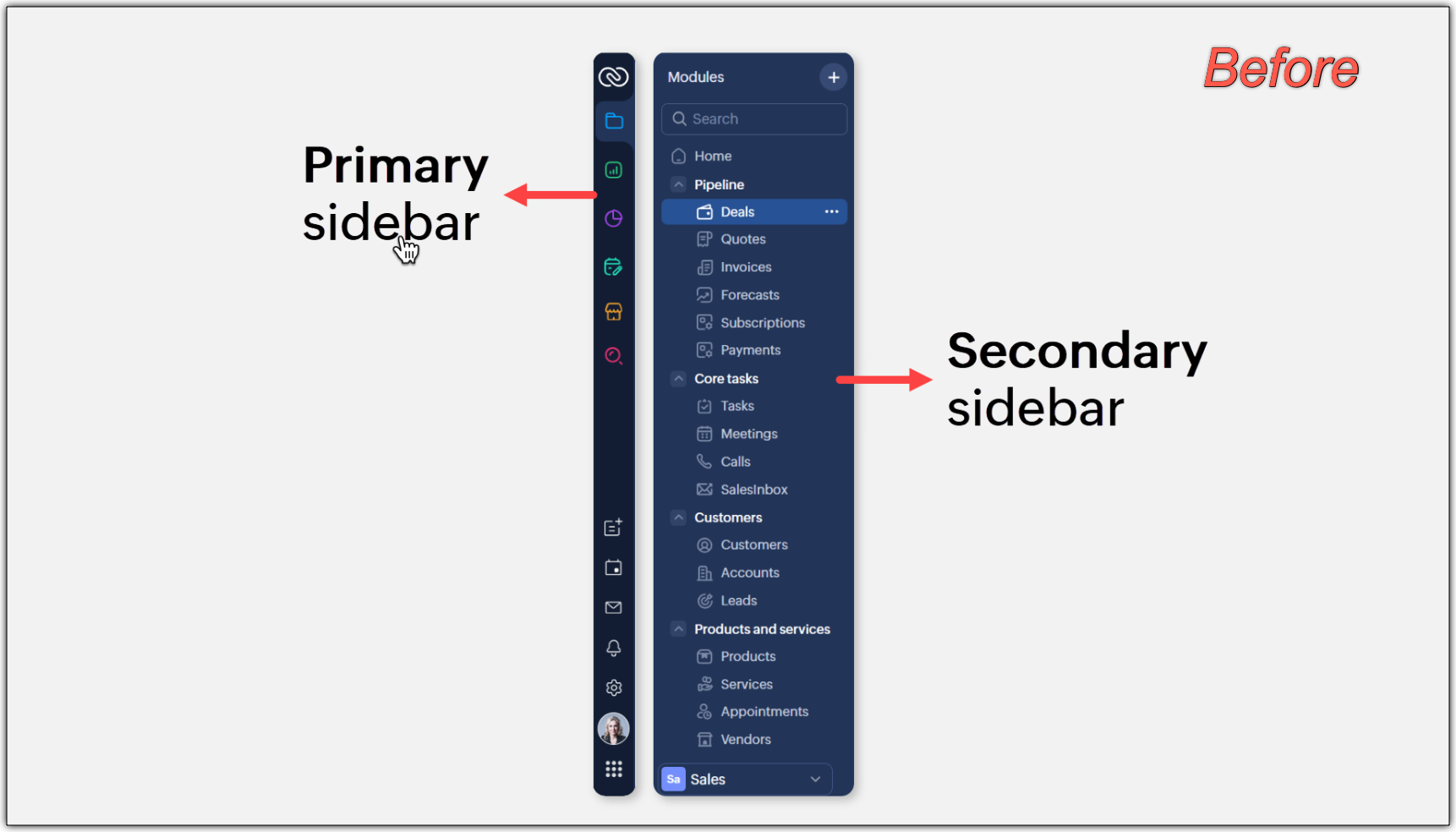
This means:
More room for data on your screen
Faster navigation
Fewer clicks to reach your most-used modules
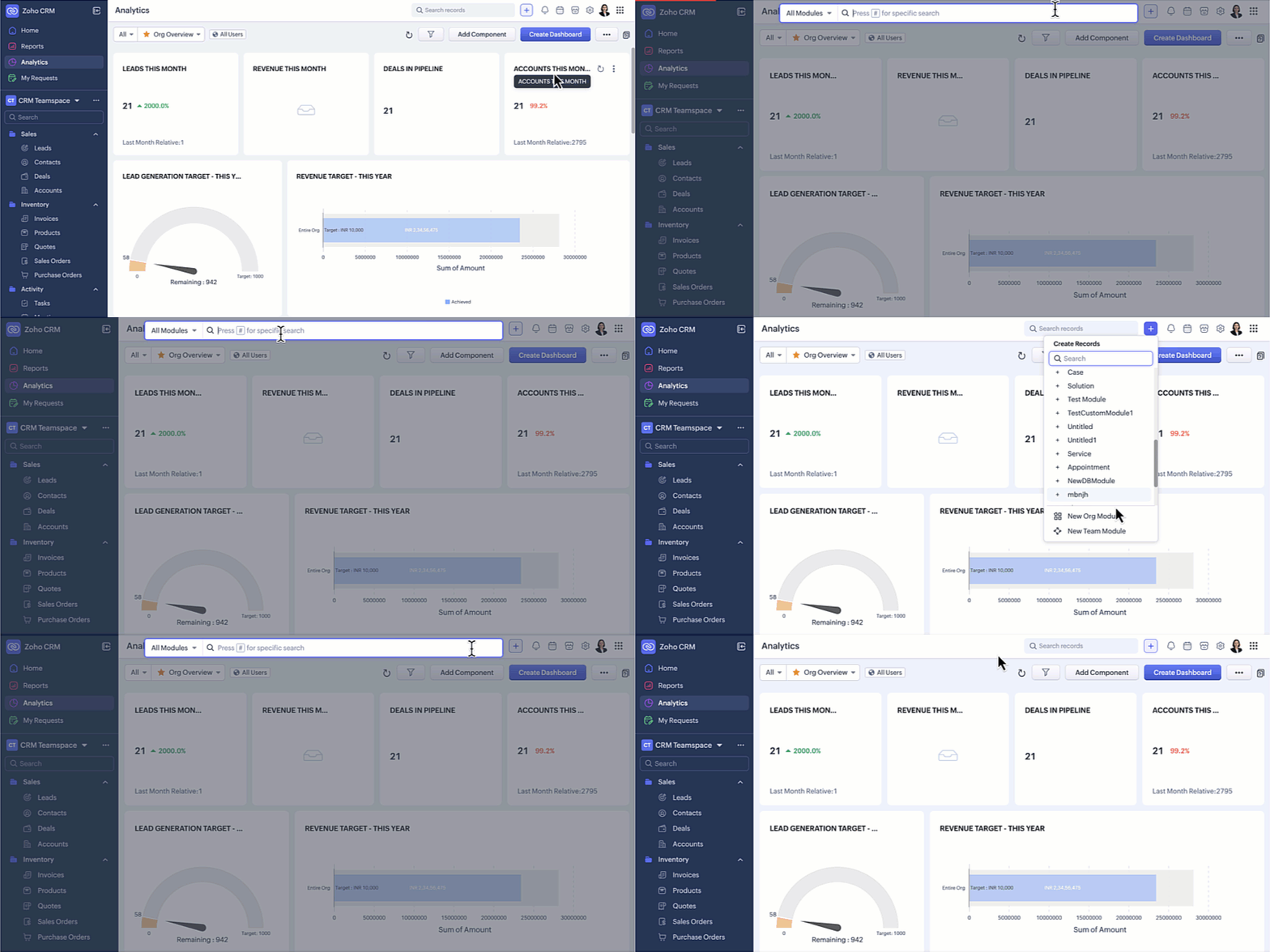
Global Search & Quick Create Now Easily Accessible
Previously, search was tucked below the module list, making it less noticeable.
In the updated UI:
Global Search is now placed at the top, giving it the visibility it deserves
Quick Create actions are unified under the top “+” icon
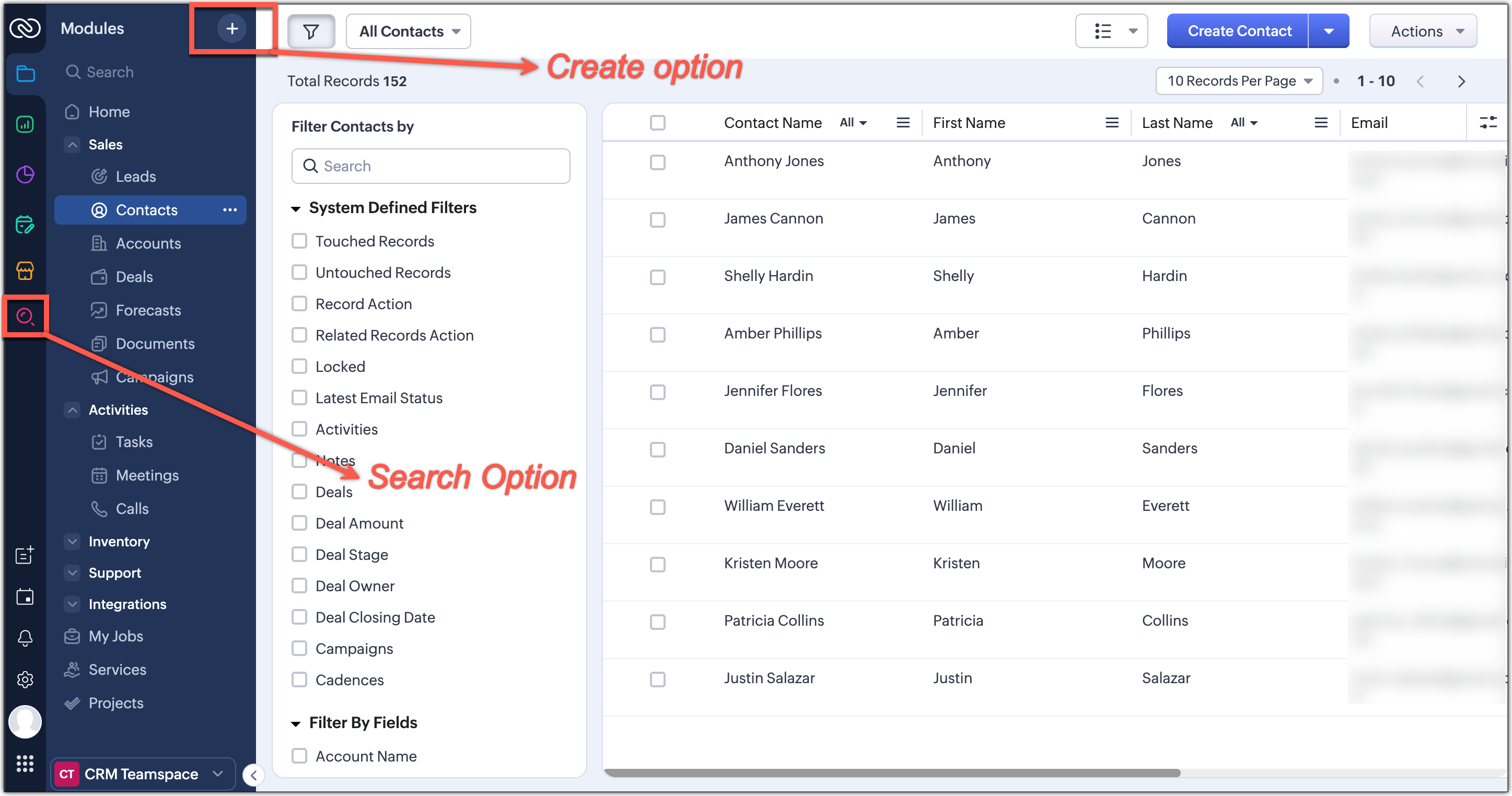
From this single spot, you can:
- Create new records
- Add team or organization-wide modules
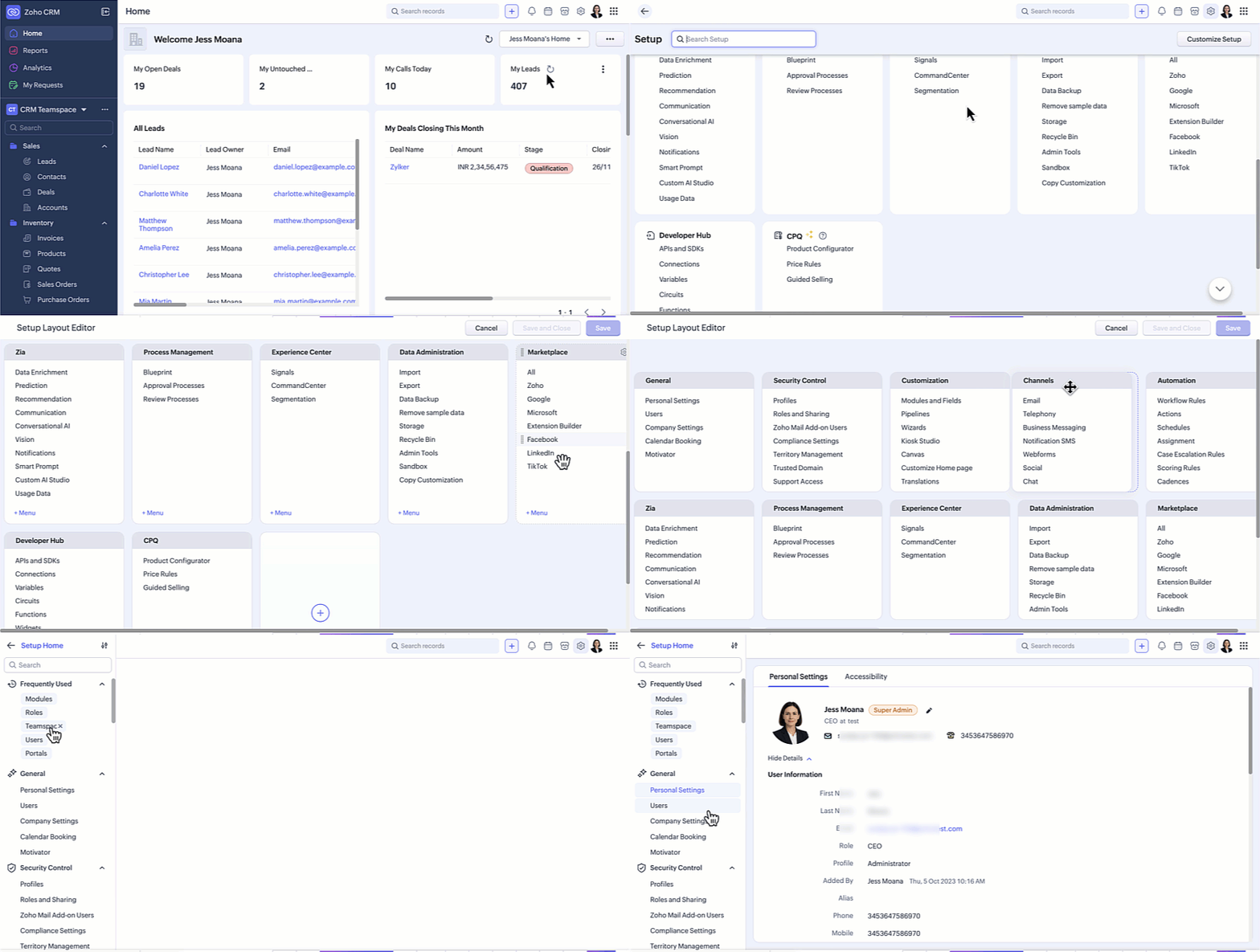
Setup Menu Moved to Top-Right + New Setup Homepage
Earlier, the Setup menu opened to a long list of features without an overview.
Now:
Setup is located at the top-right corner
You’ll land on a Setup Homepage with neatly organized categories
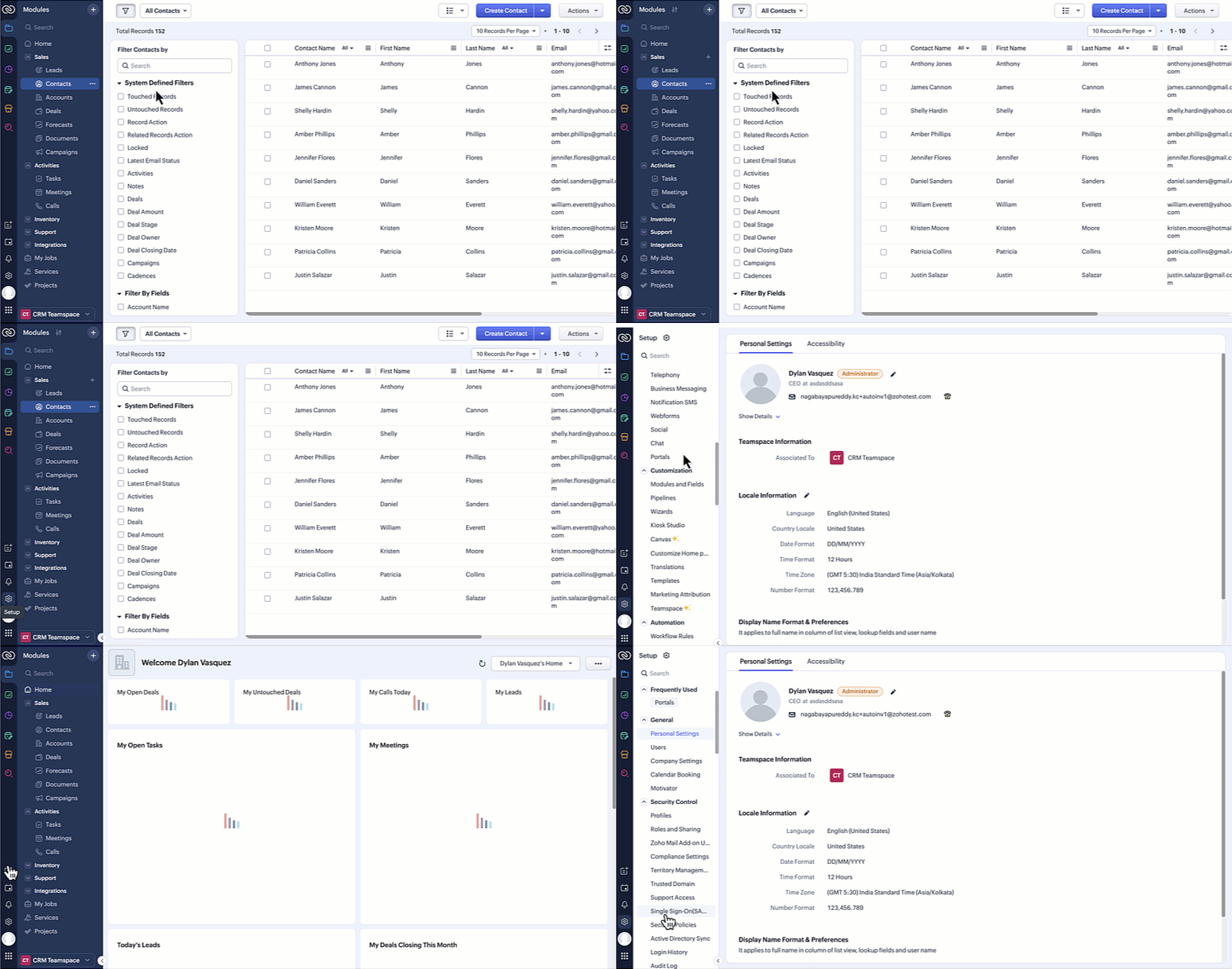
You’ll land on a Setup Homepage with neatly organized categories
This layout provides:
A bird’s-eye view of all settings
Cleaner navigation
Faster access to configuration tools
Reports & Dashboards Now Just One Click Away
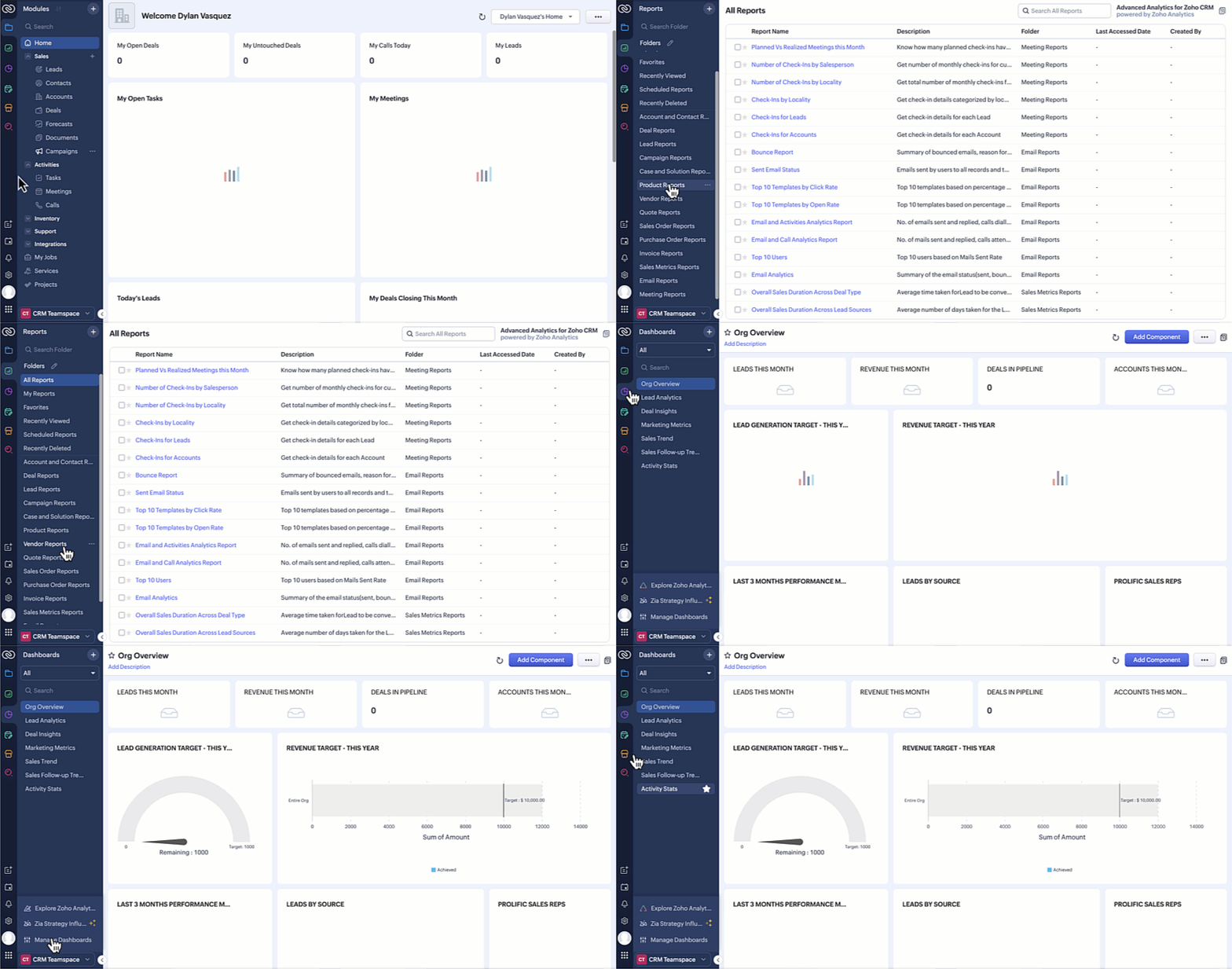
With the new update:
Everything is available in a single dropdown menu
Switch between dashboards, reports, Zia, or Zoho Analytics instantly
Manage folders and dashboards directly from the dropdown
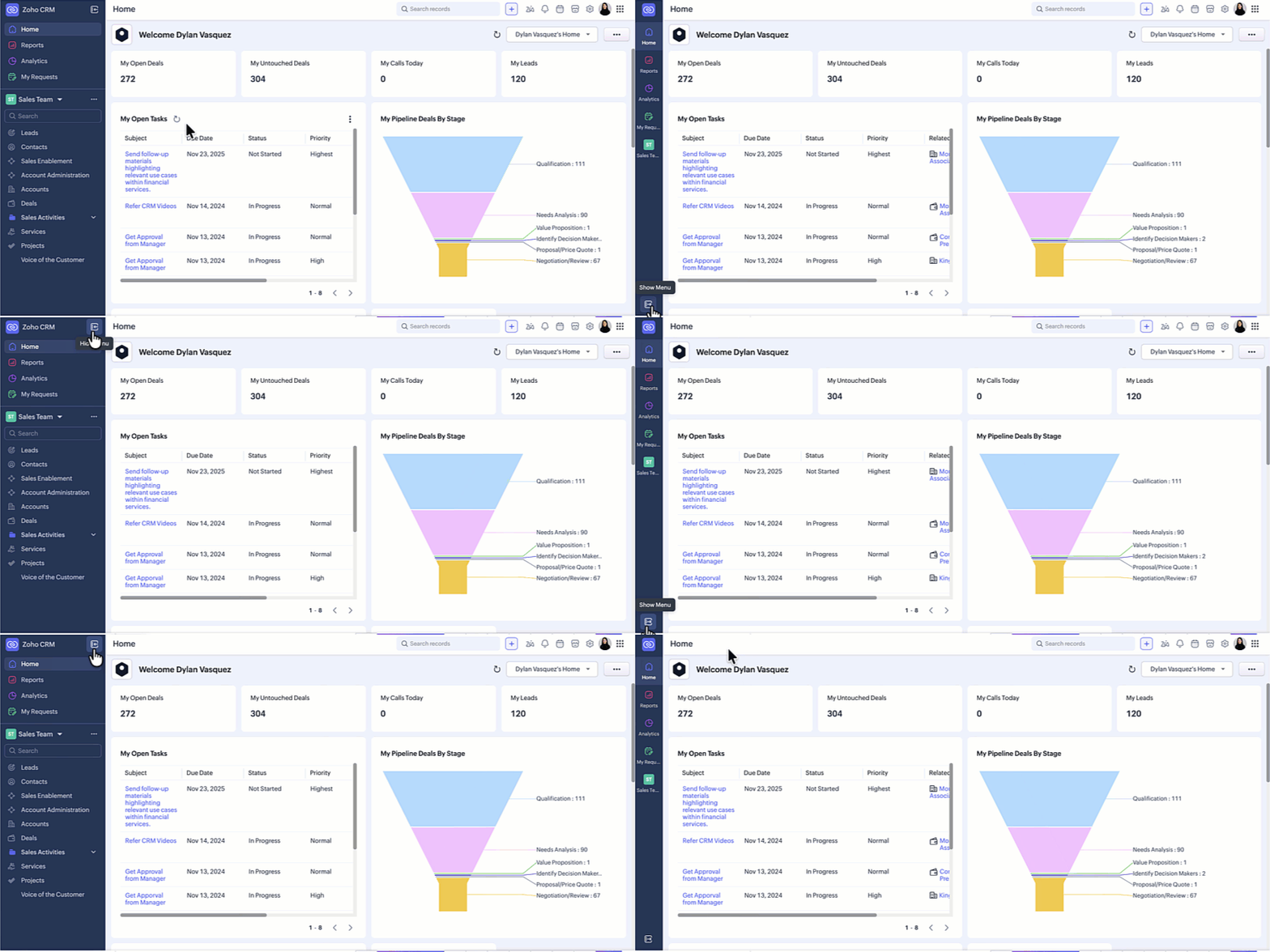
Sidebar Hide/Show Option Continues to Stay
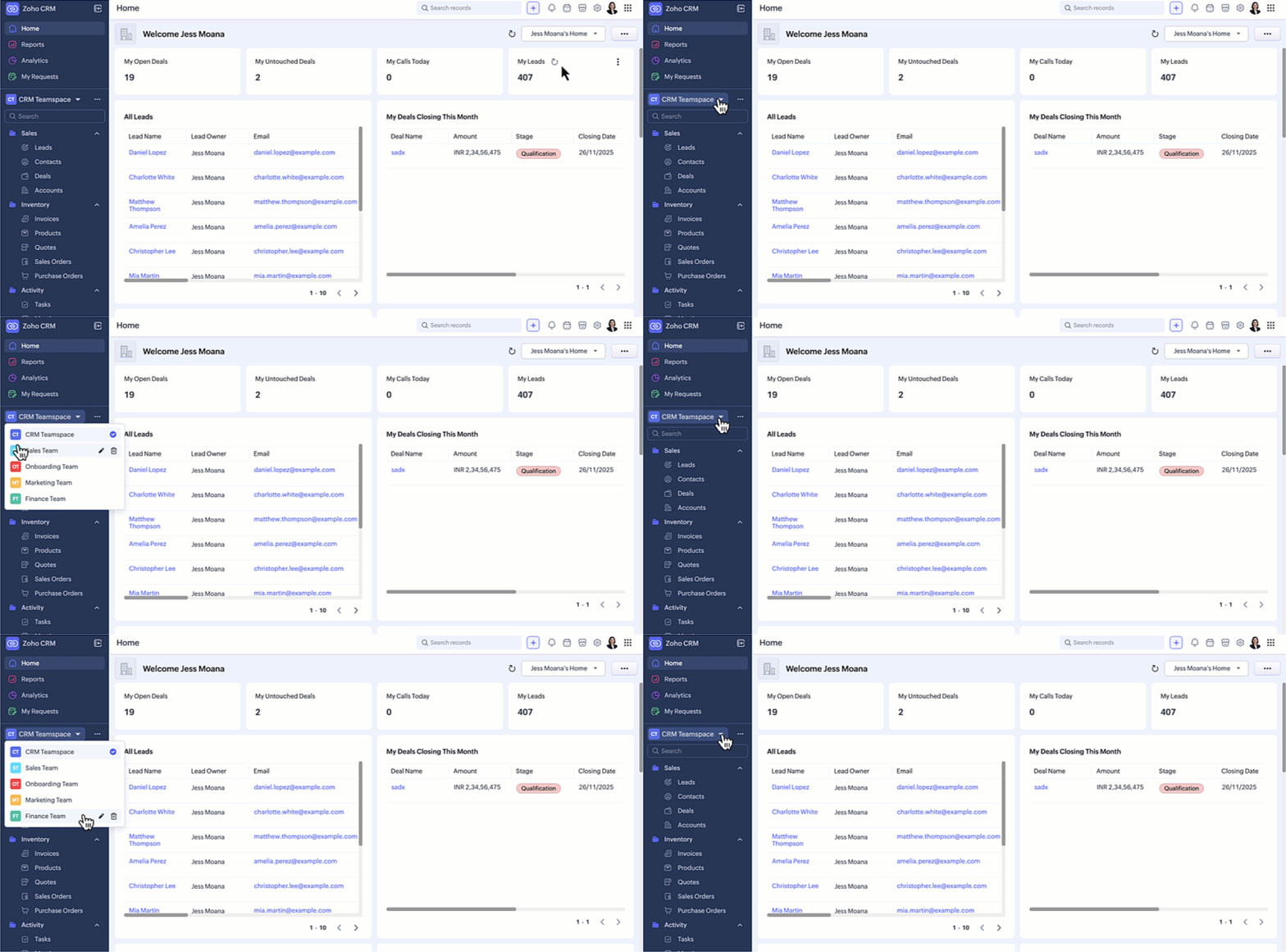
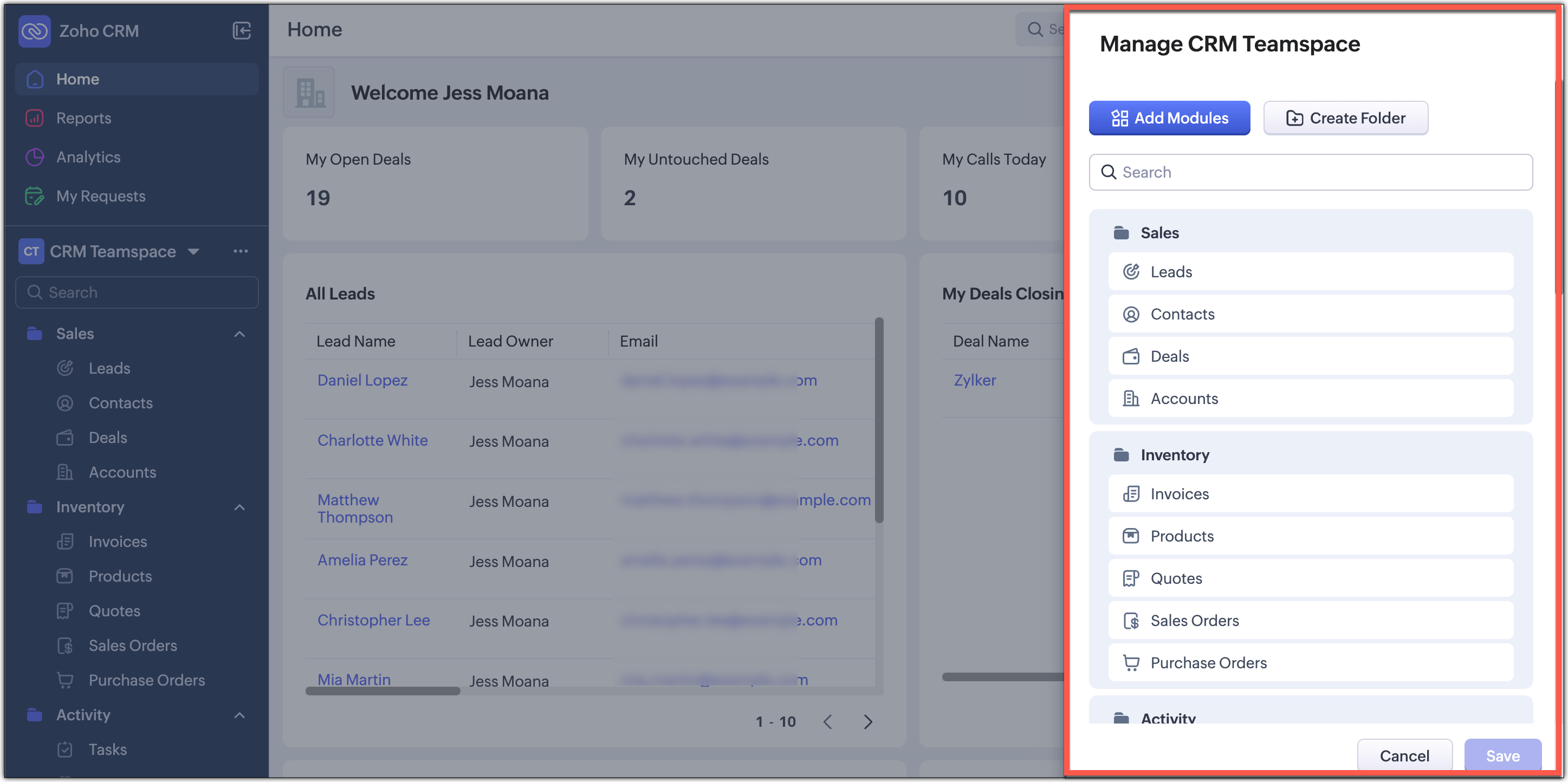
Teamspace Switcher Repositioned for Better Visibility
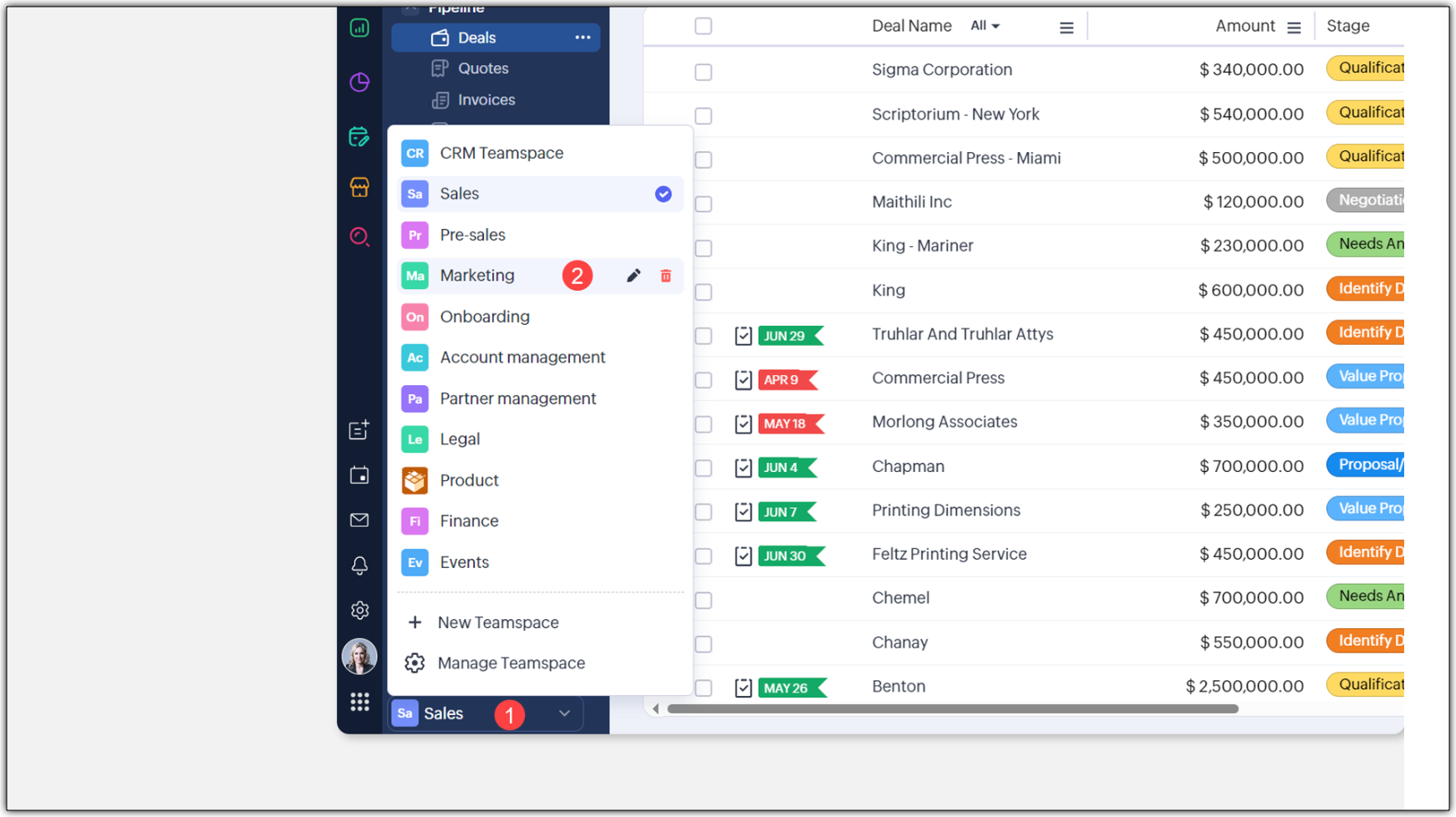
Now:
It’s placed in a more central spot for quicker switching
A new More (…) menu lets you:
Create teamspaces
2. Manage modules and folders
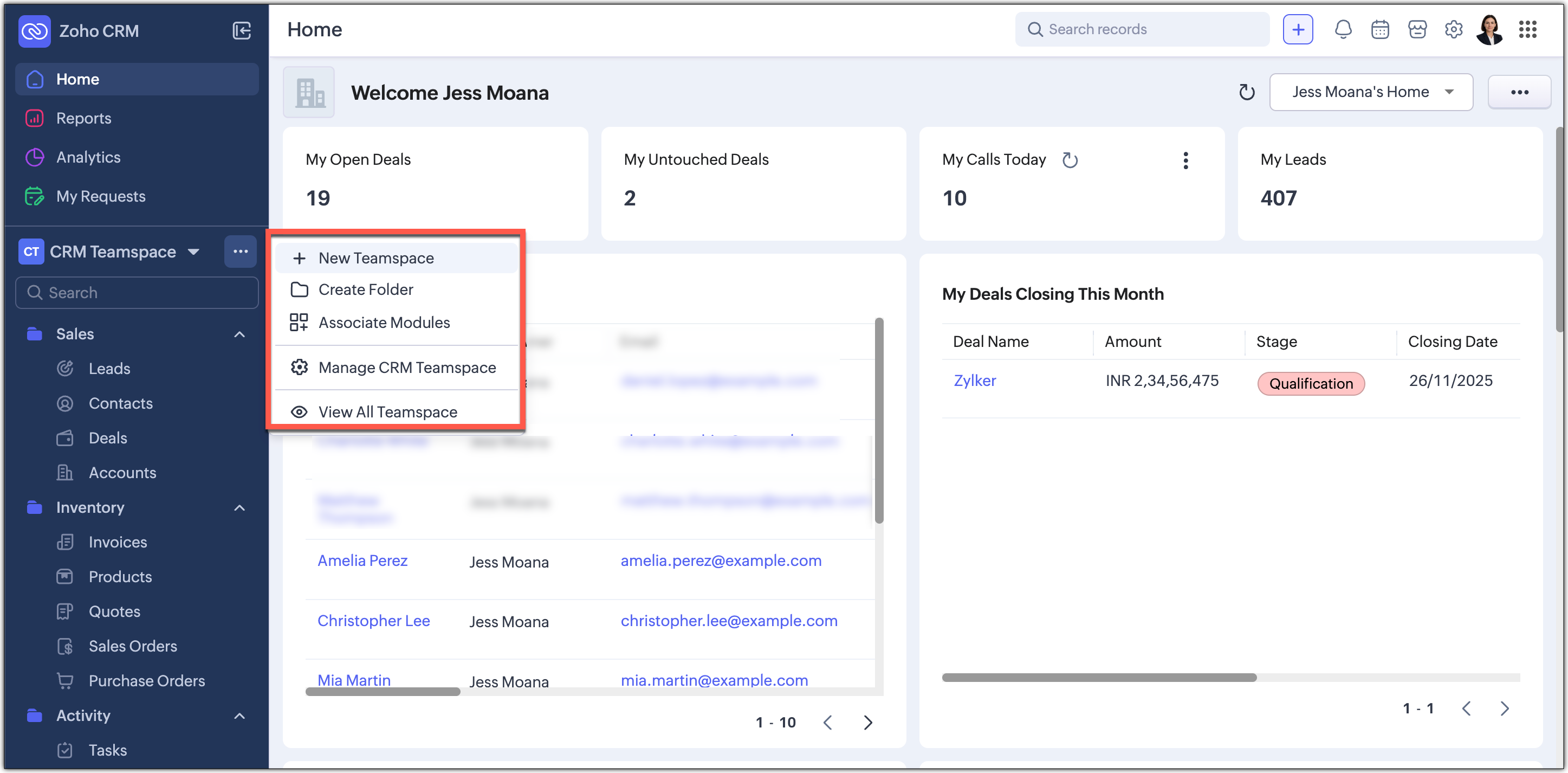
Teamspace management now opens on a right-side panel for smoother access.
Filters + Views Combined for a Cleaner Experience
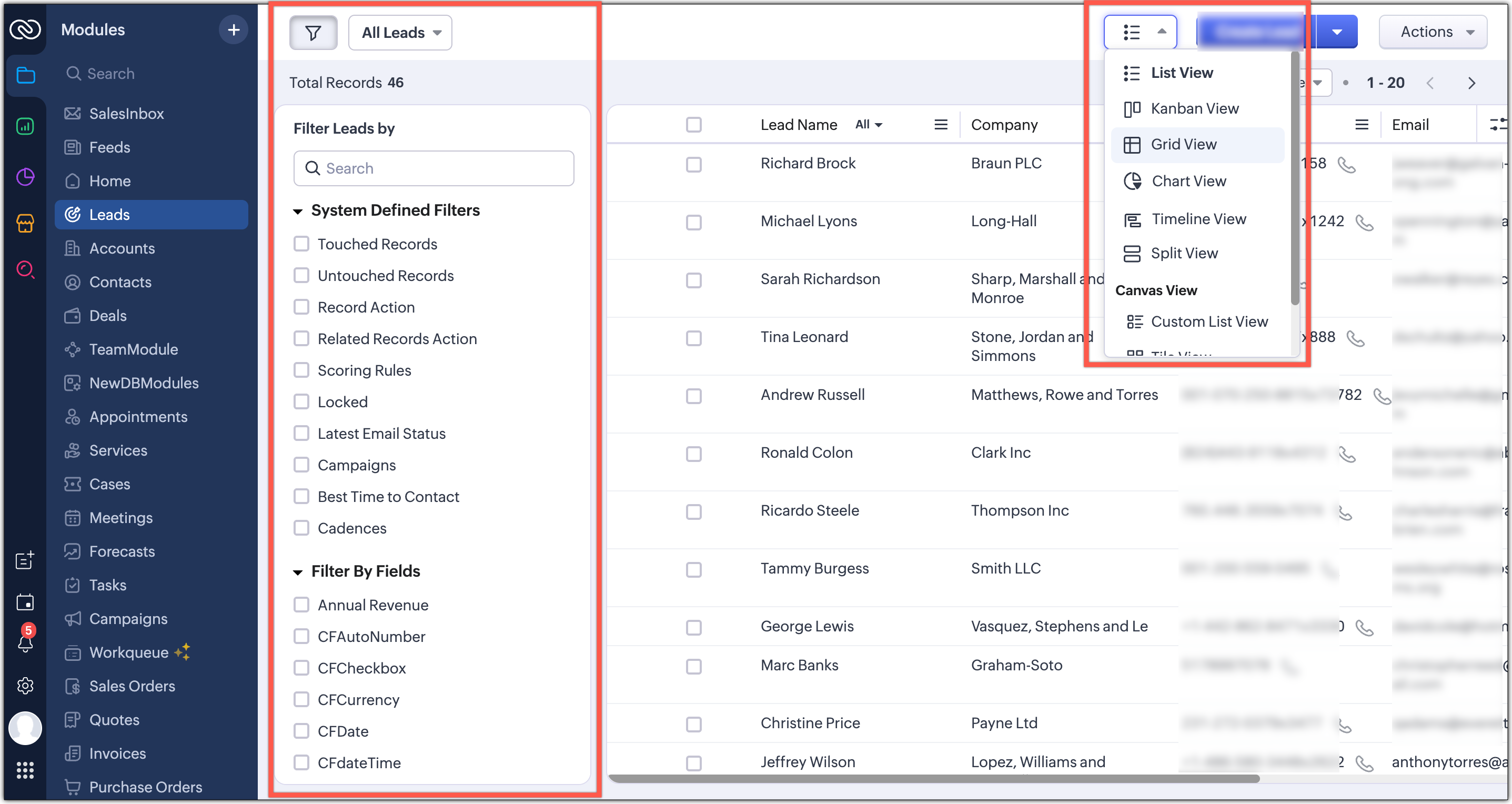
With the new UI:
All customization tools—filter, sort, record view—are brought together
Located directly under the module name for easy reach
Makes the top bar organized and consistent
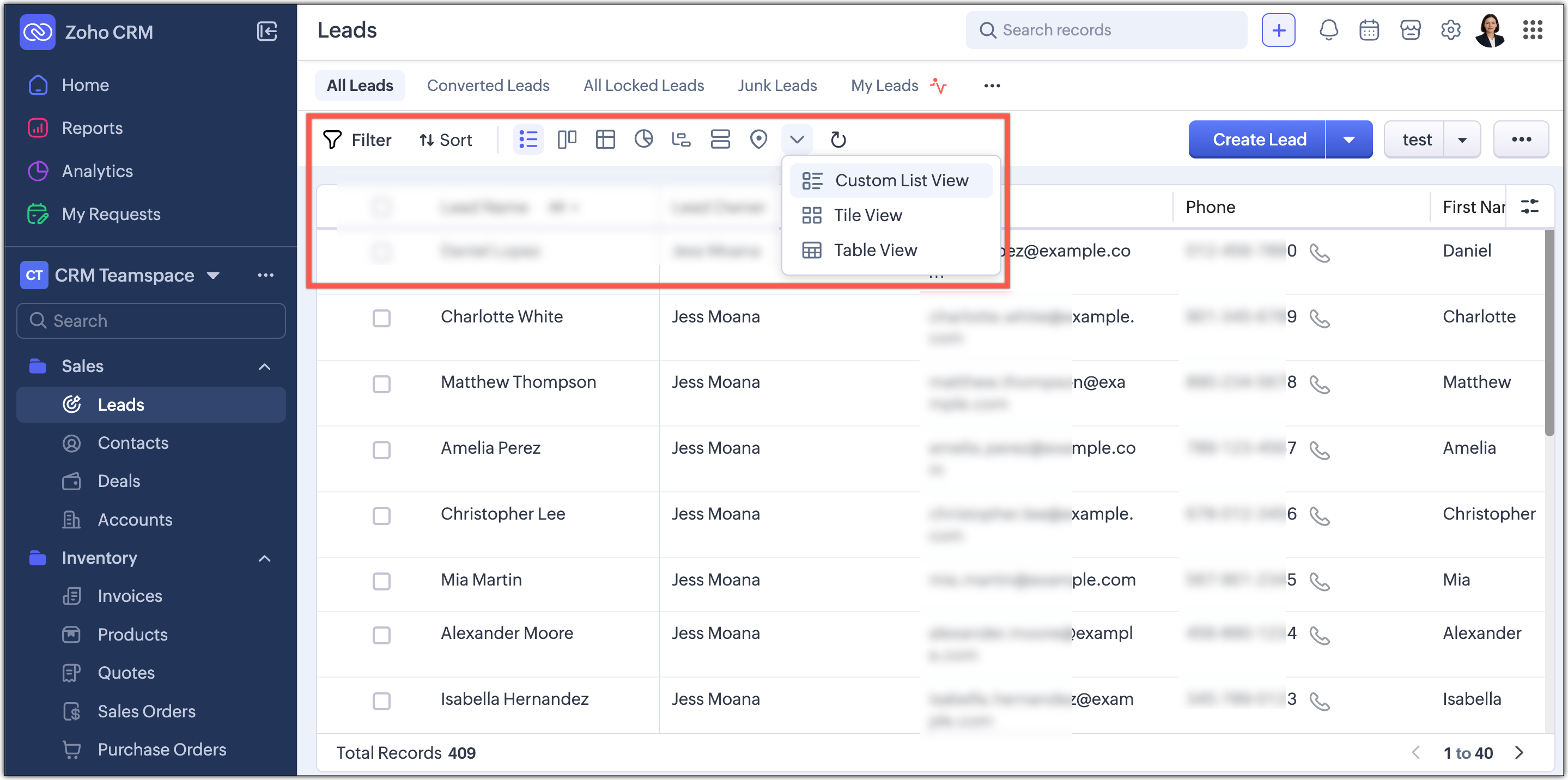
Custom Views Can Now Appear as Tabs
This highly requested enhancement allows you to:
Display frequently used views as tabs at the top
Switch between your important lists instantly
Enjoy a cleaner, more personalized workspace
What does this mean for existing users?
What Existing Users Should Know
Zoho is rolling out this upgrade gradually for all users.
Nextgen UI Users
You’ll see a banner inviting you to switch
You can switch immediately or choose to do it later
If you delay, the switch becomes mandatory after a week
The current Nextgen UI will be sunset after the transition
Old UI Users
A banner will let you try the upgraded interface
After this, “Try CRM for Everyone” will always open the new version
The old Nextgen UI won’t be available anymore

Availability & Rollout Plan
Who gets it now?
Available immediately for standalone CRM accounts
Coming soon:
CRM Plus and Zoho One support
For new signups, the upgraded Nextgen UI will be the default (gradual rollout per data center)
Switch-back Option
You can switch back to the Old UI if needed
You cannot revert to the previous Nextgen UI after upgrading
Final Thoughts
Zoho is confident this redesigned UI will make your daily CRM experience faster, cleaner, and more efficient.
Your input has shaped every improvement Zoho has made—and we are always listening.
Related Articles
Zoho CRM Enhances Calls, Tasks & Meetings with a Unified Design
Hello everyone, Zoho CRM is taking a big step toward a unified and seamless UI experience. As part of this journey, Zoho revamped the details page for activity-based modules—Meetings, Calls, and Tasks—to make them cleaner, more consistent, and easier ...Zoho CRM: New Flexibility in Cadences – Re-enroll Smarter, Exit on Your Terms
Effective follow-ups rely on striking the right balance — knowing when to reach out, when to pause, and when to reinitialize contact. With two powerful upgrades to Cadences in Zoho CRM, you now have enhanced control over how records enter and exit ...Zoho Desk Reminder: Migrate to the New ASAP Widget Before It’s Too Late!
Last year, Zoho Desk introduced the all-new ASAP Help Widget, bringing a smarter, unified, and more intuitive support experience right where your users need it. Since then, we’ve been building everything new—features, improvements, and ...Zoho CRM Deluge Update: Changes to the Send Mail Task
Hello Enterprise Support Community, At Zoho, strengthening platform security remains a top priority. As part of this ongoing initiative, Zoho is rolling out an update to the send mail task in Deluge for Zoho CRM, aimed at improving email authenticity ...Zoho CRM & ABM: The Perfect Match for Customer Retention
Picture this: You’re a fast-growing SaaS company on the verge of launching a robust business suite. You’re ready to make an impact—but with a lean budget, you know that acquiring new customers is time-consuming, costly, and often offers low ROI. So ...