Zoho Projects Enhancements: Automate Workflows with Zoho Flow and Third-Party Apps
Third-party integrations can supercharge your projects by streamlining workflows and simplifying data processing. With the Zoho Flow integration, you can now connect and automate actions across multiple third-party apps — all from within your Zoho Projects environment.
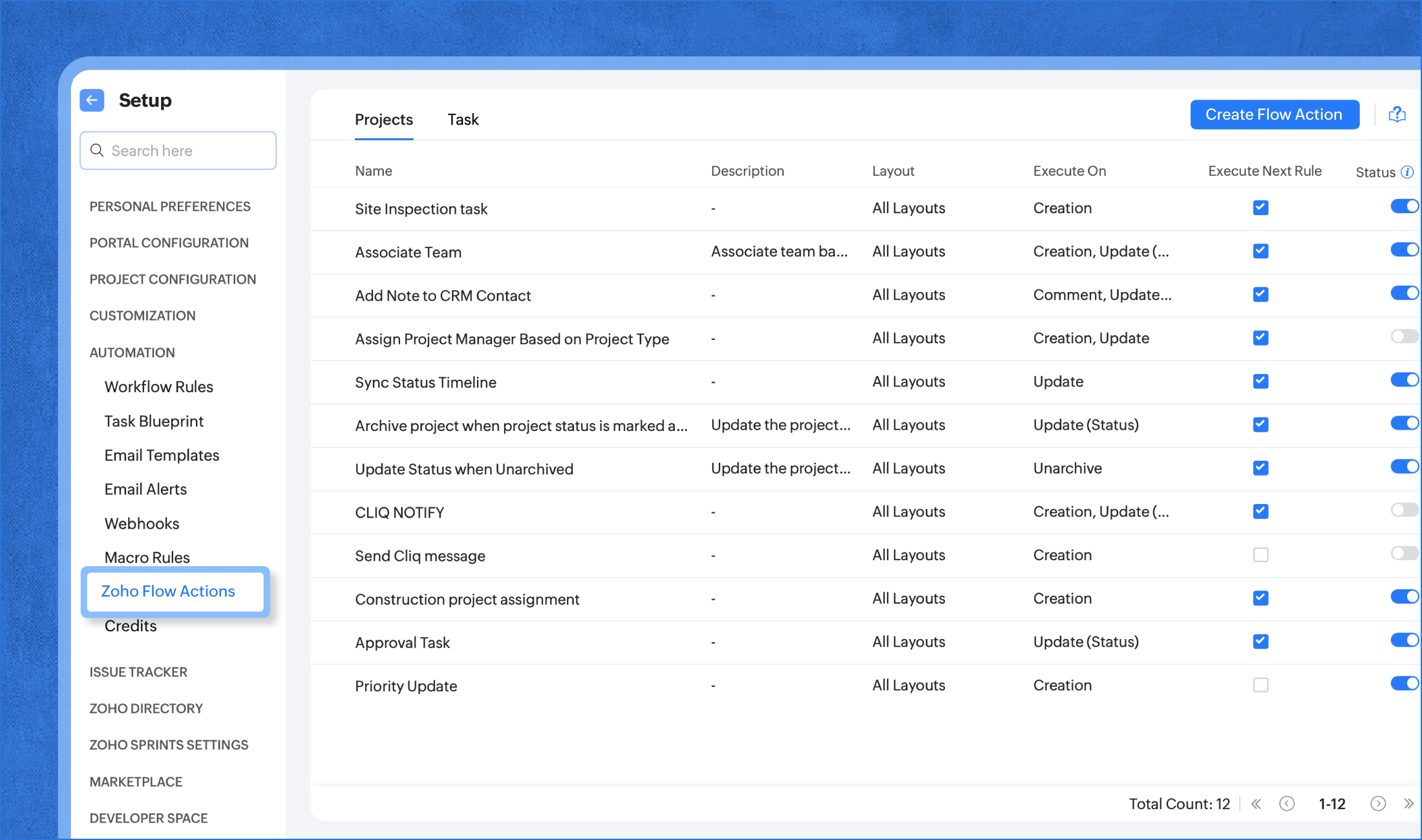
Add Zoho Flow actions to your Workflow Rules or Blueprints to integrate, automate, and connect your projects or tasks directly with the external tools you use every day.
Example in Action
Imagine this scenario:
A project manager sets up a workflow rule that triggers when the project status changes to “Complete.”
They add a Zoho Flow action to:
Create a Microsoft Outlook event for a client review meeting.
Send a Zoho Cliq channel message with a customized note and the Outlook meeting link.
Now, whenever the project status is updated to Complete, Zoho Flow automatically creates the Outlook event and sends the Cliq message — saving time and ensuring seamless coordination.
Using Zoho Flow in Blueprints
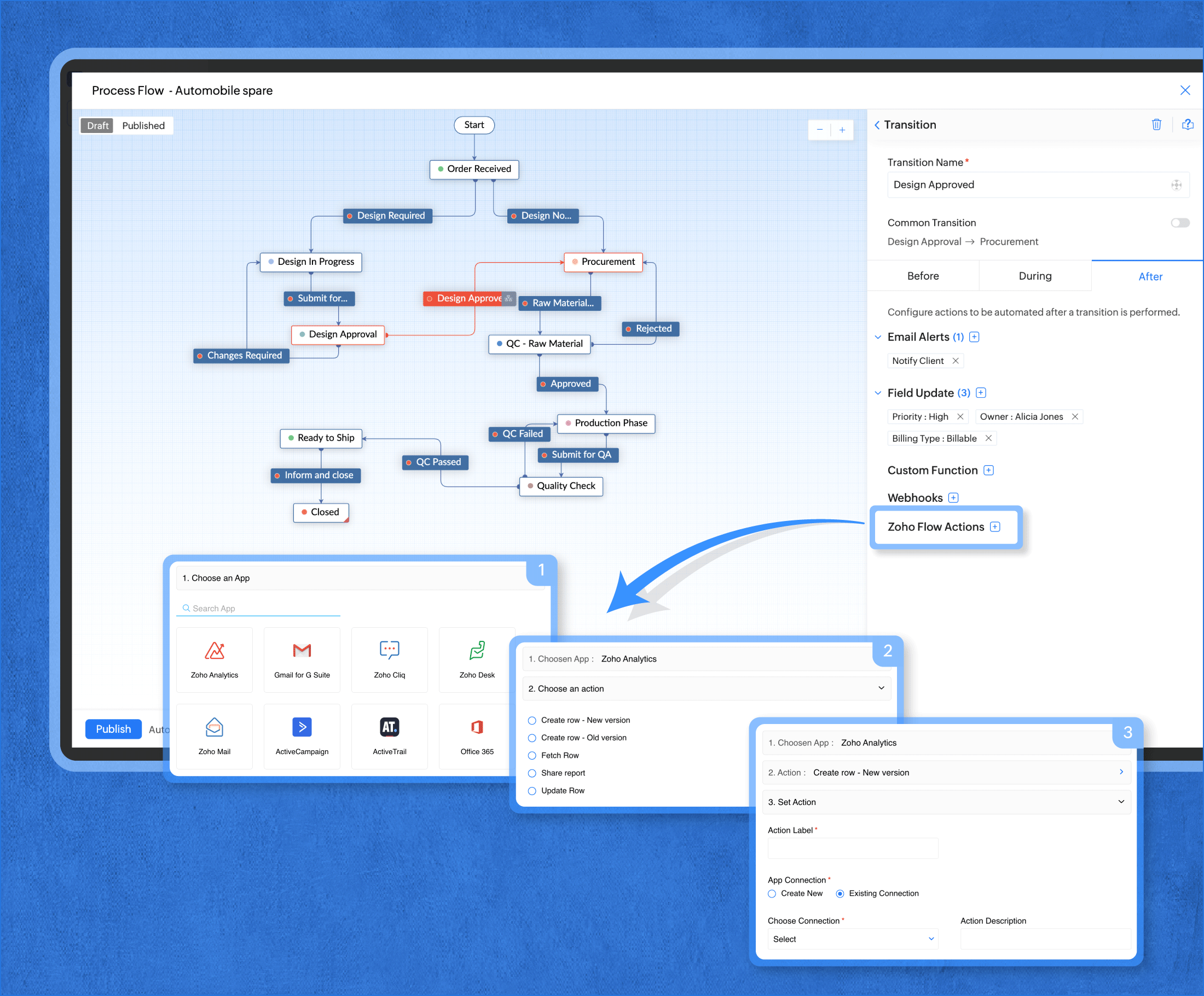
You can also include Flow actions within your Blueprint transitions.
For example, before closing a project, add a Zoho Flow action that creates a client review event in Outlook during the final transition — automating post-project collaboration effortlessly.
Flow Action Credits
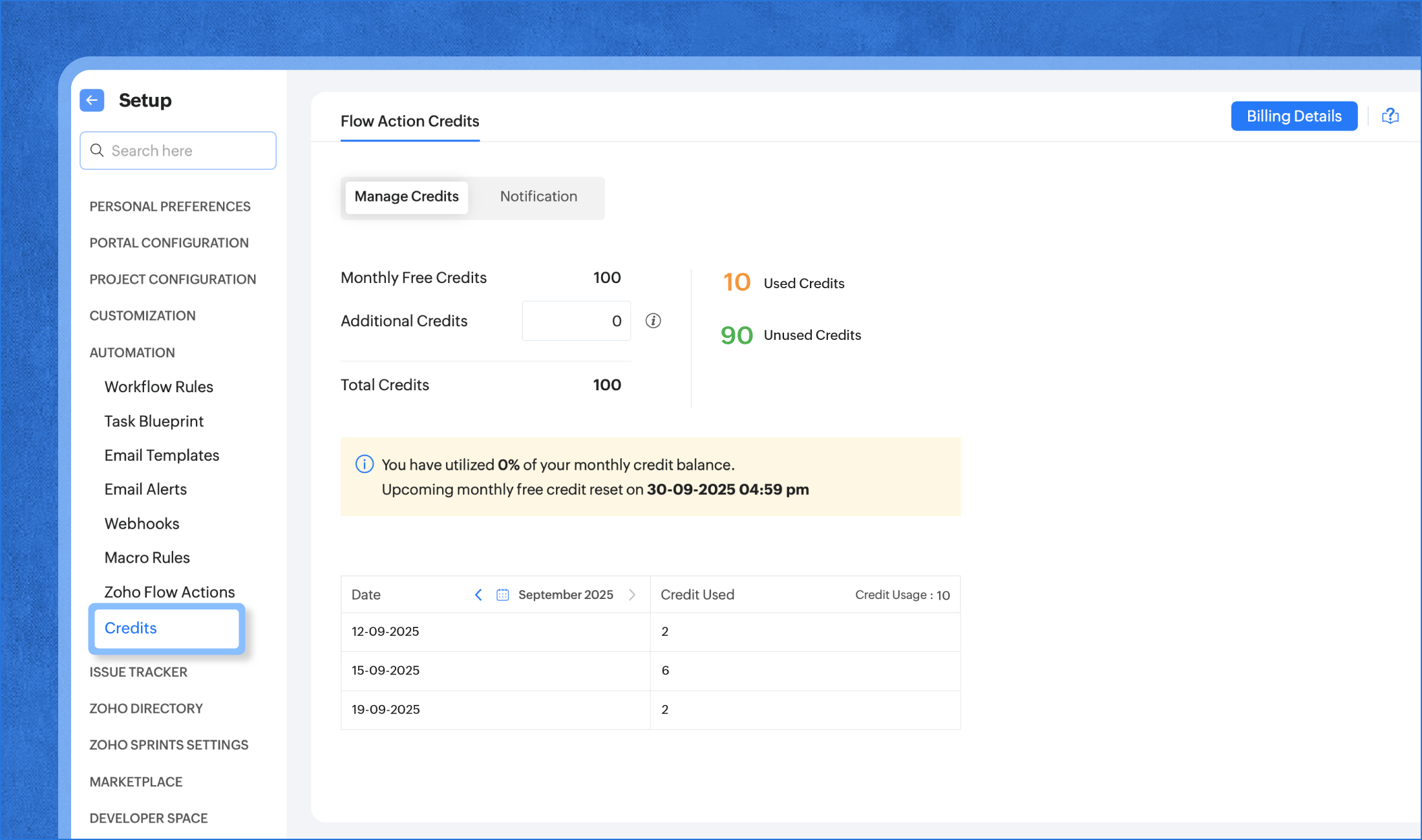
Every month, you get 100 free Flow action credits to connect with third-party apps.
Need more? You can purchase additional credits to execute beyond the 100 monthly limit.
Note: Free credits reset every month based on UTC (Coordinated Universal Time).
Availability
Available on: All Paid Plans(excluding Zoho Projects bundles)
Available for: All users with authorized automation permissions
Related Articles
Zoho Flow Update: Perform Third-Party App Actions Automatically
Hello everyone! Greetings, Hope you’re doing well. Today, PFC Group is happy to share a helpful update in Zoho Bigin that will make your automation work even smoother. Zoho Flow Actions are now available inside Bigin This means you can now connect ...Zoho Desk Brings AI-Powered Productivity in 2025
Hello everyone, Zoho introduces to share our first release of 2025! Zia – Smarter AI Assistance Empathy & Tone Suggestions: Zia now helps agents write thoughtful replies in any language. Insights & Sentiment: Understand how a customer feels and what ...Zoho CRM: Makes Teamwork Easier with Connected Workflows
Hello everyone Once upon a time in a growing business, teams were doing their best—but struggling. Sales had their leads, marketing was creating case studies, onboarding was waiting for instructions, and training was unsure when to jump in. Despite ...Zoho Desk Enhancements: Smarter Audit Logs with More Transparency and Control
Hello everyone, Zoho has introduced powerful enhancements to the Audit Log, making it easier than ever to track changes, review activities, and ensure accountability. These updates are designed to help administrators gain deeper visibility into ...Zoho Projects Update: Task Module Can Now Be Disabled
Hello everyone! In the latest Android(v3.9.19) and iOS(v3.9.6) versions of the Zoho Projects mobile app, we have implemented enabling/ disabling the Task module as per your portal configuration on the Zoho Projects desktop site(projects.zoho.com). If ...