Zoho Flow Update: Perform Third-Party App Actions Automatically
Hello everyone!
Greetings,
Hope you’re doing well. Today, PFC Group is happy to share a helpful update in Zoho Bigin that will make your automation work even smoother.
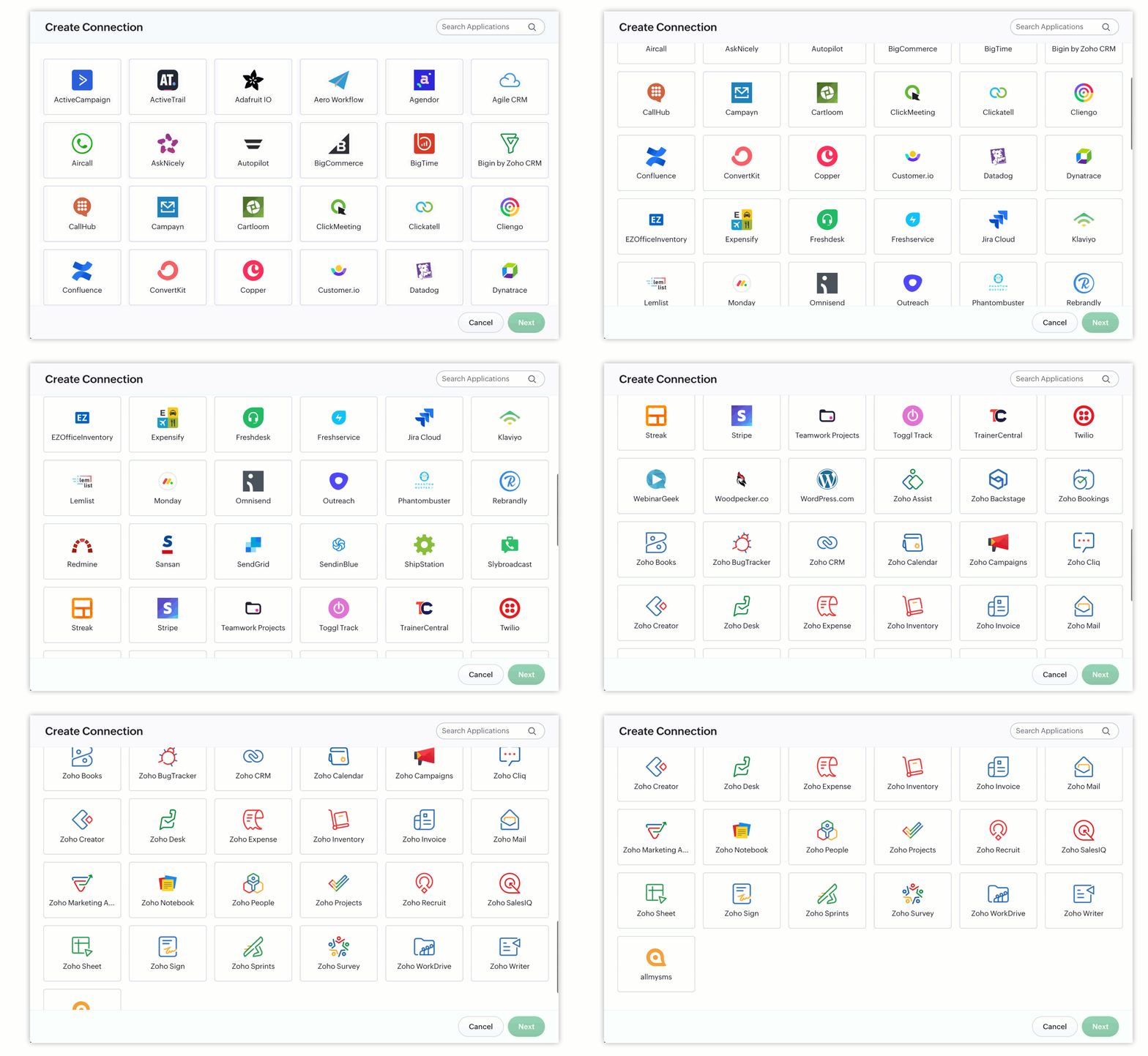
Zoho Flow Actions are now available inside Bigin
This means you can now connect Bigin with many other apps and automate tasks in those apps—directly from your workflow and stage automation rules.
No coding needed.
What is Zoho Flow?
Zoho Flow is a simple, no-code platform that connects different cloud apps.
It helps you automatically send data or trigger actions in other apps—for example:
Send a message to a team
Create a new record in another app
Notify the team when something changes in Bigin
Where to find it
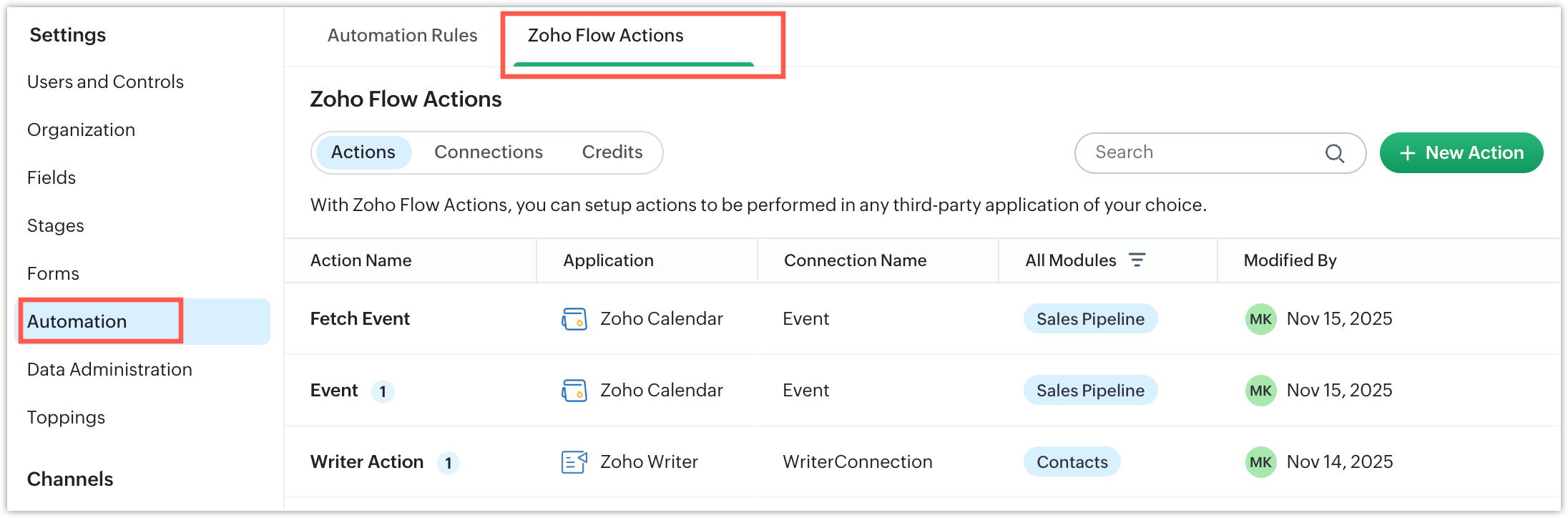
The menus have been reorganized for clarity:
Setup > Automation > Automation Rules
Here, you will now see:
Workflow
Stage Automation
Zoho Flow Actions (new)
Updated Automation Permissions
Permissions are now split into clear parts so users have better control:
Permission | What it means |
Manage Automation | Full rights to create and edit workflows and automation rules |
Manage Flow Connection | Can edit or delete connections made by other users |
Access Flow Connection | Can create and use only their own connections; cannot modify others’ |
Note:
If Manage Flow Connection is turned ON, Access Flow Connection turns ON automatically.
You can also enable only Access Flow Connection if needed.

Credits and Billing
Each time a Flow Action runs successfully, it uses 1 credit.
Here’s how credit usage works:
100 free credits per month for every account
After free credits are used, extra usage will be billed
Admins can set a monthly credit limit to control spend
For example:
If your limit is 20,000 credits but you use only 10,000, you pay only for 10,000.
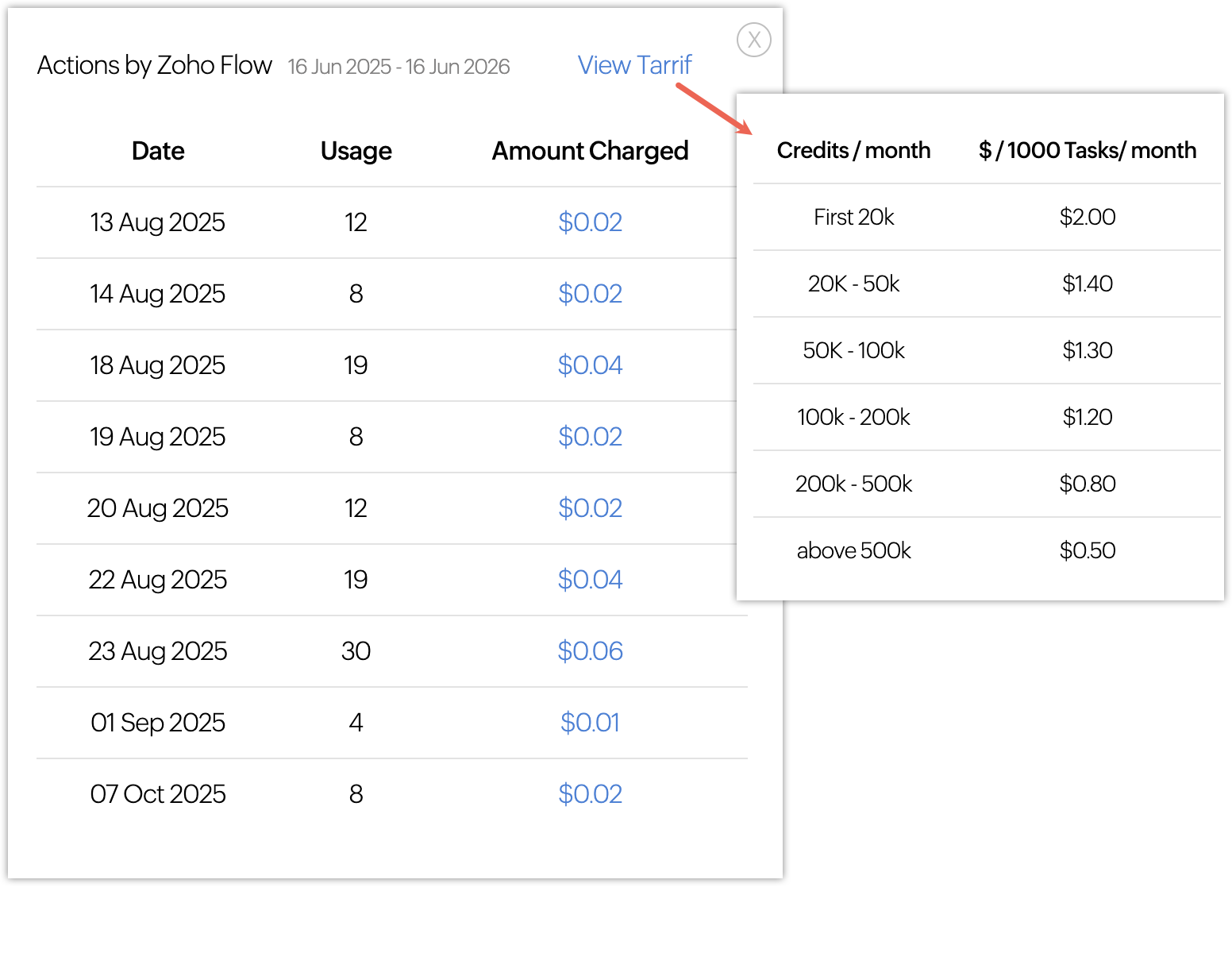
You can purchase up to 500,000 credits. For more, contact support.
Availability
Available only for paid Bigin editions.
For more details, check the official help document.
That’s all for now!
We hope you find this update useful and easy to use. Try it out and share your feedback with us.
Stay tuned to PFC Group’s updates page for more helpful announcements.
Related Articles
Zoho Projects Enhancements: Automate Workflows with Zoho Flow and Third-Party Apps
Third-party integrations can supercharge your projects by streamlining workflows and simplifying data processing. With the Zoho Flow integration, you can now connect and automate actions across multiple third-party apps — all from within your Zoho ...Zoho Desk iOS App: Picklist & Multi Picklist UI Update
Hello everyone, The Zoho Desk iOS app has received a UI upgrade aimed at making picklist and multi-select picklist fields more intuitive and efficient to use. These enhancements are designed to streamline field selection and improve overall ...Zoho CRM - Q1 2024 update
Automating actions in third-party tools has never been this easy When you think of third-party integrations, two things come to mind: plug-and-play integrations, where the system handles everything once you've enabled it, and more complicated ...Zoho CRM : Compliance Made Easy for Email Authentication
We are introducing you with significant updates to enhance email authentication and verification processes across Zoho CRM and other Zoho services. These changes aim to bolster security, ensure compliance with industry standards, and improve user ...Zoho CRM: New Assignment Rules
Zoho CRM is introducing a new feature to make assignment rules even more flexible and powerful. Administrators can now automate the assignment of records based on specific criteria. These criteria can be related to the fields in the record or the ...