Zoho Mail Tip of the Week: Write Mistake-Free Emails with Spellcheck
If you write emails all day, you know how it goes—typing fast, switching between tasks, and sending messages on the fly.
In that rush, small spelling mistakes or grammar slips are almost impossible to avoid.
Sometimes we don’t even notice them. And when we do, we may not have the time to fix each one.
So how do you keep your emails clean and professional without slowing down?
That’s where Zoho Mail’s Spellcheck steps in. It catches mistakes as you type and helps you correct them instantly—so your writing stays smooth, confident, and error-free.
Spellcheck That Works While You Write
Zoho Mail comes with a built-in, enhanced Spellchecker that highlights spelling and grammar issues in your email.
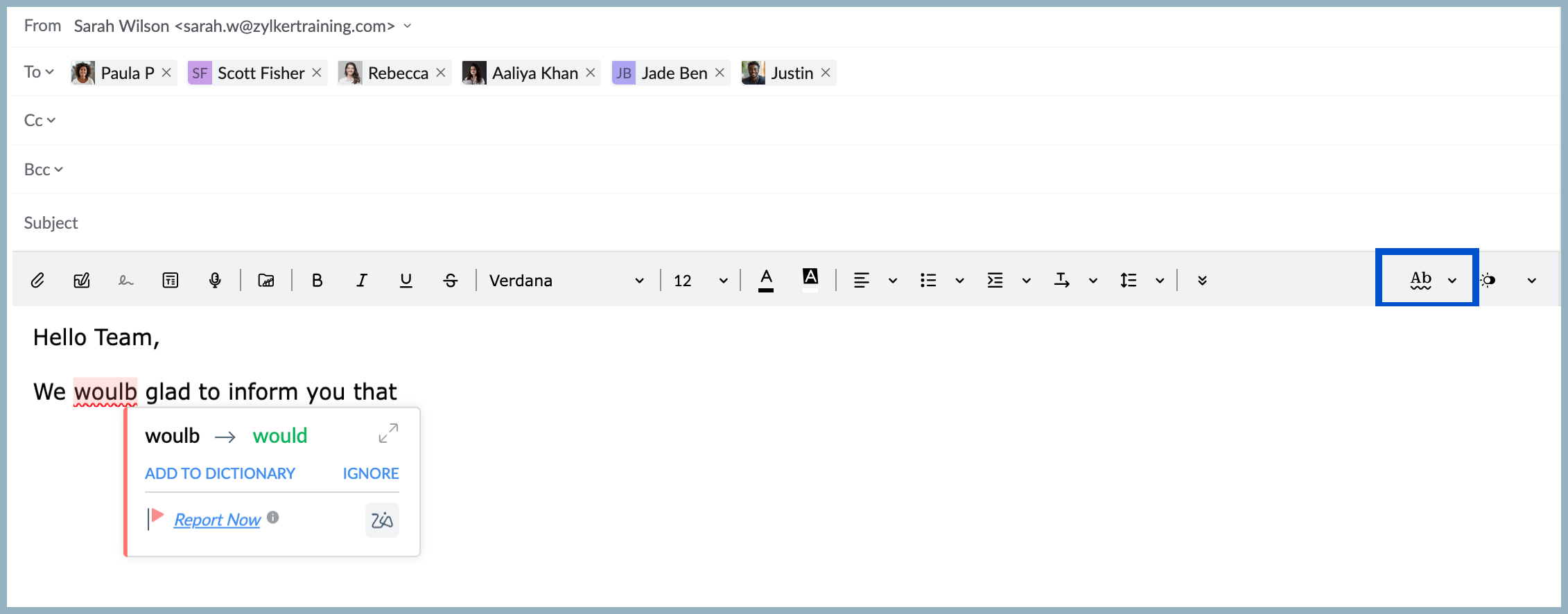
After writing your message, just click the Spellcheck icon.
Any misspelled words or awkward grammar will be marked.
Tap on the highlighted word to see:
Correct spellings
Better word options
Alternative suggestions
How to Enable Spellcheck
- Log in to your Zoho Mail account.
- Go to Settings → Compose → Spellcheck.
- Tick Spell check as you type.
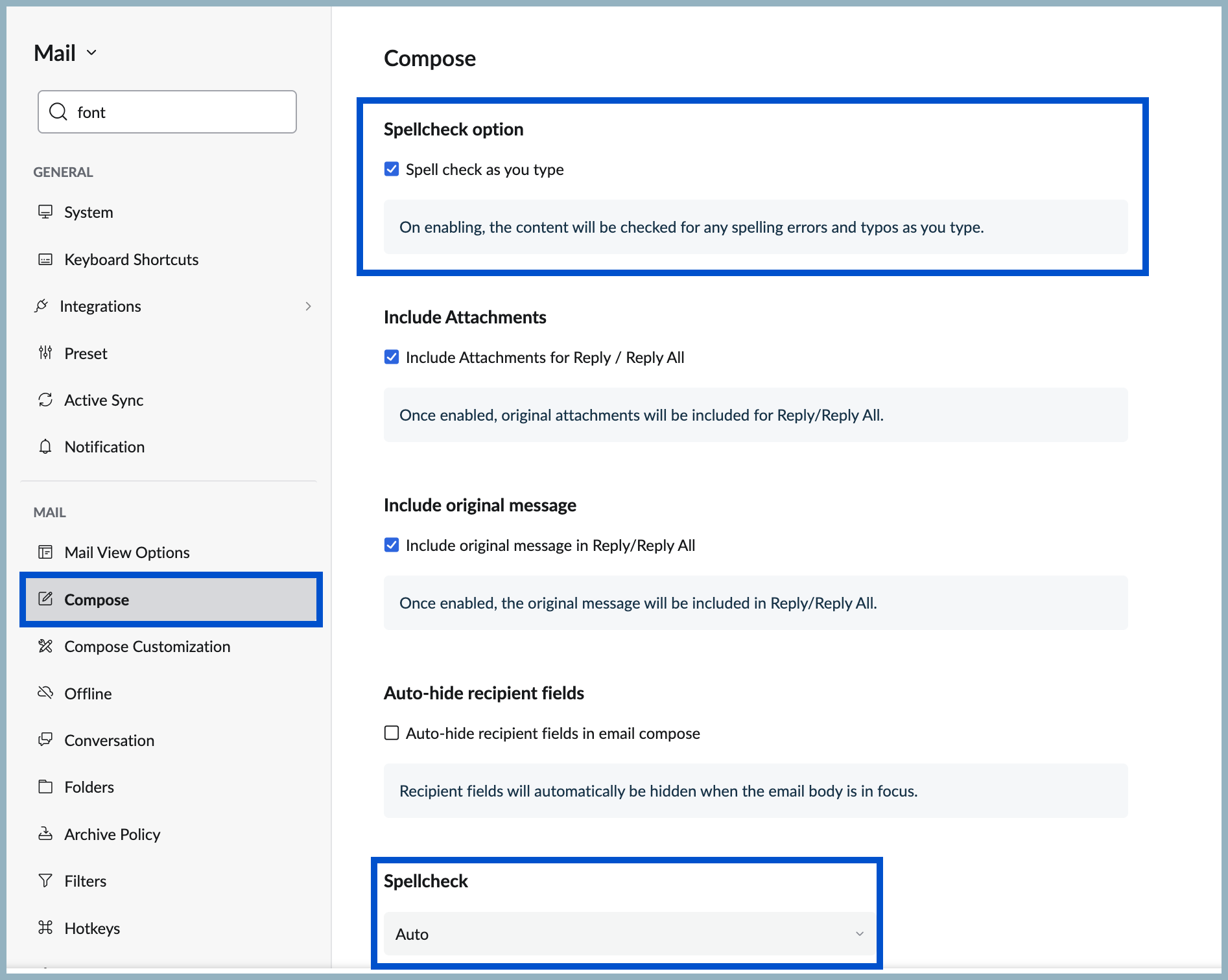
Scroll down to Spellcheck, choose your preferred language from the dropdown, and apply it.
Write Faster. Write Cleaner. With Zero Stress.
No more hidden typos.
No more missed grammar mistakes.
No more breaking your flow just to fix something small.
For more details, visit pfc-group.com
Related Articles
Zoho Mail - a smarter and quicker emailing experience with Zia's OpenAI integration
11Like7234 OpenAI and ChatGPT have taken the world by storm so much that these are household terms now. Zoho, as always, has embraced this new technology with teams coming up with creative ways to make the most of the generative AI capabilities. Zoho ...Zoho CRM : Compliance Made Easy for Email Authentication
We are introducing you with significant updates to enhance email authentication and verification processes across Zoho CRM and other Zoho services. These changes aim to bolster security, ensure compliance with industry standards, and improve user ...Zoho Desk Now Helps You Write Better, Faster Ticket Replies
A quicker, more efficient way to manage ticket replies is here—with powerful generative AI tools now integrated into the ticket detail view. These intelligent features are built to ease the workload on support agents, enhance communication quality, ...Zoho Mail Pro Tip: Use Read Receipts to Confirm Delivery
Email is a fast and commonly used tool for communication, but it doesn’t always give you the instant confirmation you get from talking in person or over the phone. When you send an email, there’s no way to know if the recipient has actually read ...Zoho Mail: Protect Sensitive Emails Using SecurePass
Imagine your organization’s confidential data being accessed by unintended recipients due to email leaks. This could include anything from personal identification details to critical documents like tender quotations or client NDAs. Such breaches may ...