Zoho Mail: Simplify Communication with Out of Office Settings
Hello Everyone,
Effective email communication is important for quick responses and clear messaging. But when users are unavailable, not having an Out of Office reply can cause delays and confusion.
Admins often face challenges like:
Users are unavailable to respond to emails
No automatic replies, leading to communication gaps
To solve this, Zoho Mail Admin Console allows administrators to set Out of Office responses in different situations.
Handling the unavailability of key users
If important team members are suddenly unavailable, admins can enable Out of Office replies for them. This helps ensure communication continues smoothly without interruption.
Covering users who missed the setup
Sometimes users forget to set their Out of Office before going on leave. In such cases, admins can quickly set it up on their behalf to avoid delays in responses.
Managing unattended role-based mailboxes
For shared or role-based email accounts that are not being monitored, admins can configure Out of Office replies. This informs senders and can guide them to alternate contacts.
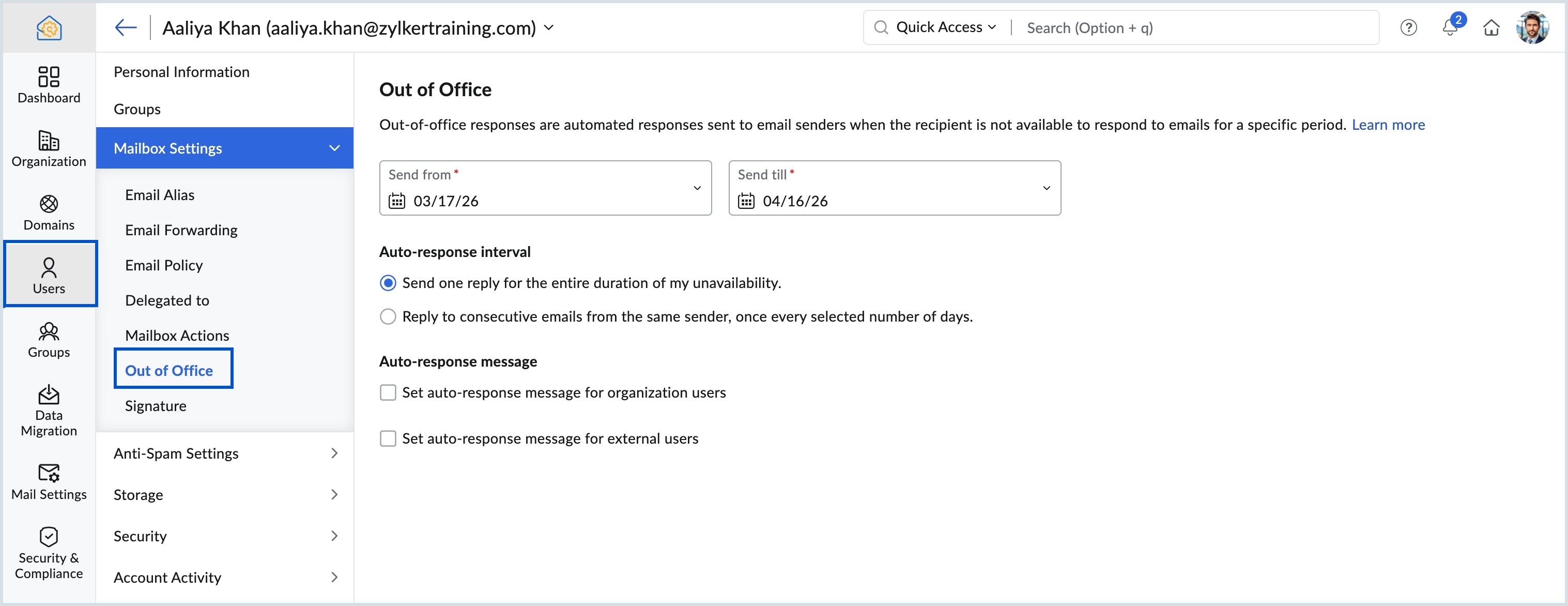
Why use Out of Office settings?
Ensure continuous communication
Automatic replies inform senders that the user is unavailable and set the right expectations for response time.
Use case: Employees on leave or limited availability
Improve communication with external contacts
Admins can set different Out of Office messages for external users to share relevant information.
Use case: Informing customers or partners about availability and alternate contacts
For more information, please visit www.pfc-group.com
Related Articles
Zoho CRM : Compliance Made Easy for Email Authentication
We are introducing you with significant updates to enhance email authentication and verification processes across Zoho CRM and other Zoho services. These changes aim to bolster security, ensure compliance with industry standards, and improve user ...Introducing Zoho Service Plus : A unified platform for customer service - Early Access for Partners
We are excited to announce early access to Zoho Service Plus, a unified platform that brings together all of our customer service applications into a single platform. The early access program is exclusive only to partners. With Service Plus, manage ...Zoho Mail: Manage All Mailbox Settings in One Place
Hello everyone, Handling daily email needs — like multiple email addresses, employee absence, mailbox sharing, and security control — can be difficult for administrators. The Mailbox Settings section in the Zoho Mail Admin Console makes this easier. ...Zoho mail: Automate Email Replies with Efficient Out of Office Configuration
Hello everyone, Effective communication depends on timely responses and clear messaging. When users are unavailable and out-of-office replies are not set, it can lead to delays and confusion for senders. Managing this across an organization can be ...Zoho Mail: Control Out-of-Office Replies for Internal & External Users with New Interval Settings
Hello everyone! Zoho rolled out a new enhancement in the Zoho Mail app that lets you set up Out of Office replies separately for your organization users and external contacts. You can now also choose how often these automatic replies should be sent ...