Zoho mail: Automate Email Replies with Efficient Out of Office Configuration
Hello everyone,
Managing this across an organization can be challenging for admins due to inconsistent setup and unexpected absences.
Key Challenges
Users may be unavailable and unable to respond to emails
Missing out-of-office replies can disrupt communication flow
Lack of visibility into user availability affects response expectations
How Zoho Mail Solves This
The Zoho Mail Admin Console allows administrators to configure Out of Office responses on behalf of users in different scenarios.
Use Cases
Handling Unavailability of Key Users
When important team members are unexpectedly unavailable, admins can enable Out of Office replies to ensure ongoing communication is not affected.
Covering Missed Configurations
If a user forgets to set their Out of Office before going on leave, admins can activate it for them to prevent delays in responses.
Managing Role-Based Mailboxes
For shared or role-based mailboxes left unattended, admins can set Out of Office responses to inform senders and guide them to alternate contacts.
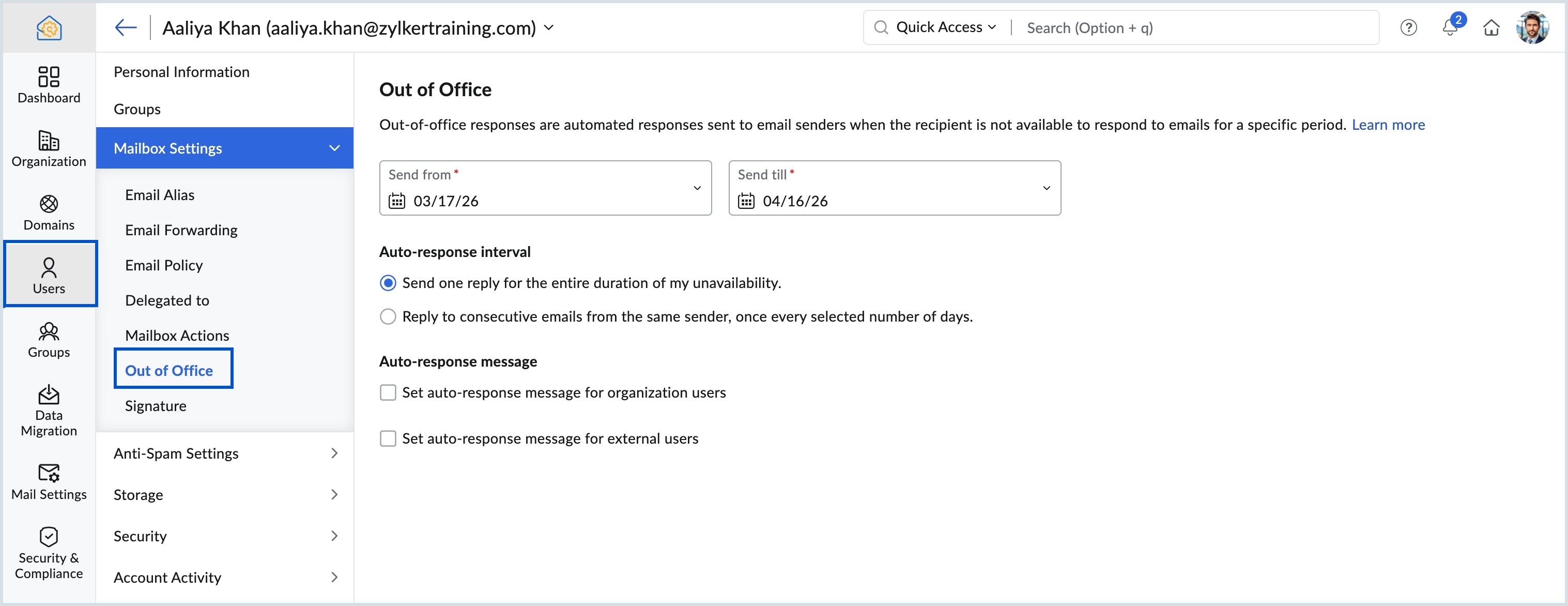
Why Use Out of Office Settings?
Maintain Communication Continuity
Automatically notify senders about user unavailability and set clear expectations for response timelines.
Use Case: Employees on leave or limited availability roles
Improve External Communication
Customize responses for external contacts to provide relevant updates and alternate points of contact.
Use Case: Communicating with customers, partners, or vendors
Learn More
To explore how to configure Out of Office settings from the Zoho Mail Admin Console, refer to the official documentation or connect with the PFC Group team.
Need Assistance?
For more information, please visit www.pfc-group.com
Related Articles
Zoho CRM : Compliance Made Easy for Email Authentication
We are introducing you with significant updates to enhance email authentication and verification processes across Zoho CRM and other Zoho services. These changes aim to bolster security, ensure compliance with industry standards, and improve user ...Introducing Zoho CRM's all new email configuration
Dear All, We're thrilled to announce the release of Zoho CRM's new email configuration, which includes a range of exciting new features and improvements that will transform the way you manage your email. Without further ado, let's have a quick look ...Introducing Zoho CRM's all new email configuration
Dear All, We're thrilled to announce the release of Zoho CRM's new email configuration, which includes a range of exciting new features and improvements that will transform the way you manage your email. Without further ado, let's have a quick look ...Zoho Mail - a smarter and quicker emailing experience with Zia's OpenAI integration
11Like7234 OpenAI and ChatGPT have taken the world by storm so much that these are household terms now. Zoho, as always, has embraced this new technology with teams coming up with creative ways to make the most of the generative AI capabilities. Zoho ...Zoho CRM: The Canvas Record Form for Enhanced Customization
Zoho announced Zoho Crm innovation with Canvas functionality now extends to record forms, enabling you to personalize record entries with the power of Canvas! Enhancing CRM Interactions with CanvasIn the heart of any CRM lies the ability to manage ...