Zoho CRM: Enhanced Timeline View to Track Every Data Update — Even Imports & APIs!
Note:
Hello, CRM Enthusiasts!
Zoho shares a valuable improvement to the Timeline View and Audit Logs in Zoho CRM — an update inspired directly by user feedback. At Zoho, customer voices shape our product evolution, and this enhancement is no exception.
Why this update matters
Zoho understand that leads and contacts often enter your CRM from various sources, including manual entry, data imports, or the Bulk Write API. In such cases, some data fields may initially be incomplete and require updates later.
Previously, the Timeline View displayed only the changes made directly within the CRM interface. Updates made through module imports or Bulk Write API operations weren’t reflected, which created a visibility gap — especially for teams managing large volumes of customer data or collaborating on shared records.
What’s new
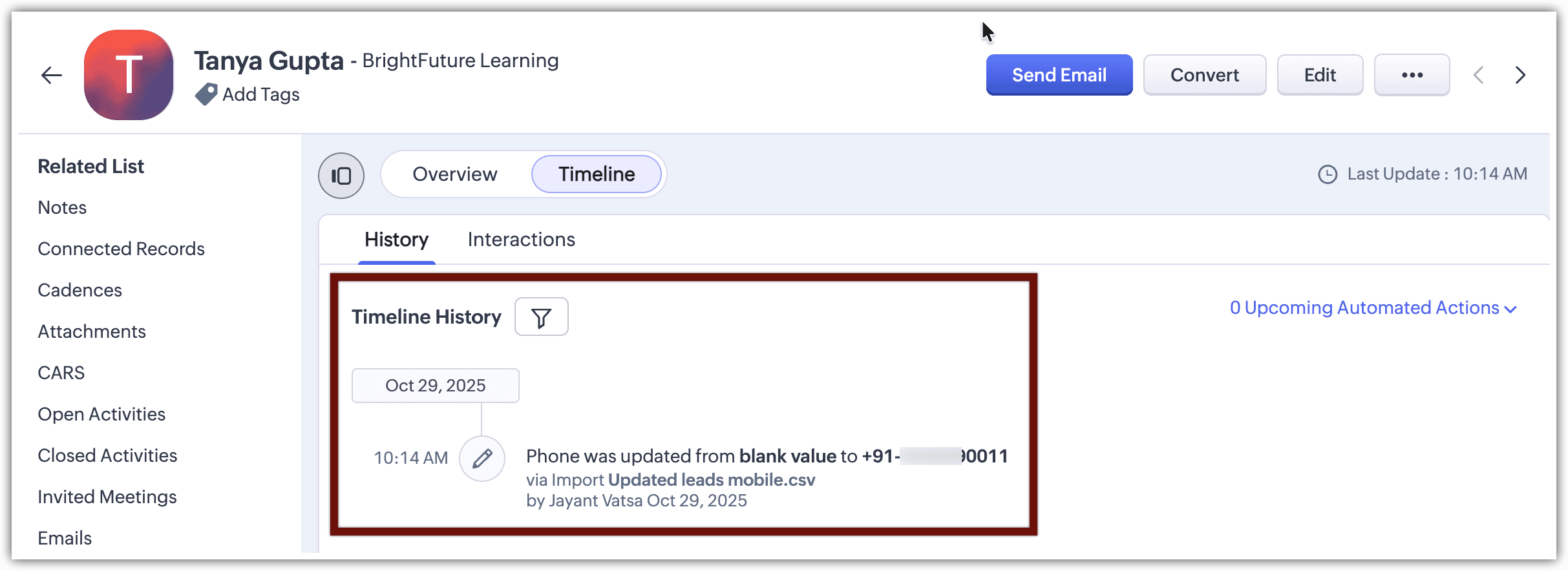
To enhance transparency and collaboration, Zoho extended the Timeline View to now include updates made via Bulk Write API and Imports.
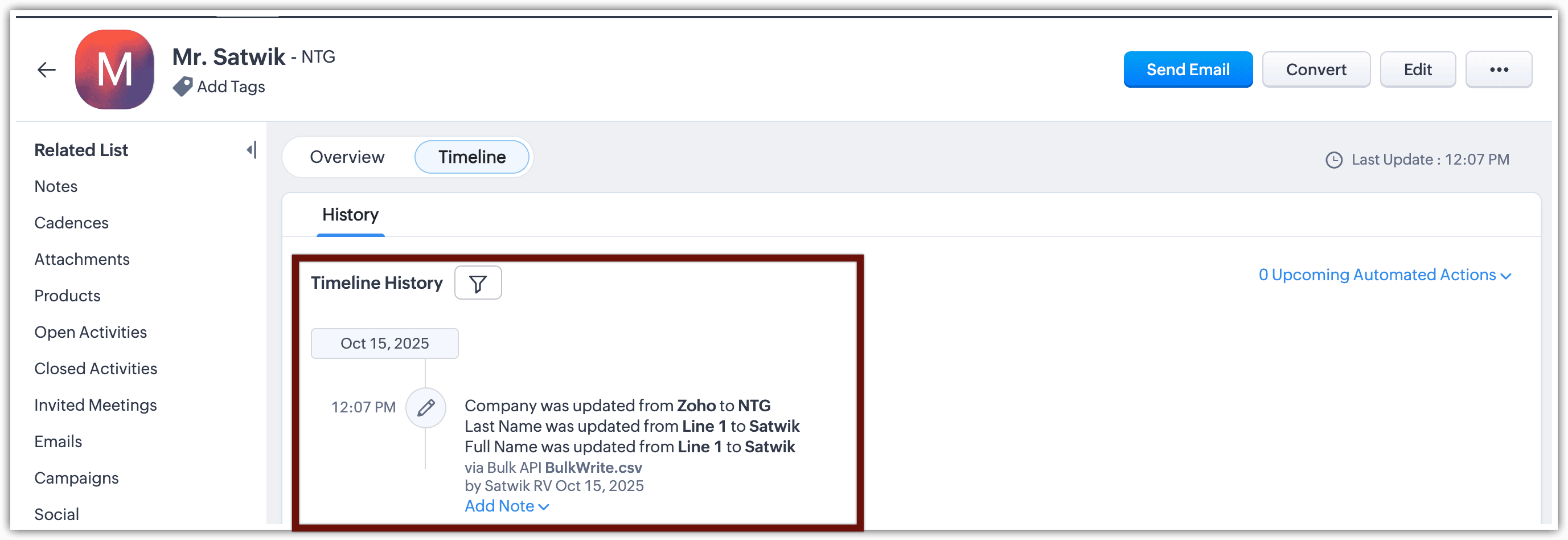
Who made the update
How the record was updated (import, bulk action, or API)
When the update occurred
Previous and new field values
Here’s how it works
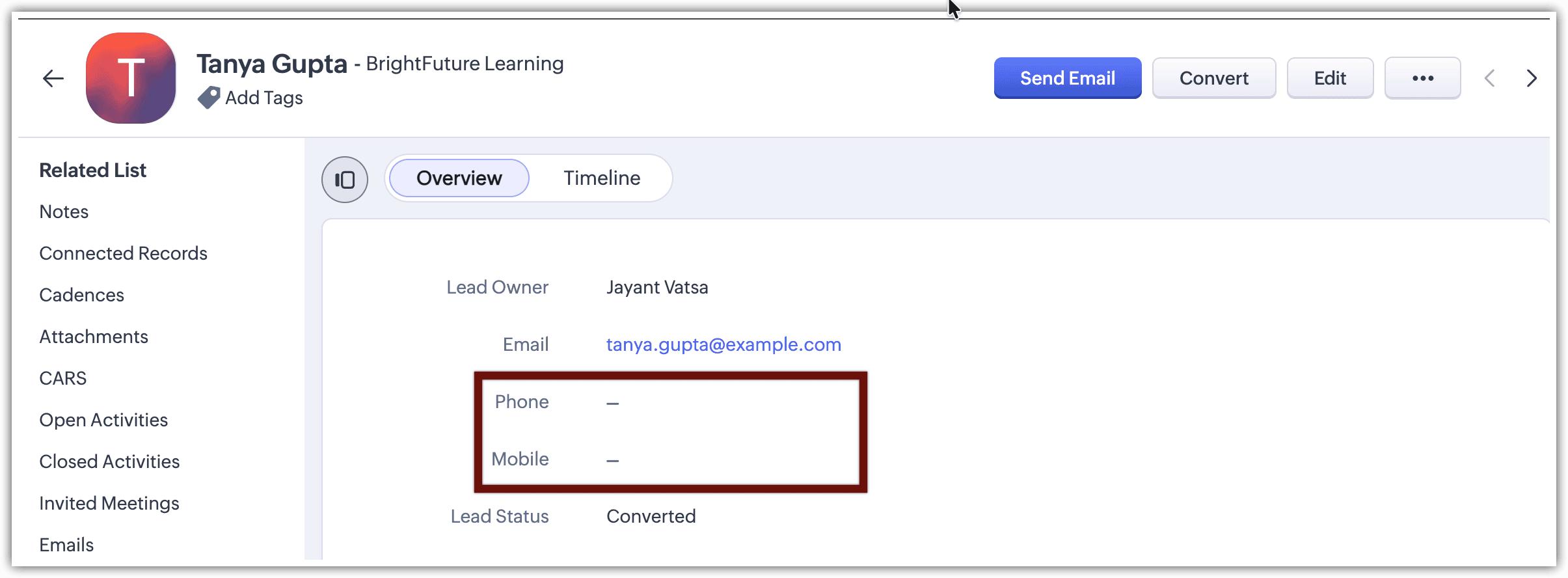
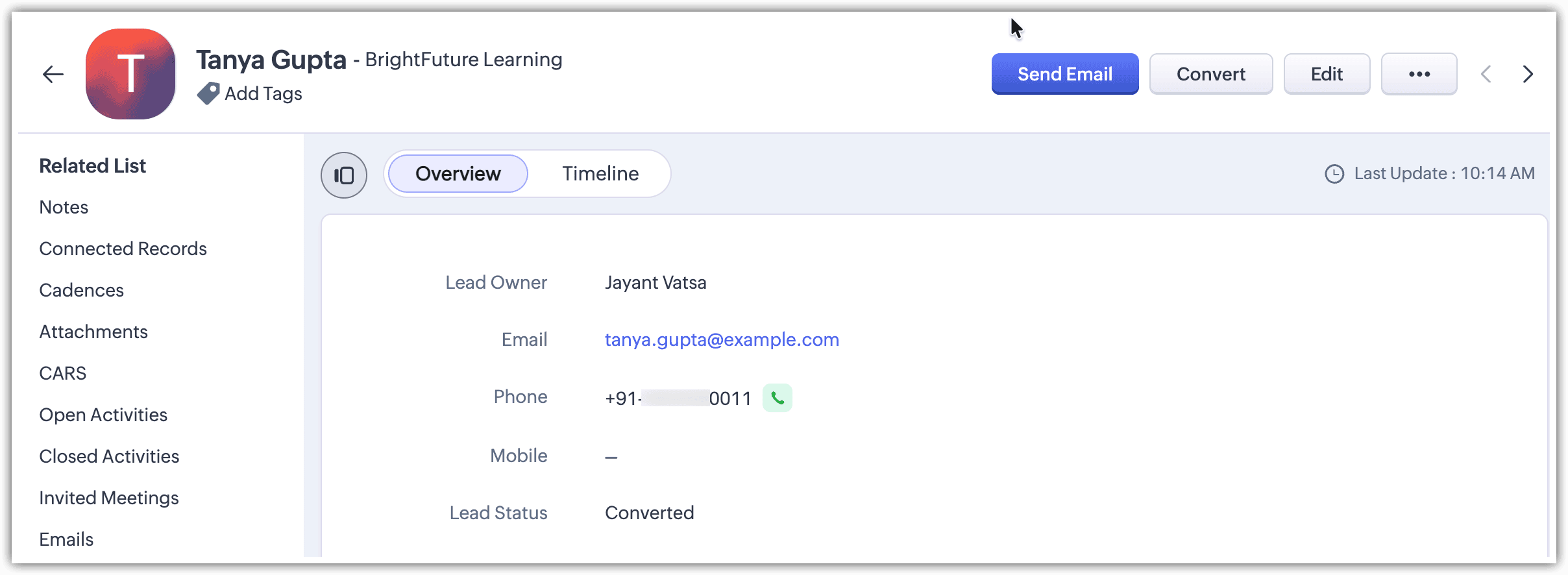
You prepare another file with the missing data and choose the option “Update existing Leads only” during import. Once the process completes, the phone numbers are added to their respective records.
Bulk Write API visibility
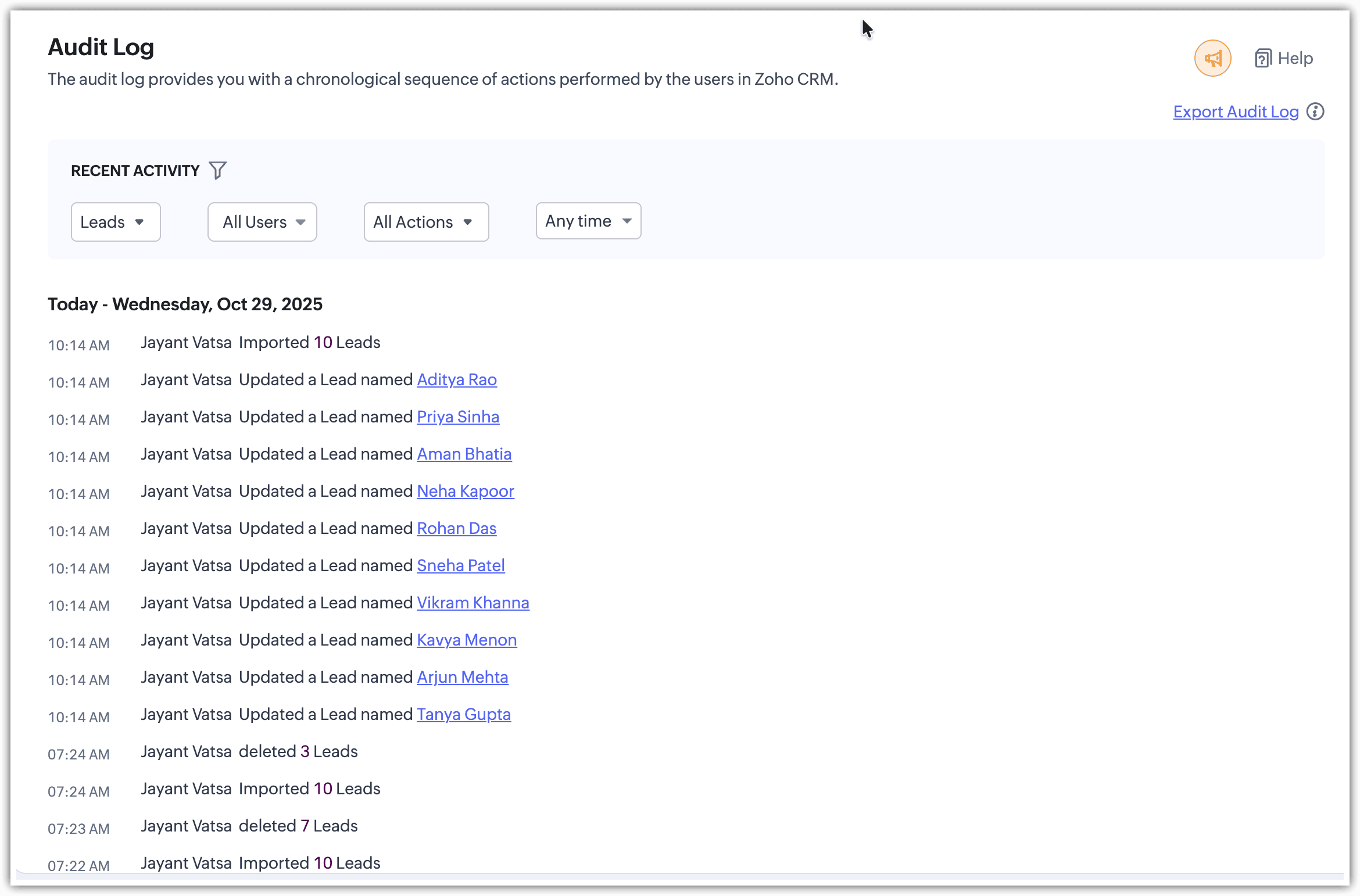
Enhanced Audit Logs
Which records were added or updated
Who performed the action
How the action was carried out (e.g., via import or bulk write)
The total number of records affected
In summary
From now on, all bulk record updates — whether made through imports or the Bulk Write API — will be fully logged in both the Timeline View and Audit Logs, offering complete visibility into your CRM’s data evolution.
Related Articles
Zoho CRM: Bring Your Data from Screen to Paper with Canvas Print View
Hello Everyone, Zoho introduces a brand-new enhancement to your Zoho CRM Canvas experience — Print View. This feature allows you to convert your beautifully designed Canvas layouts into print-ready documents, making it easier than ever to take your ...Zoho CRM Mobile App Update: Reports Module Arrives on Android
Hello everyone! Imagine this: You’re out of the office, heading to a meeting, and suddenly you need to check a sales report. Earlier, you’d have to open your laptop or rush back to your desk. But not anymore. With the latest update, the Reports ...Zoho CRM : Enhances Data Export with XLSX Files, Charset Control, and Smart Record Filters
Greetings all, Zoho knows how important it is for businesses to move their data easily and in the right format. That’s why Zoho introduced the latest updates to the Export feature in CRM. These enhancements give you more control, more flexibility, ...Zoho CRM: The Canvas Record Form for Enhanced Customization
Zoho announced Zoho Crm innovation with Canvas functionality now extends to record forms, enabling you to personalize record entries with the power of Canvas! Enhancing CRM Interactions with CanvasIn the heart of any CRM lies the ability to manage ...Zoho CRM Enhances Calls, Tasks & Meetings with a Unified Design
Hello everyone, Zoho CRM is taking a big step toward a unified and seamless UI experience. As part of this journey, Zoho revamped the details page for activity-based modules—Meetings, Calls, and Tasks—to make them cleaner, more consistent, and easier ...