Zoho SalesIQ Admin Tip: Your Backup Plan When Deletions Go Wrong ️
Maybe it was a chat from a promising lead that you meant to study later.
Or a Zobot you spent hours building — gone with one tap.
That one tiny mistake… and suddenly you’re staring at the screen hoping for a miracle.

Meet SalesIQ’s Recycle Bin: Your 120-Day Safety Cushion
Whenever important items are deleted in SalesIQ, they aren’t wiped out immediately.
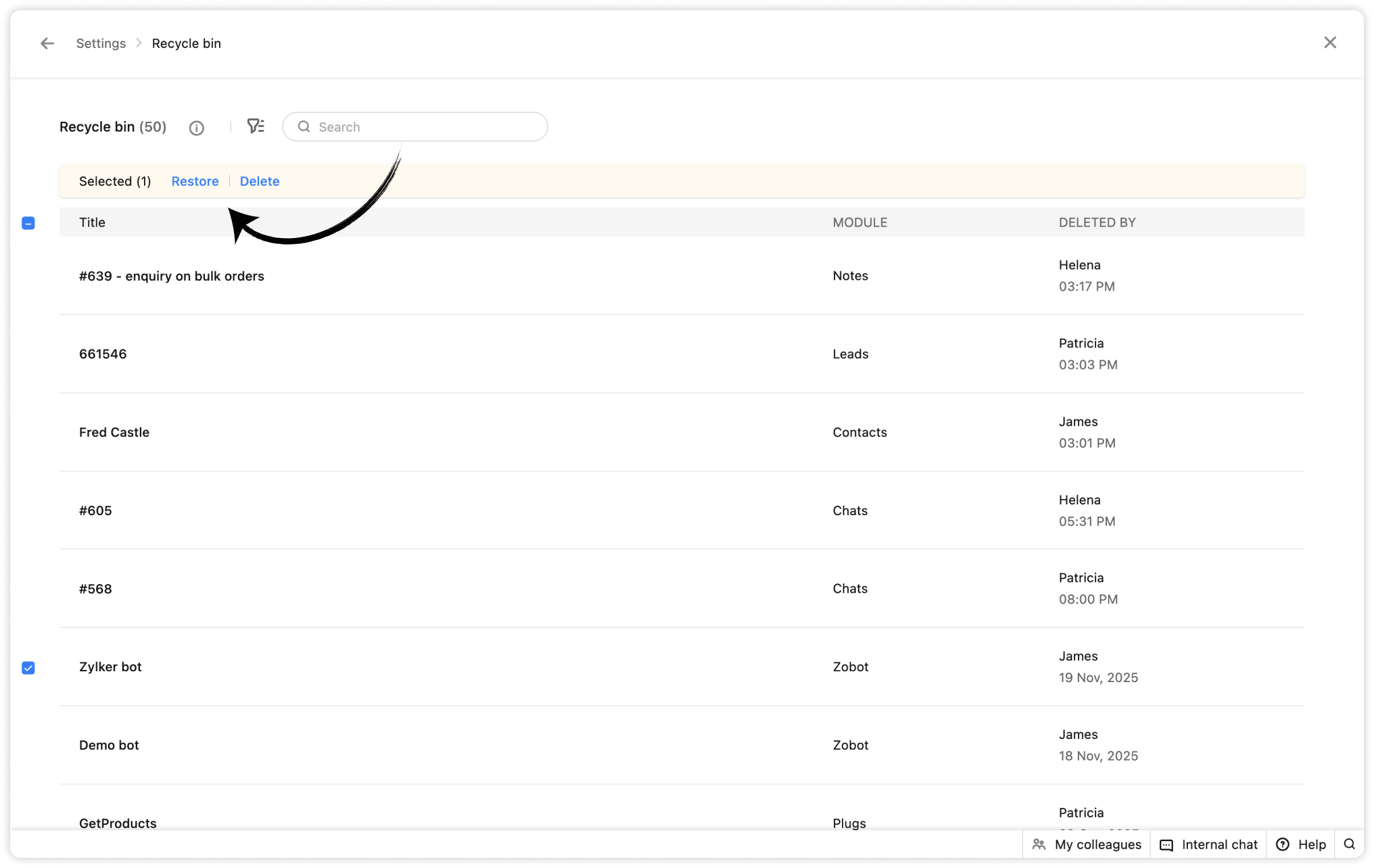
Instead, the Recycle Bin quietly catches them and keeps them safe for 120 full days.Inside the Recycle Bin, admins get two clear options:
Restore – Put the item back exactly where it was.
Delete – Remove it forever if you’re absolutely sure.
Why this matters for you
1. Bring things back instantly
With one click, you can recover deleted:
Chats
Notes
Leads
Contacts
Companies
Widgets
Form controllers
Plugs
Zobots
Spammers
Everything goes back to its original spot — just like it never left.
2. A long recovery window
Missed a deletion weeks ago?
No stress. You still have 120 days to bring it back safely.
3. Find deleted items fast
Use filters to quickly locate anything based on:
Who deleted it
When it was deleted
Which module does it belong to
4. Admin-only access for full control
Related Articles
Introducing Zoho Service Plus : A unified platform for customer service - Early Access for Partners
We are excited to announce early access to Zoho Service Plus, a unified platform that brings together all of our customer service applications into a single platform. The early access program is exclusive only to partners. With Service Plus, manage ...Zoho SalesIQ integrates with OpenAI, unlocking powerful AI features!
Adopting technology and artificial intelligence (AI) has become increasingly essential for us and our organizations in today's digital age. Technology has revolutionized how we live, work, and communicate, and AI is quickly becoming a transformative ...Zoho Analytics 6.0 Beta: A New Era in Data Analytics
Zoho has introduced Zoho Analytics 6.0 Beta, a significant upgrade tailored to the diverse needs of business users, data analysts, data engineers, and data scientists. This version incorporates extensive user and market feedback, offering innovative ...Zoho CRM: The Canvas Record Form for Enhanced Customization
Zoho announced Zoho Crm innovation with Canvas functionality now extends to record forms, enabling you to personalize record entries with the power of Canvas! Enhancing CRM Interactions with CanvasIn the heart of any CRM lies the ability to manage ...Zoho Commerce Marketing Tip #13: Keep Customers Coming Back After the Sale
The sale isn’t the finish line — it’s the starting point Your connection with a customer truly begins after they place an order. A well-timed follow-up email can make customers feel valued, keep your brand in their thoughts, and even encourage them ...