Zoho Sprints Update: Add and Manage Custom Data with Custom Modules
Zoho Sprints comes with several built-in modules to help teams manage agile projects. However, every organization has unique needs, and sometimes default modules are not enough to store all the required data.
To solve this, Zoho Sprints now allows users to create Custom Modules within the workspace.
What Are Custom Modules?
Custom Modules let you add your own data sections based on your project or business needs.
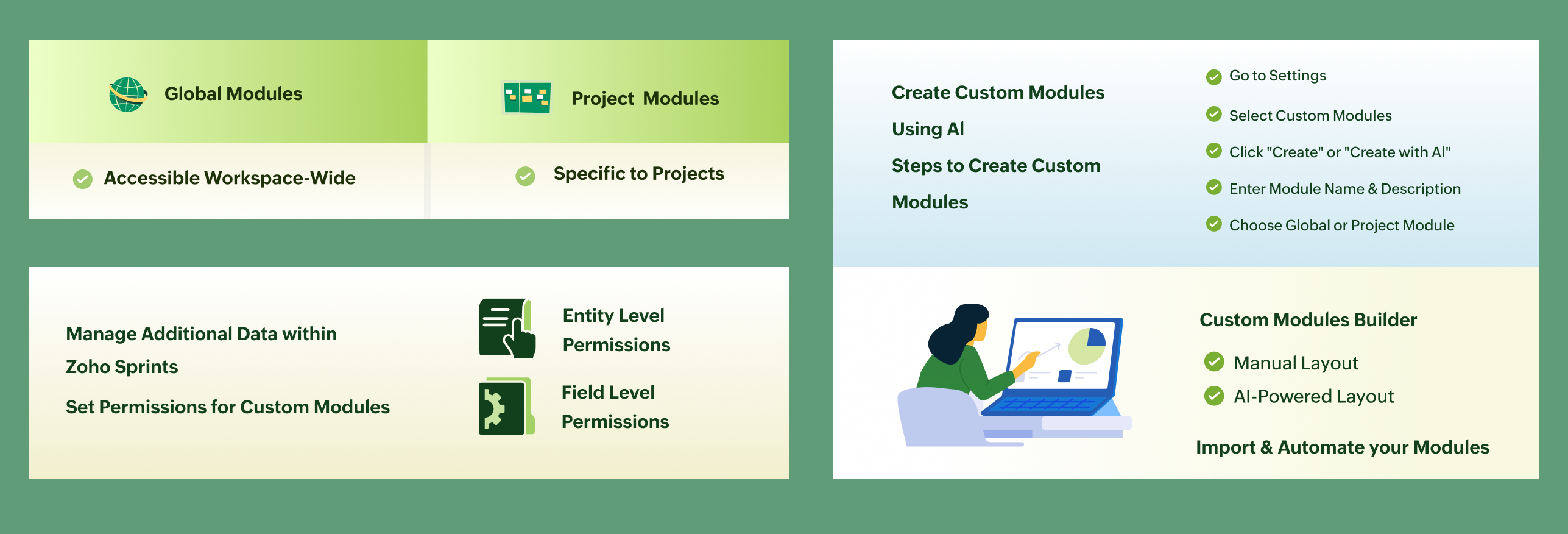
You can create two types of modules:
Global Modules: Available across the entire workspace
Project Modules: Available only inside specific projects
This helps you manage additional data directly inside Zoho Sprints without using external tools.
Setting Permissions for Custom Modules
You can control who can access and manage custom modules by setting permissions.
Follow these steps:
- Go to Settings in Zoho Sprints
- Select Modules under Customization
- Click on Custom Modules
- Choose either a Global or Project module
- Hover over the module and click Set Permission
- Select the user profile
- Choose between Entity-level or Field-level permissions
- Make the required changes and click Update
Create Custom Modules Using AI
Zoho Sprints also allows you to create modules faster using AI.
You just need to:
Enter a module name
Add a short description
Based on this, AI will suggest fields for your module. You can select the ones you need and quickly set up your layout.
Steps to Create Custom Modules
Here’s how you can create a custom module:
- Go to Settings in Zoho Sprints
- Select Modules under Customization
- Click the dropdown next to Create
- Choose Module
- Enter the Module Name and Record Name
- Add a description
- Select whether it is a Global or Project module
- Click Create
After this:
You can manually add fields on the layout page
or
Click Create with AI to use suggested fields
Then:
- Select required fields
- Click Save or Save and Associate
- Finally, click Save and Publish
Accessing Custom Modules
Once published:
Project modules can be accessed inside their respective projects
Global modules are available at the workspace level
Additional Options
You can import existing data into your custom modules
You can customize workflows using automation, like:
Layout rules
Custom functions
Webhooks
This helps you fully adapt the module to your workflow.
Final Note
Custom Modules make Zoho Sprints more flexible and powerful.
You can now organize your data exactly the way your team needs, without depending on other tools.
For more information, please visit www.pfc-group.com.
Related Articles
Zoho Sprints Update: Add and Manage Custom Data with Custom Modules
Hello Everyone Zoho Sprints comes with several built-in modules to help teams manage agile projects. However, every organization has unique needs, and sometimes default modules are not enough to store all required data. To solve this, Zoho Sprints ...Zoho Analytics: Product Updates - November 2023
Hello partners, We're excited to announce some key updates this month to improve your customers' BI experience. Here's a rundown of the new features. Advanced Analytics for Jotform Advanced Analytics for Jotform enables you to understand the ...Zoho CRM: The Canvas Record Form for Enhanced Customization
Zoho announced Zoho Crm innovation with Canvas functionality now extends to record forms, enabling you to personalize record entries with the power of Canvas! Enhancing CRM Interactions with CanvasIn the heart of any CRM lies the ability to manage ...Zoho Analytics 6.0 Beta: A New Era in Data Analytics
Zoho has introduced Zoho Analytics 6.0 Beta, a significant upgrade tailored to the diverse needs of business users, data analysts, data engineers, and data scientists. This version incorporates extensive user and market feedback, offering innovative ...ZOHO CRM - Enhanced CRM Functionality with Custom Email Fields
In response to the diverse communication needs of modern businesses, we are introducing you with enhanced support for custom email fields in our CRM system. This feature addresses the common scenario where individuals maintain multiple email ...