Zoho Projects: Send Auto Email Alerts When Issues Are Closed
Hello Everyone,
In Zoho Projects, you can automatically send an email to external users when an issue is marked as Closed. This removes the need for manual follow-ups and keeps the reporter informed instantly.
In this guide, we’ll explain how to set this up using a Web to Issue Form and a Custom Function (Deluge script) that triggers an email when the issue is closed.
Imagine an external auditor reports a compliance issue during a project review.
Using the Web to Issue Form, you can collect details like:
Auditor’s Email ID
Issue Type
Project Phase
Once the form is submitted, an issue is automatically created in the Issues section of Zoho Projects.
Your team works on resolving the issue. When the issue status is changed to Closed, an email is automatically sent to the auditor through a custom function.
This ensures the auditor is informed immediately after the issue is resolved.
1. Create a Web to Issue Form
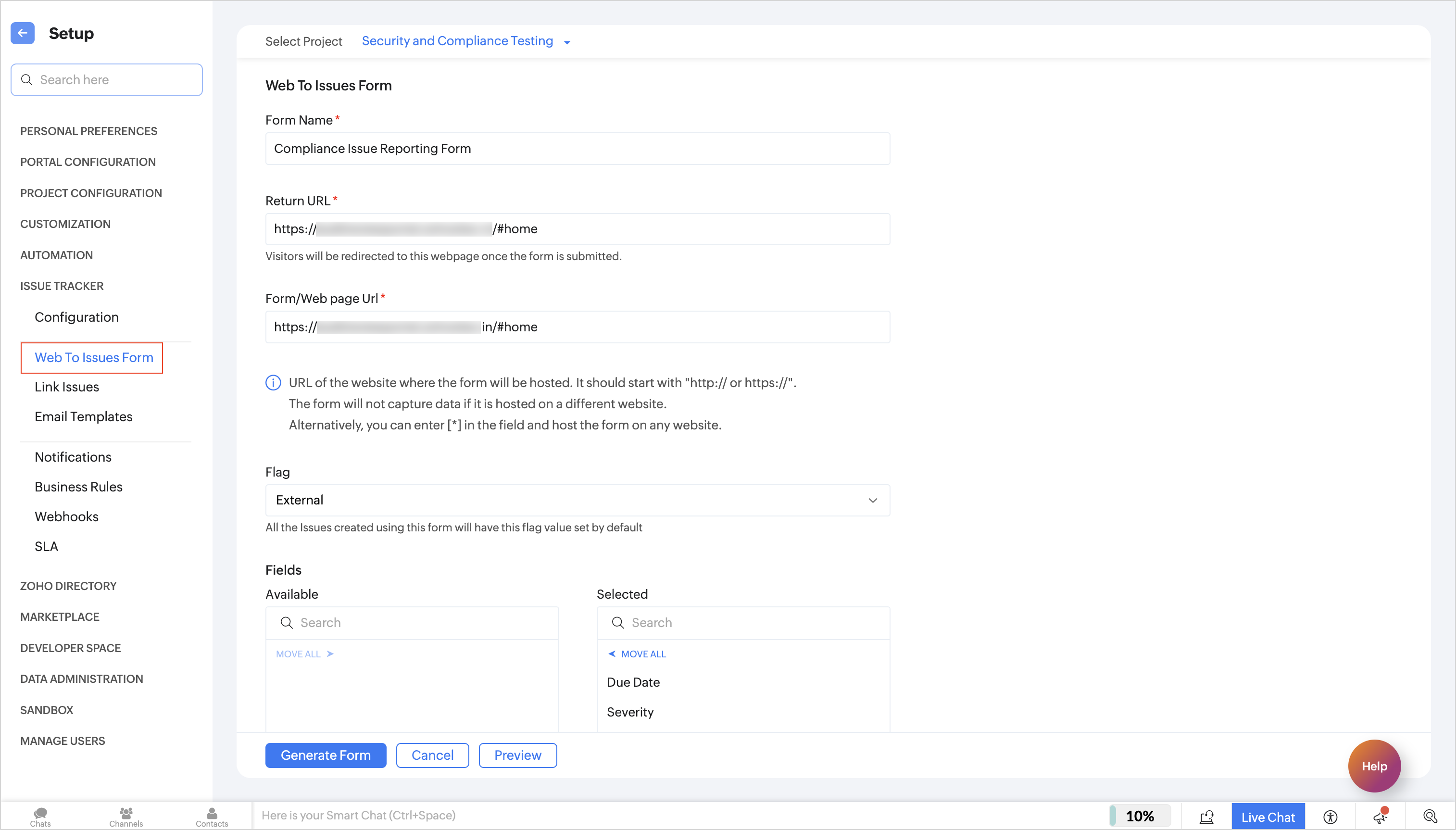
2. Configure the Form
Enter the form name and details.
Choose the fields you want to collect.
Generate the form code.
Copy and paste the code into your website.
When someone submits the form, a new issue will be created automatically in Zoho Projects.
Create a custom status trigger called On Status Update.
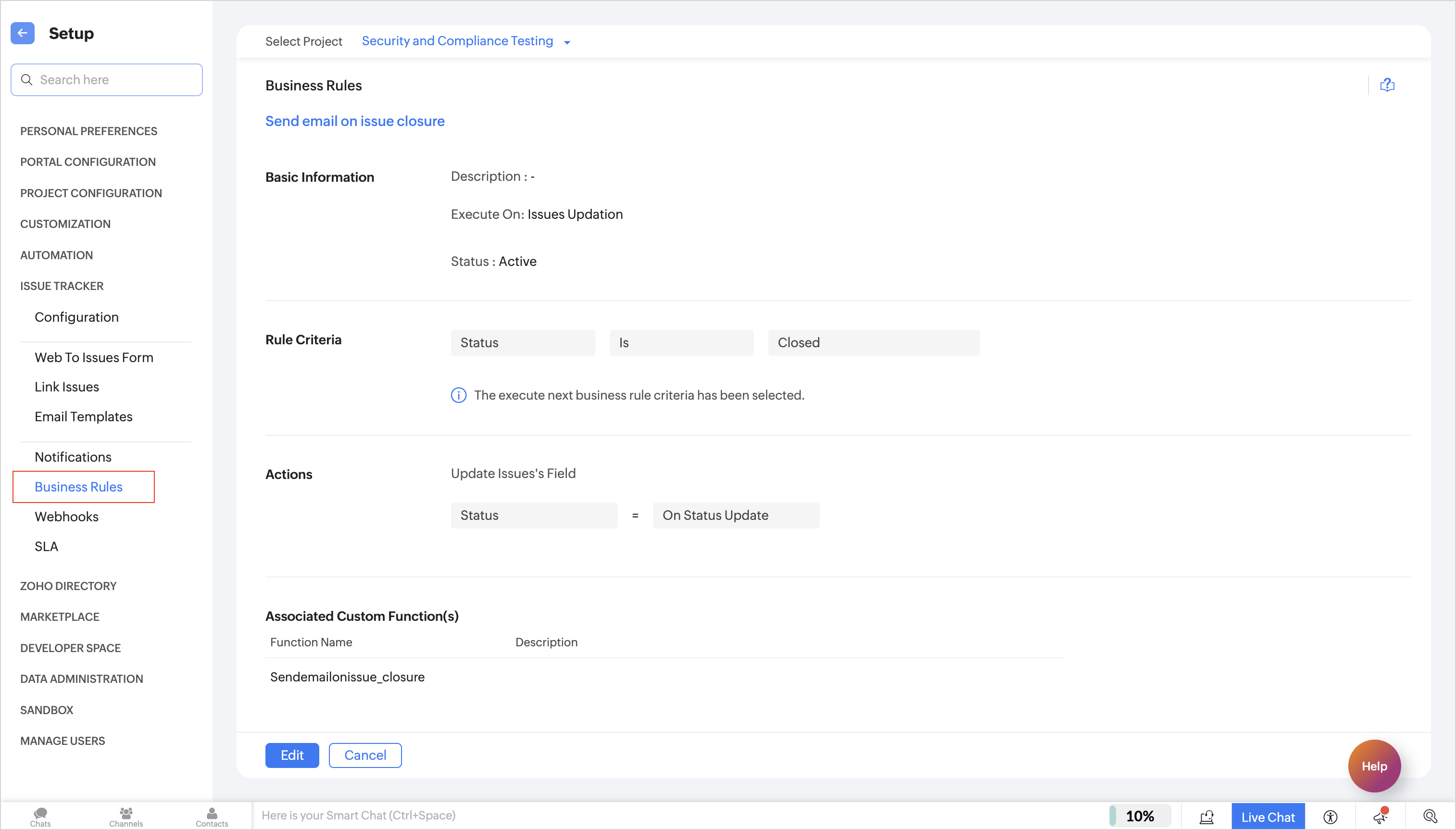
5. Create a Custom Function
Under the Issues tab, create a new function and add a Deluge script to send the email notification.
Make sure your portal URL matches your data center. Otherwise, the issue link in the email may not work correctly.
Example logic:
Generate the issue URL
Use the sendmail task
Send the email to the reporter
Include the issue title and link in the message
- issueURL = "https://projects.zoho.com/portal/" + portalName + "#buginfo/" + projectId + "/" +issueId;
- sendmail
- [
- from : zoho.loginuserid
- to : email
- subject : "Issue resolved"
- message : "Hi "+name+", The issue <b><a href="+issueURL+">"+title+"</a></b> raised by you has been closed."
- ]
You can edit:
Subject line
Email message content
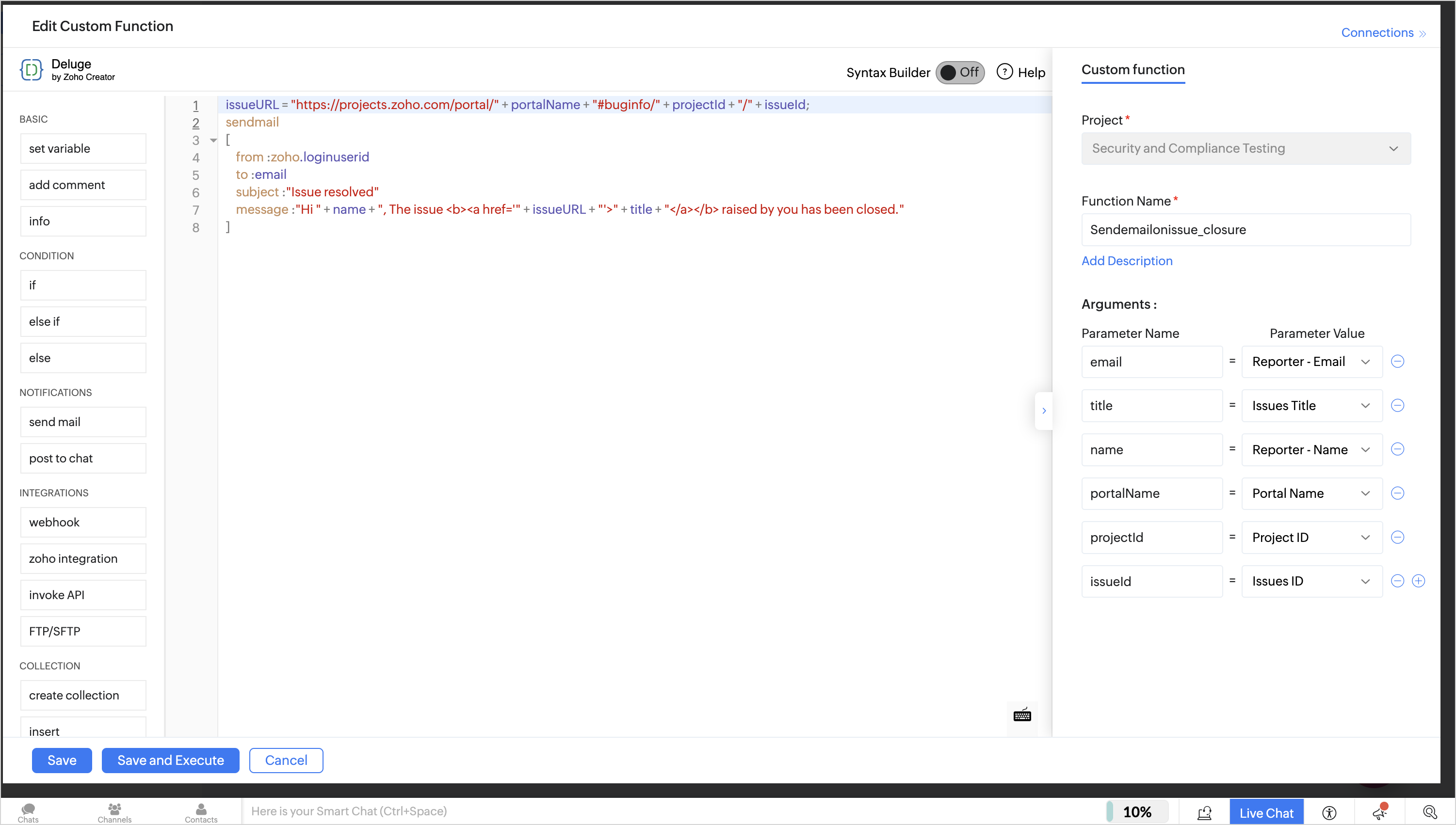
After that:
Add and map the required arguments
Save the function
Enter the Issue ID when prompted
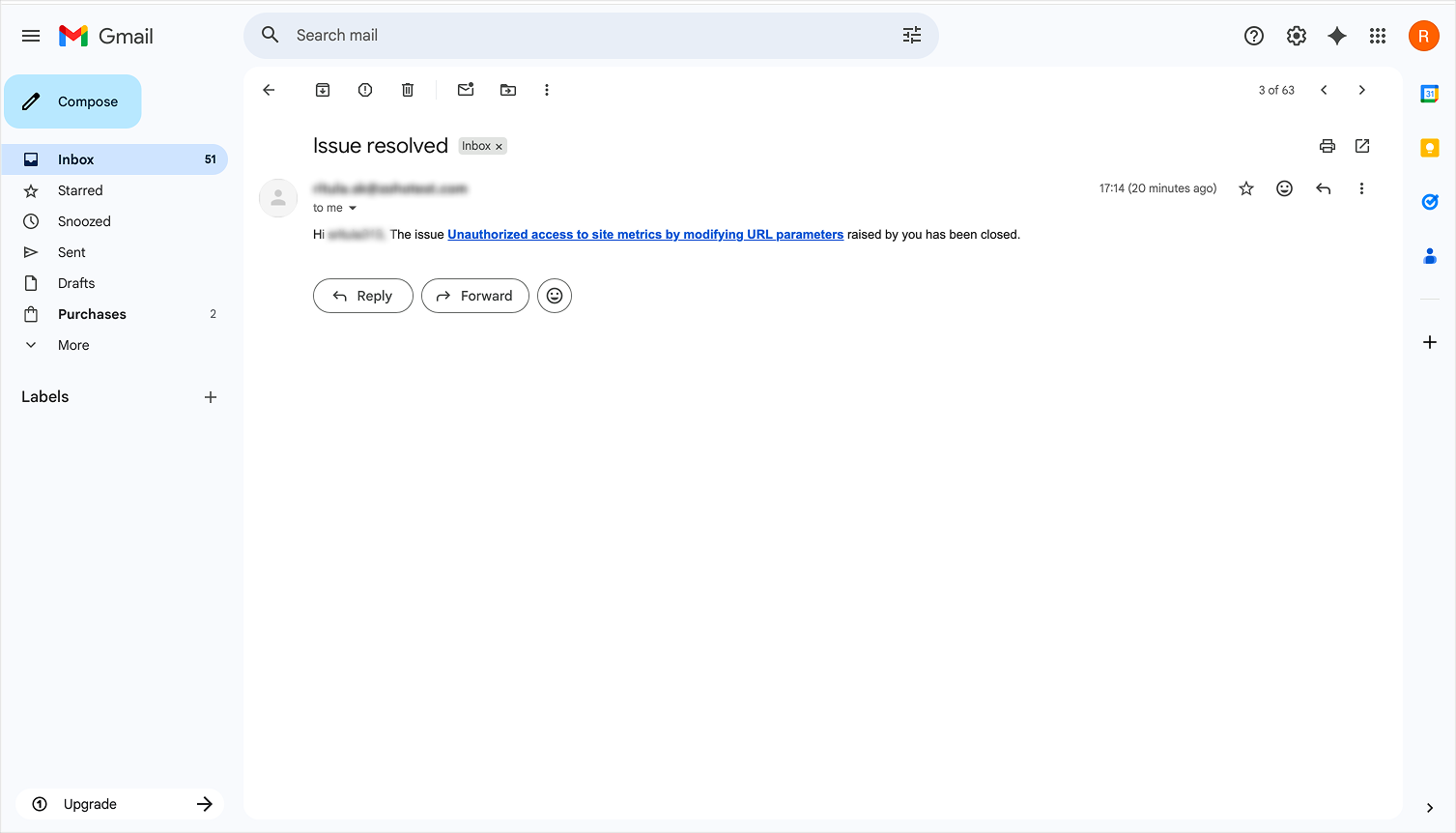
Final Result
With this setup, external users receive updates automatically when their reported issue is resolved.
Related Articles
Zoho CRM : Compliance Made Easy for Email Authentication
We are introducing you with significant updates to enhance email authentication and verification processes across Zoho CRM and other Zoho services. These changes aim to bolster security, ensure compliance with industry standards, and improve user ...Introducing Zoho Service Plus : A unified platform for customer service - Early Access for Partners
We are excited to announce early access to Zoho Service Plus, a unified platform that brings together all of our customer service applications into a single platform. The early access program is exclusive only to partners. With Service Plus, manage ...Zoho Analytics 6.0 Beta: A New Era in Data Analytics
Zoho has introduced Zoho Analytics 6.0 Beta, a significant upgrade tailored to the diverse needs of business users, data analysts, data engineers, and data scientists. This version incorporates extensive user and market feedback, offering innovative ...Zoho Desk: 2-Year Data Analytics in Zoho Desk
Zoho has announced a much-anticipated feature in Zoho Desk. A select group of users now has early access to the "2-Year Data in Analytics - Reports" feature, allowing them to create reports using data from the past two years. Enhanced Reporting ...Zoho CRM: The Canvas Record Form for Enhanced Customization
Zoho announced Zoho Crm innovation with Canvas functionality now extends to record forms, enabling you to personalize record entries with the power of Canvas! Enhancing CRM Interactions with CanvasIn the heart of any CRM lies the ability to manage ...