Zoho Projects Mobile Apps Now Support Custom Modules for Better Project Management
Hello everyone,
Managing projects on mobile should be just as flexible as working on desktop. But earlier, handling custom data inside the mobile app was limited.
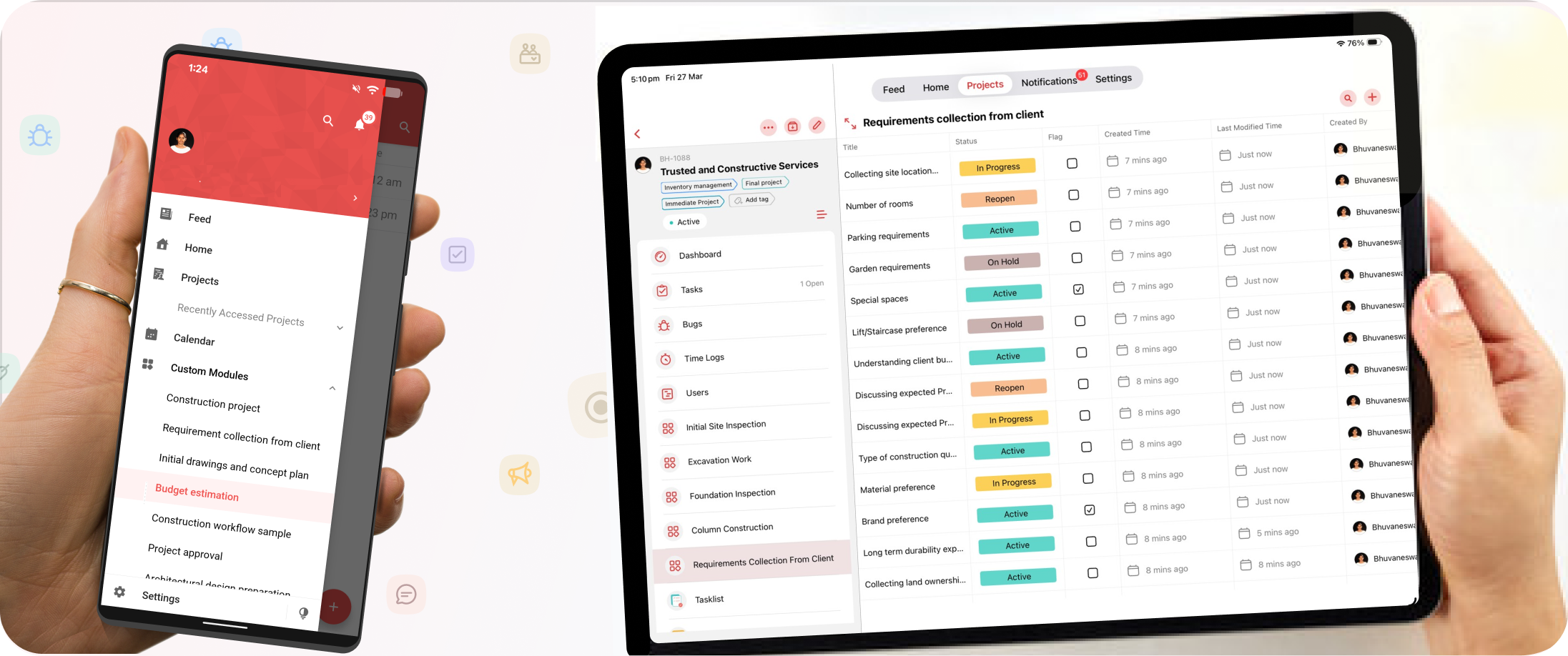
Now, with the latest update in Zoho Projects mobile apps, you can access and use custom modules directly on Android and iOS devices.
This makes project tracking easier and more aligned with your unique workflows.
What Are Custom Modules?
Custom modules allow you to create your own data sections based on your business needs.
What’s New in the Mobile App
With this update, custom modules are now available inside the Zoho Projects mobile app.
This means:
You can view custom modules on your phone
You can manage records anytime, anywhere
Your mobile experience matches your web experience
Custom modules help teams organize and manage project-related data more effectively.
How This Helps Your Workflow
This update improves how teams work on the go:
Track custom data without opening a laptop
Access project-specific information instantly
Keep everything updated in real time
It ensures that your workflow is not limited by location or device.
Why This Update Matters
Every business has different needs, and standard modules may not always be enough.
With custom modules on mobile:
You can manage unique processes easily
Teams get better visibility into important data
Work becomes faster and more organized
Example Use Case
Imagine your team wants to track project risks or materials used in a project.
Now, you can create a custom module for this and access it directly from your mobile app.
Team members can update and view this information anytime, keeping everyone aligned.
Final Note
This update brings more flexibility to mobile project management.
By supporting custom modules on Android and iOS, Zoho Projects helps teams stay productive and connected—no matter where they are working from.
Related Articles
Introducing Zoho Service Plus : A unified platform for customer service - Early Access for Partners
We are excited to announce early access to Zoho Service Plus, a unified platform that brings together all of our customer service applications into a single platform. The early access program is exclusive only to partners. With Service Plus, manage ...Zoho Apptics: Your Ultimate Solution for App Analytics
Zoho announced Zoho Apptics, recognizing that in today’s hyper-connected world, the internet is not just a tool—it’s the backbone of our digital experiences, with mobile apps now dominating the majority of screen time. The times have changed, and ...ZOHO CRM - Enhanced CRM Functionality with Custom Email Fields
In response to the diverse communication needs of modern businesses, we are introducing you with enhanced support for custom email fields in our CRM system. This feature addresses the common scenario where individuals maintain multiple email ...Zoho Analytics 6.0 Beta: A New Era in Data Analytics
Zoho has introduced Zoho Analytics 6.0 Beta, a significant upgrade tailored to the diverse needs of business users, data analysts, data engineers, and data scientists. This version incorporates extensive user and market feedback, offering innovative ...Zoho CRM: The Canvas Record Form for Enhanced Customization
Zoho announced Zoho Crm innovation with Canvas functionality now extends to record forms, enabling you to personalize record entries with the power of Canvas! Enhancing CRM Interactions with CanvasIn the heart of any CRM lies the ability to manage ...