Zoho Mail Android App: New Calendar Updates
Hello everyone!
In the latest update of the Zoho Mail Android app, Zoho has introduced several improvements to the Calendar module. Let’s take a look at what’s new.
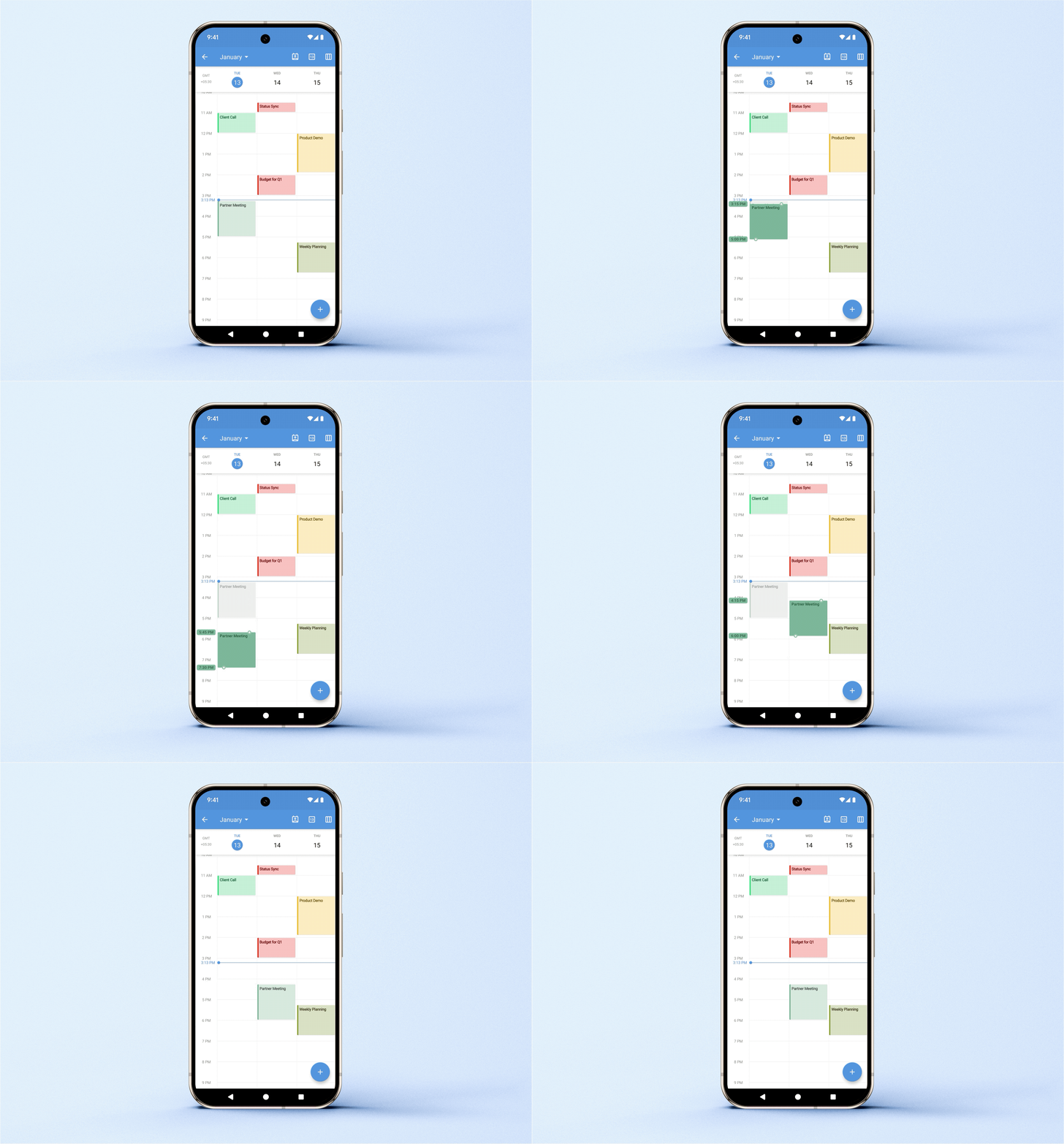
Drag and drop to change the event date and time
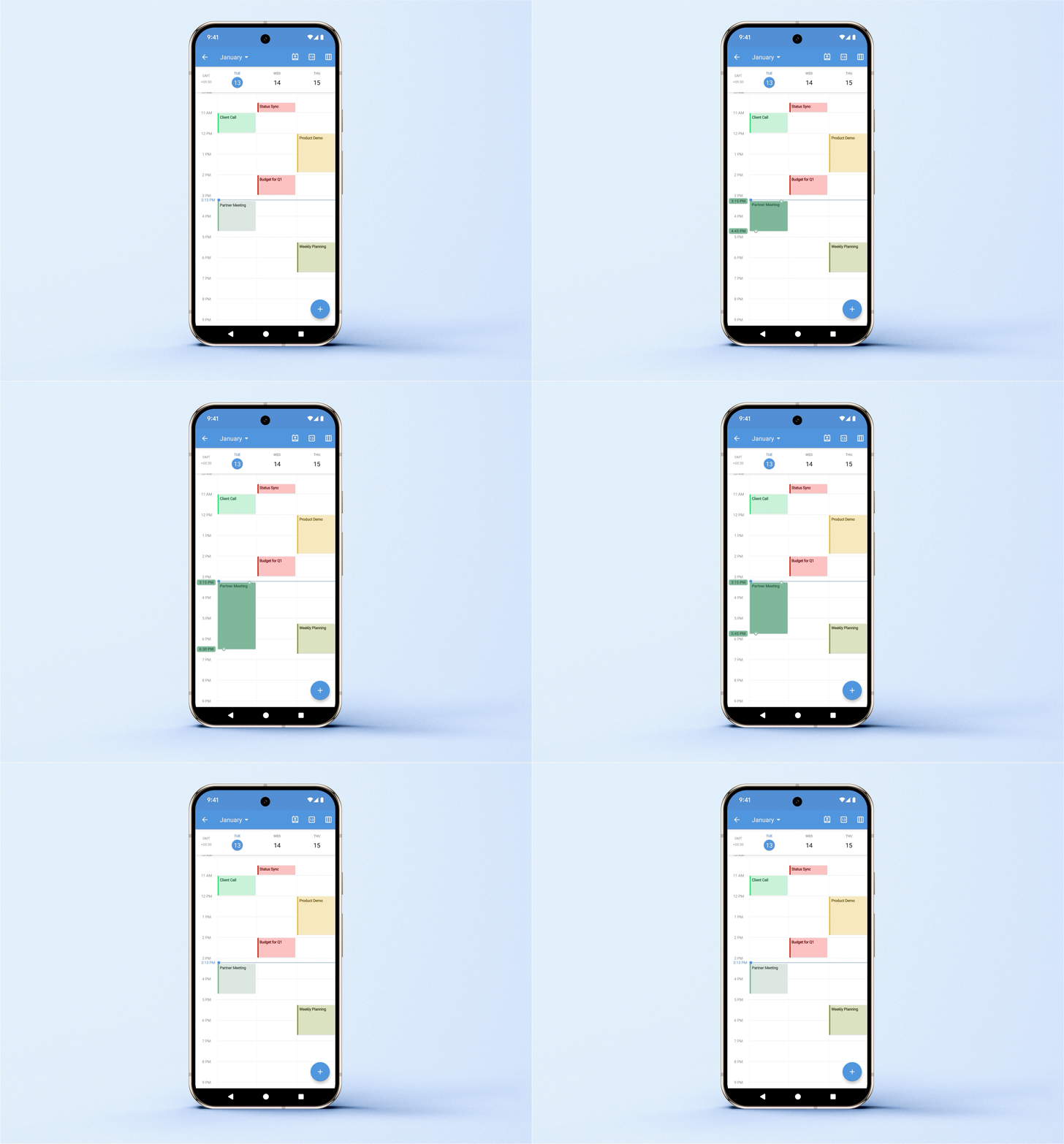
Quickly adjust event duration
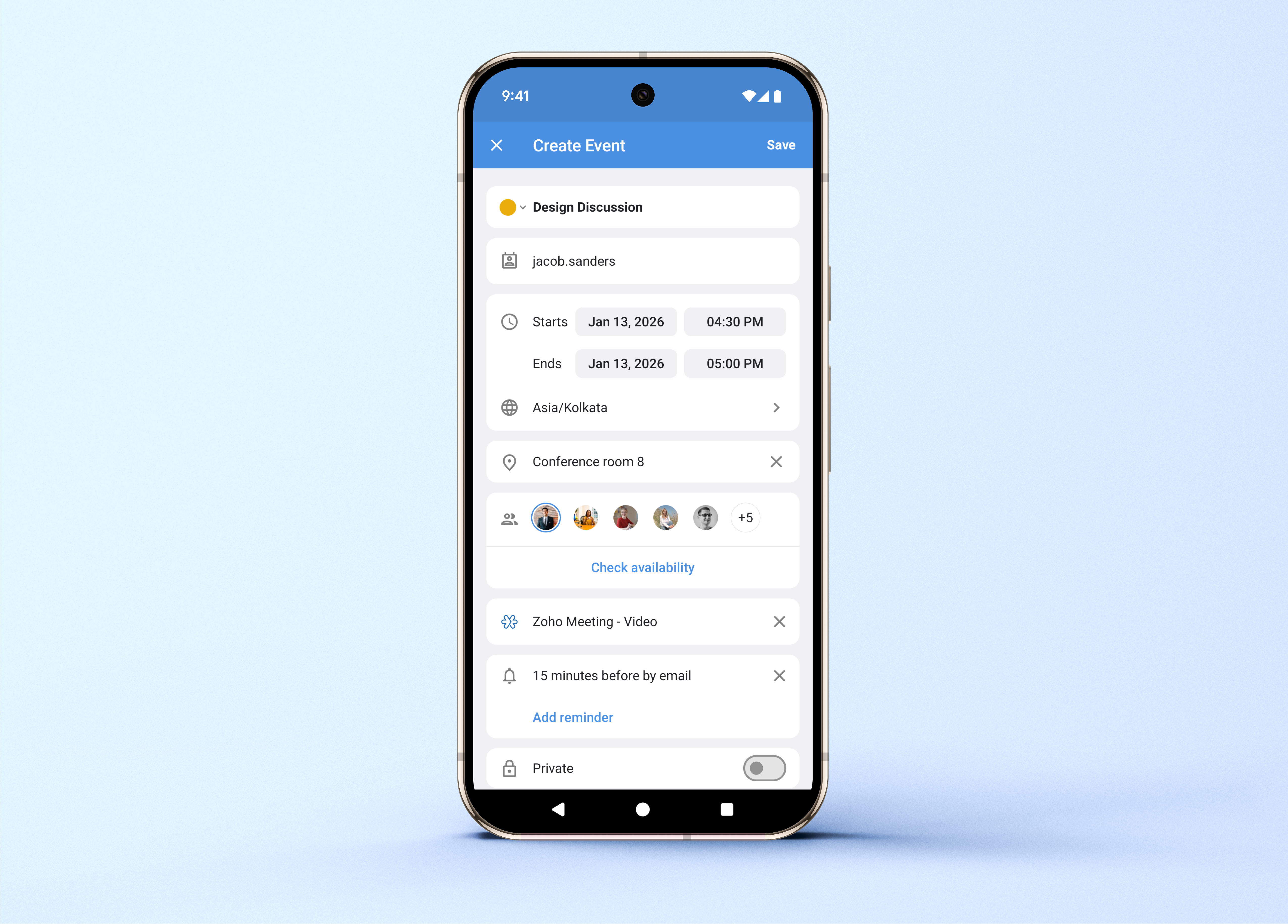
Improved Add/Edit Event screen
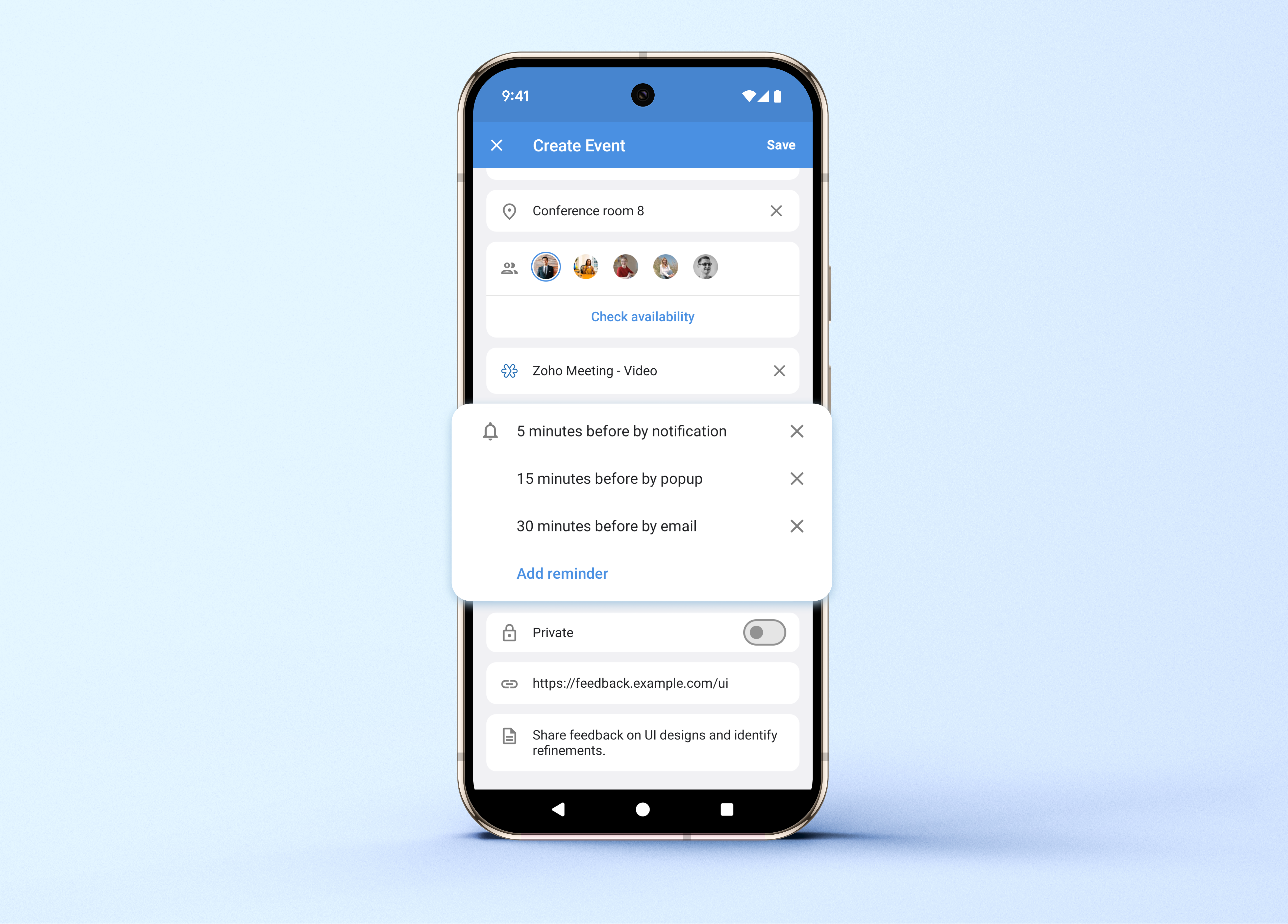
Zoho has redesigned the Add/Edit event screen for a cleaner and smoother experience.
While creating or editing events, you can now:
Mark events as private
Check participant availability
Choose event colors
Select different time zones
You can also add online meeting options such as:
Zoho Meeting
Zoom
Microsoft Teams
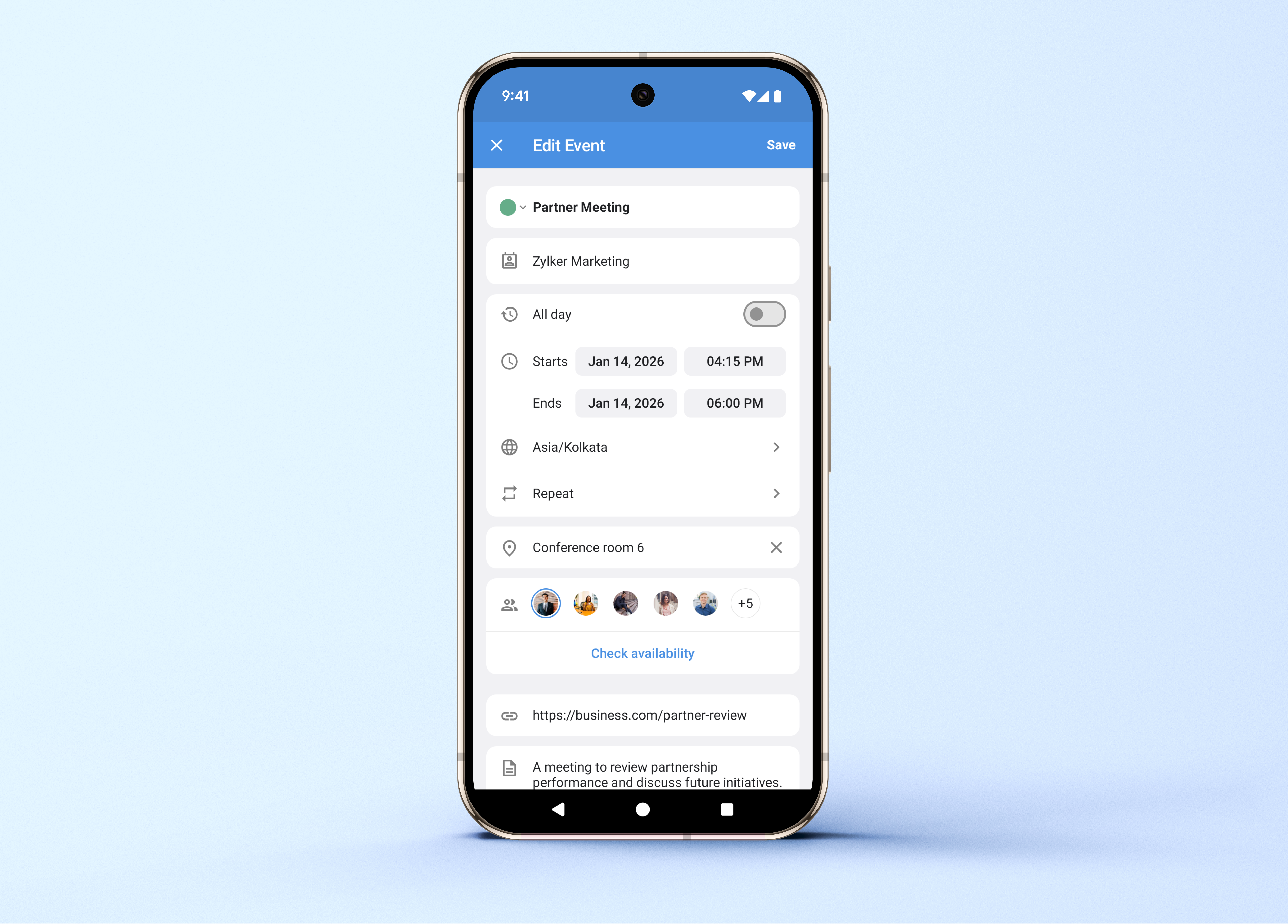
Multiple reminders
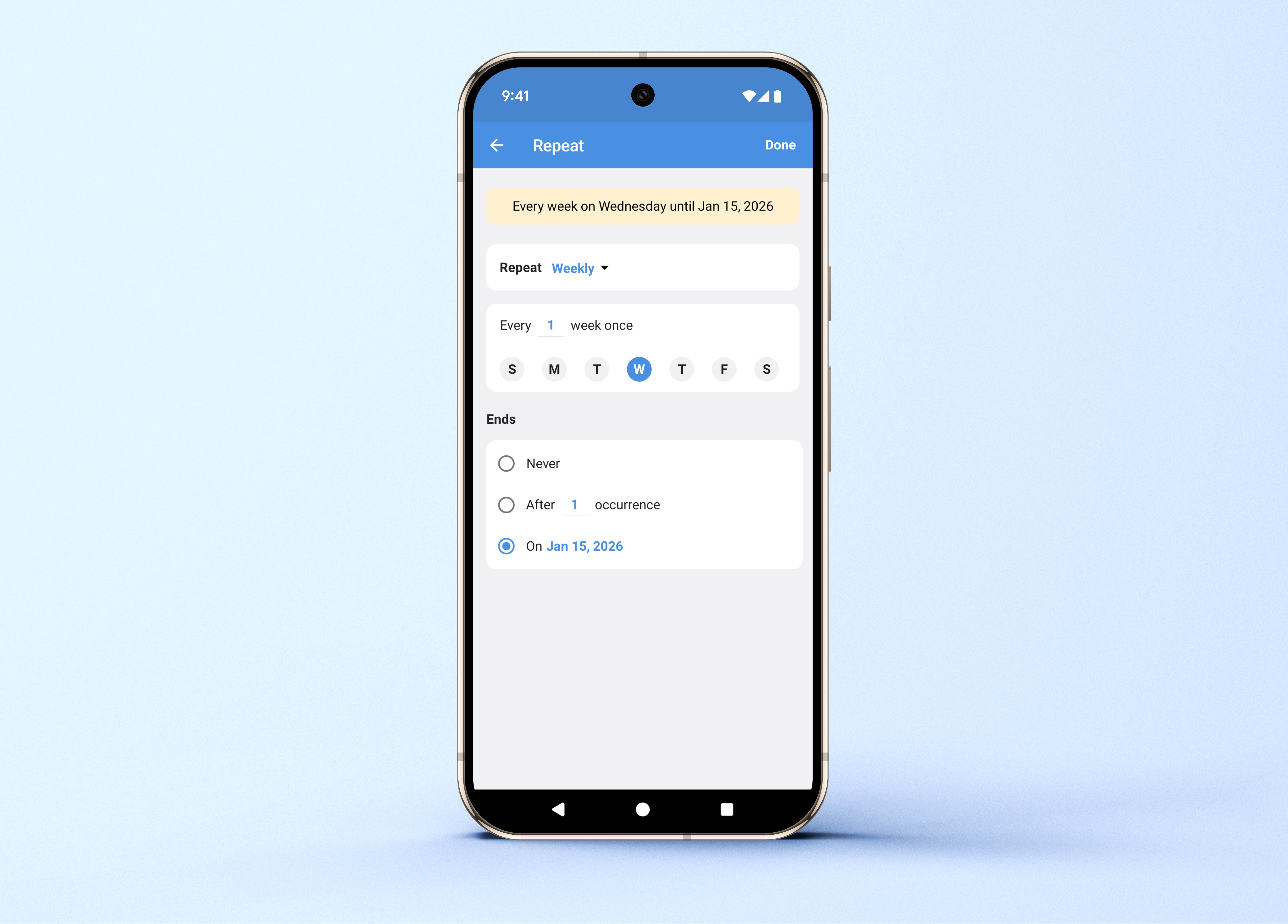
Custom recurring events
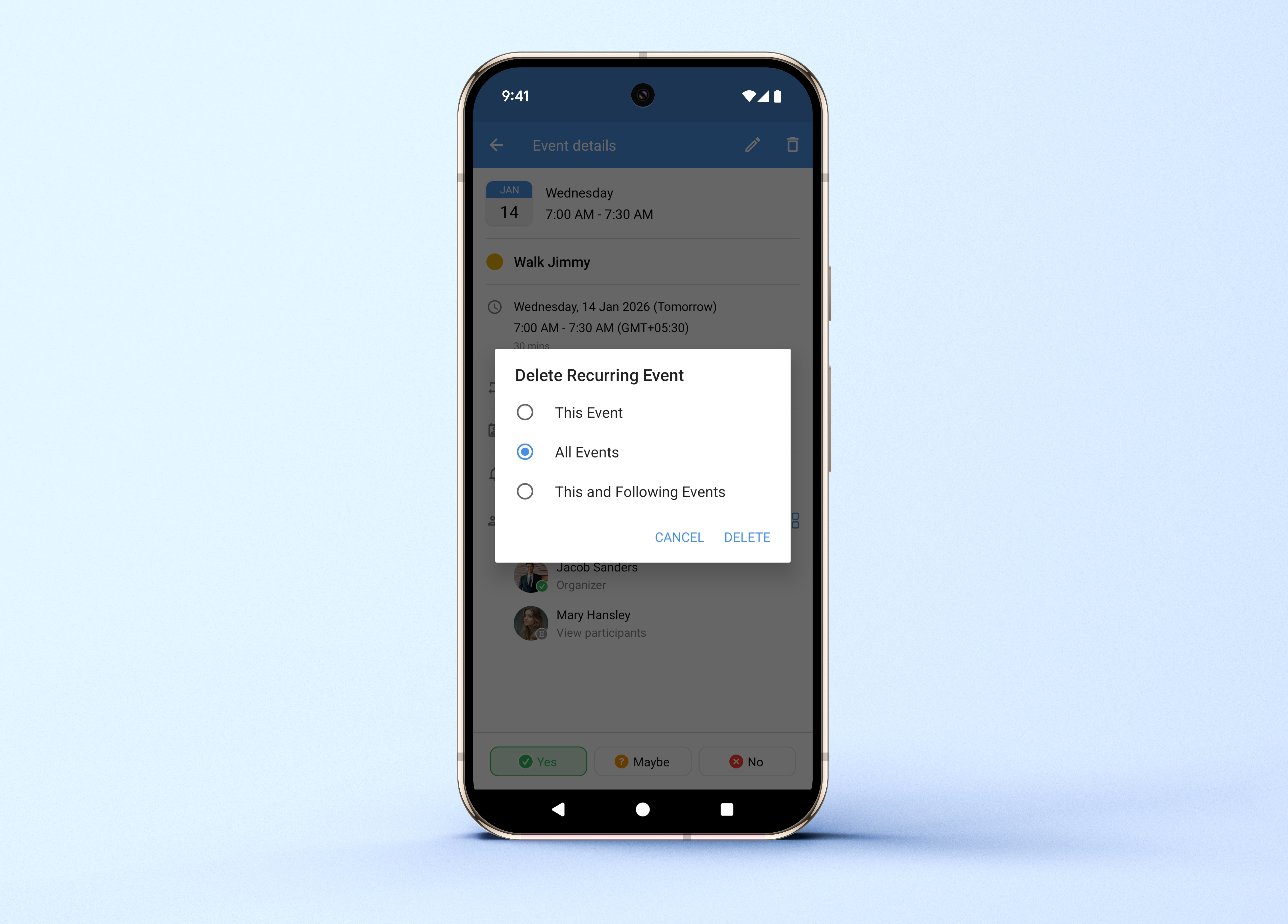
Flexible recurring event deletion
If you need to remove a recurring event, you can now:
Delete just one occurrence
Delete all future occurrences
Update the Zoho Mail app to the latest version from the Play Store to try out these new features.
Related Articles
Zoho CRM : Compliance Made Easy for Email Authentication
We are introducing you with significant updates to enhance email authentication and verification processes across Zoho CRM and other Zoho services. These changes aim to bolster security, ensure compliance with industry standards, and improve user ...Introducing Zoho Service Plus : A unified platform for customer service - Early Access for Partners
We are excited to announce early access to Zoho Service Plus, a unified platform that brings together all of our customer service applications into a single platform. The early access program is exclusive only to partners. With Service Plus, manage ...Zoho Apptics: Your Ultimate Solution for App Analytics
Zoho announced Zoho Apptics, recognizing that in today’s hyper-connected world, the internet is not just a tool—it’s the backbone of our digital experiences, with mobile apps now dominating the majority of screen time. The times have changed, and ...Zoho Analytics: Product Updates - November 2023
Hello partners, We're excited to announce some key updates this month to improve your customers' BI experience. Here's a rundown of the new features. Advanced Analytics for Jotform Advanced Analytics for Jotform enables you to understand the ...Zoho Mail - a smarter and quicker emailing experience with Zia's OpenAI integration
11Like7234 OpenAI and ChatGPT have taken the world by storm so much that these are household terms now. Zoho, as always, has embraced this new technology with teams coming up with creative ways to make the most of the generative AI capabilities. Zoho ...