Zoho Forms: Integration with Vertical Studio Applications
Introducing Zoho Forms Integration with Vertical Studio
Zoho has introduced the integration between Zoho Forms and Vertical Studio.
With this feature, you can collect information through forms and directly push it into your Vertical Studio modules.
This setup allows form entries to automatically create or modify records, minimizing manual effort and improving data accuracy.
🔹 What you can do with this integration
You can now:
Capture responses from forms and instantly create or update records in Vertical Studio
Link form fields with corresponding fields in your Vertical Studio modules
Auto-populate forms using existing data from your Vertical Studio application
Unlike many other integrations, this setup is managed entirely from within Zoho Forms.
🔹 Availability and Requirements
Accessible for all Vertical Studio subscriber organizations (Starter, Growth, and Scale plans)
Requires an active Zoho Forms account
🔹 Steps to Enable the Integration
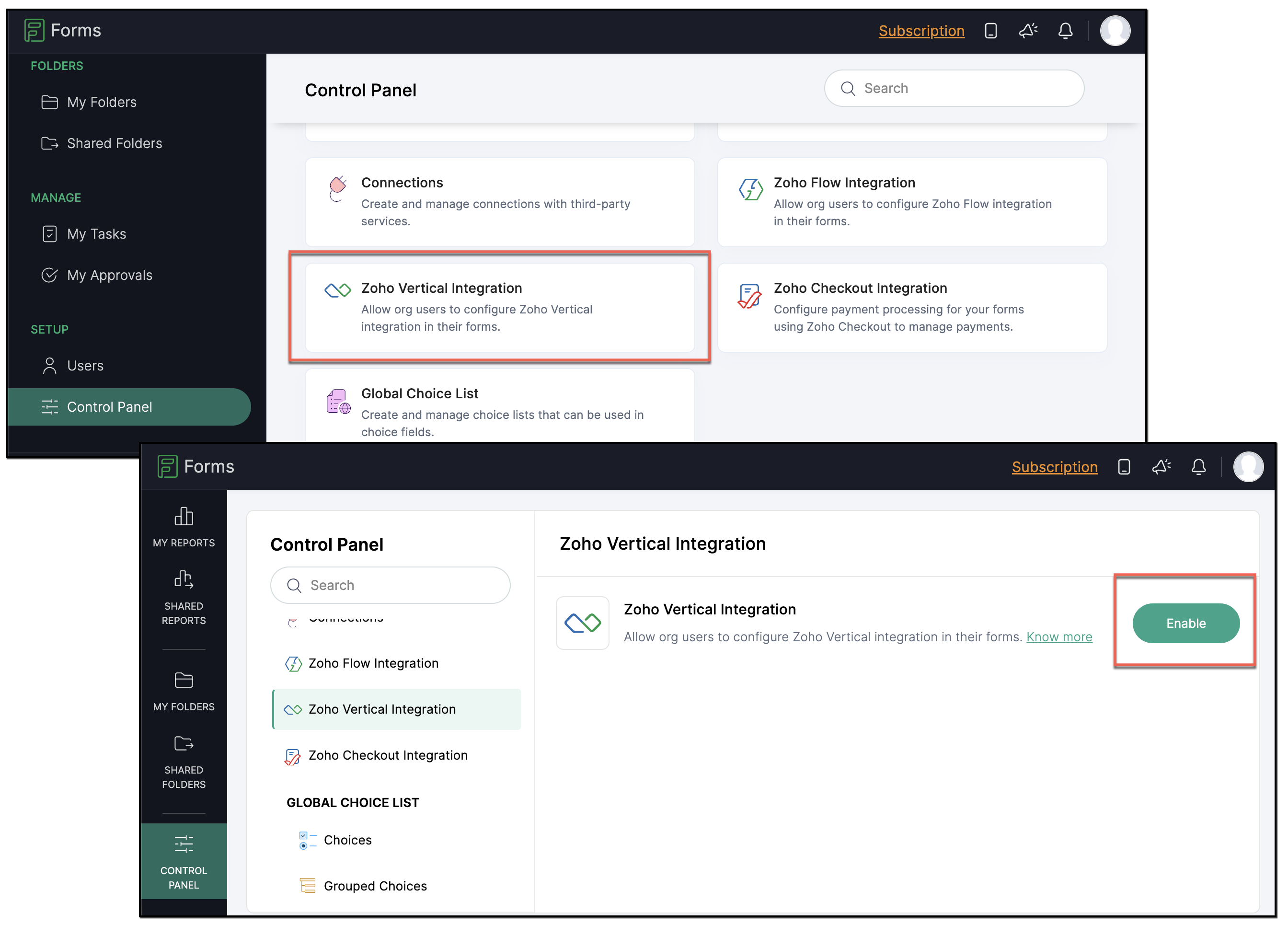
Step 1: Activate Integration
Go to Control Panel > Zoho Vertical Integration inside Zoho Forms and click Enable.
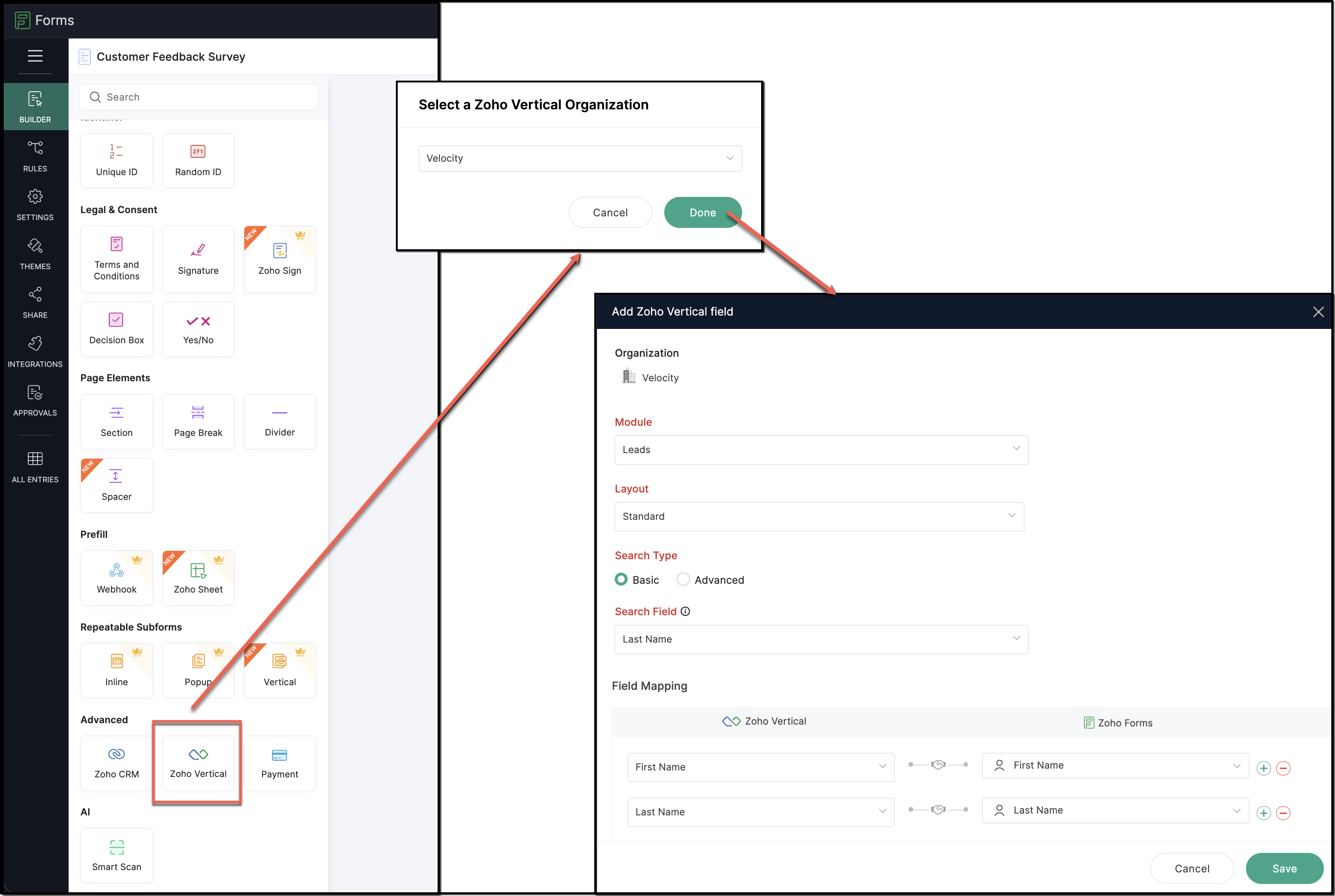
Step 2: Add Zoho Vertical Field to Your Form
Inside the form builder:
- Navigate to Advanced Fields
- Choose Zoho Vertical
Then configure the field by selecting:
- Your Vertical Studio application
- Module and layout
- Search criteria and search field
- Field mappings
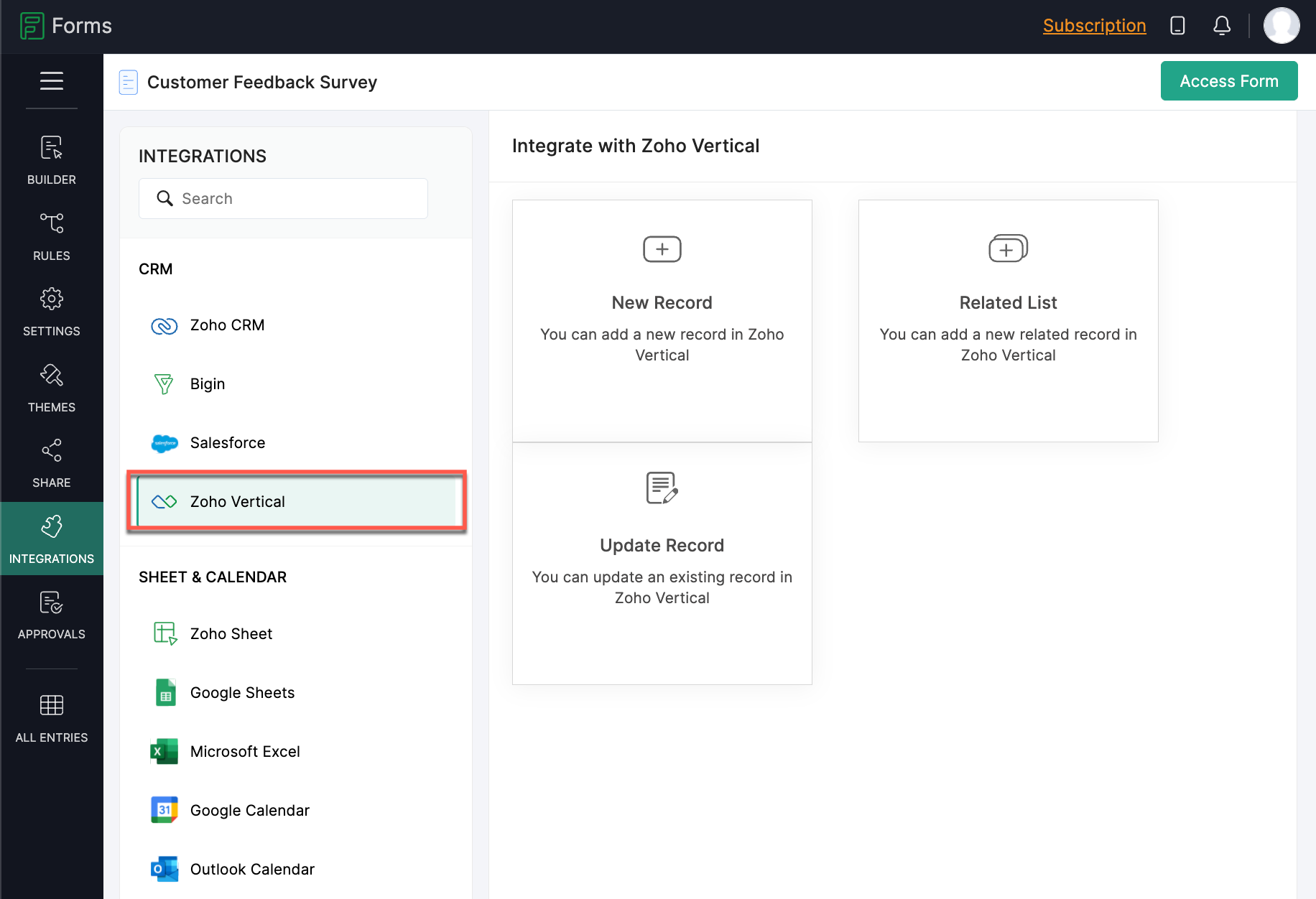
Open the Integrations tab and select Zoho Vertical.
Here, you can define how submissions should behave:
- Create new records
- Update existing records
- Add entries to related lists
🔹 Key Highlights
This is not a connection between different organizations
One Zoho Forms account can link to multiple Vertical Studio applications
However, each form can be connected to only one application at a time
🔹 Example Use Case
If your business operates across multiple industries, you can use separate forms like:
Real Estate App → Property enquiry form
Healthcare App → Patient registration form
Education App → Student admission form
Each form connects to a specific application, but a single form cannot link to multiple apps simultaneously.
🔹 Where this integration helps
This integration works great for:
Lead collection
Customer onboarding
Gathering feedback
Registrations and surveys
It streamlines data capture, reduces manual input, and ensures your records stay accurate within your Vertical Studio applications.
🔹 Get Started
For more information, please visit www.pfc-group.com
Related Articles
Zoho Recruit - Mandatory Assessments for Better Hiring
Zoho announce a significant enhancement to Zoho Recruit’s Candidate Application Form: the Include Assessment option. This feature integrates the pre-screening assessment with the application form fields, ensuring every candidate must complete the ...Zoho Analytics 6.0 Beta: A New Era in Data Analytics
Zoho has introduced Zoho Analytics 6.0 Beta, a significant upgrade tailored to the diverse needs of business users, data analysts, data engineers, and data scientists. This version incorporates extensive user and market feedback, offering innovative ...Zoho CRM: The Canvas Record Form for Enhanced Customization
Zoho announced Zoho Crm innovation with Canvas functionality now extends to record forms, enabling you to personalize record entries with the power of Canvas! Enhancing CRM Interactions with CanvasIn the heart of any CRM lies the ability to manage ...Introducing Zoho Service Plus : A unified platform for customer service - Early Access for Partners
We are excited to announce early access to Zoho Service Plus, a unified platform that brings together all of our customer service applications into a single platform. The early access program is exclusive only to partners. With Service Plus, manage ...Zoho CRM : Forms Integration Gets Multi-Language Boost
Zoho announced new enhancements to the integration between Zoho Forms and Zoho CRM! These updates include support for UTM tracking parameters and the ability to use forms in multiple languages. Previously, our integration allowed seamless data ...