Zoho Desk Insights: Send WhatsApp Templates in Multiple Languages
Wondered how it feels when a brand greets you in your own language?
“Welcome!” is nice — but “¡Bienvenido!” or “स्वागत है!” feels warm and personal.
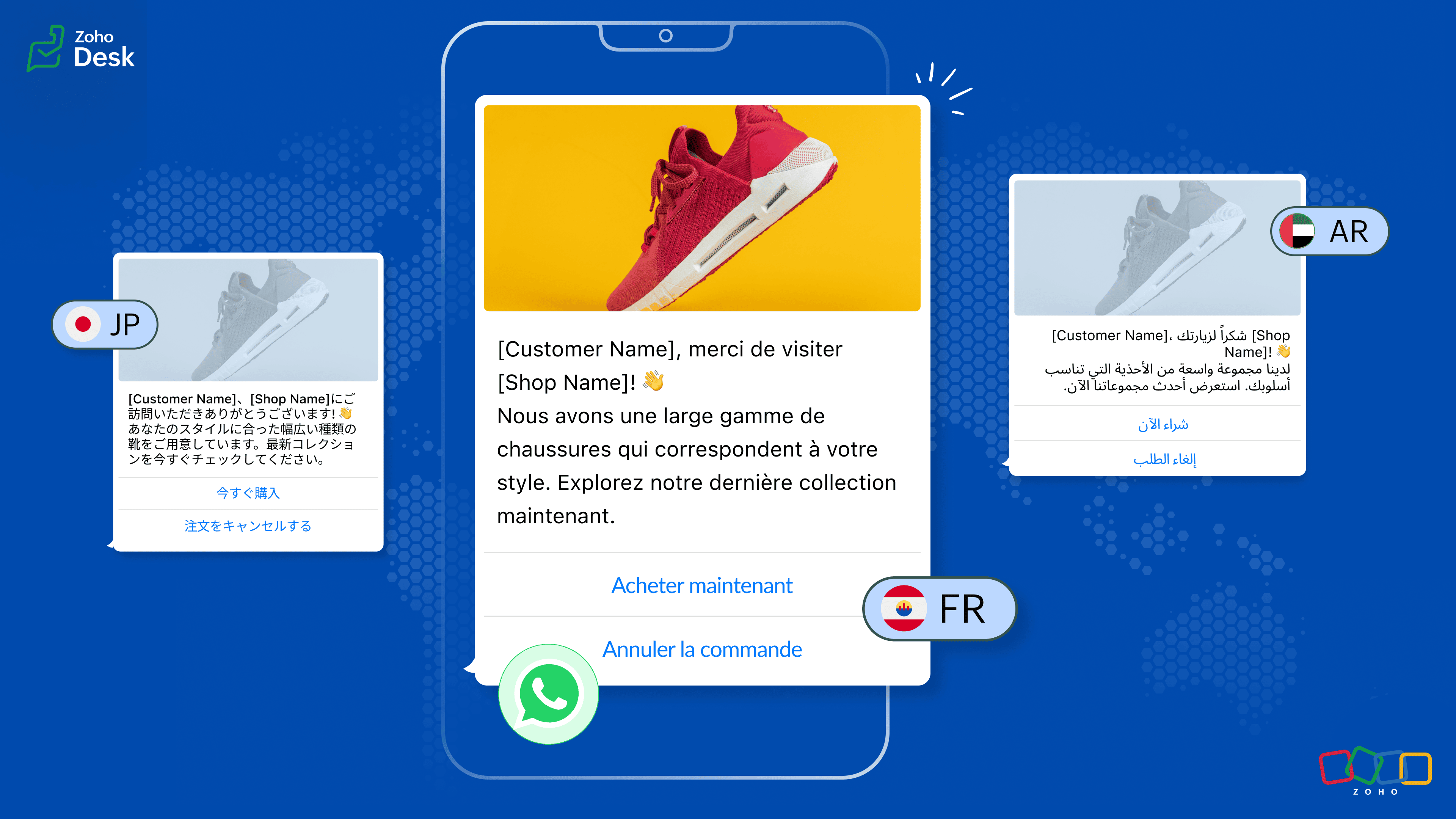
Business Example Ever
Imagine you run an online travel agency.
A customer from Paris and
A customer from Japan
sign up for travel updates on the same day.
You send the same notification, but:
The French customer gets: “Votre réservation est confirmée.”
The Japanese customer gets: “ご予約が確認されました。”
Same workflow. Same template.
But each person receives a message in their own language.
This is the power of multilingual templates.
What Is a WhatsApp Template?
A WhatsApp template is a pre-approved message format used for:
Alerts
Confirmations
Reminders
Notifications
Marketing messages
Templates help you share clear, consistent messages without retyping them every time.
Why Templates Improve Communication
Templates help your team by:
Keeping every message consistent
Following WhatsApp rules
Reducing agent workload
Supporting automation during busy hours
Once your templates are ready, adding multiple languages makes them feel personal and customer-friendly.
What Are Multilingual WhatsApp Templates?
When you create a WhatsApp template, you can attach translations in any language you need—English, Hindi, Spanish, French, and many more.
Same message, same tone, but different languages for different customers.
Example:
Customer in Madrid sees: “¡Bienvenido!”
Customer in Mumbai sees: “स्वागत है!”
If you add a new translation later, Meta will review it again for approval.
What If a Customer’s Language Isn’t Supported?
Don’t worry.
IM will send the default language (usually English).
Your message always reaches the customer — no gaps, no confusion.
Pricing Overview
Each approved translation counts as a separate template
Charges apply for every delivered message
Utility templates are free if sent within 24 hours of a user message
Marketing templates follow WhatsApp Business Platform pricing
For full pricing details, check the official guide.
How Language Mapping Works in IM
Every template starts with a default language.
IM checks the customer's preferred language and sends the right version automatically.
Example:
If French translation exists → French customers receive it
If German translation is missing → the English version is sent
Simple. No delays. No lost messages.
Best Practices for Using Templates in IM
Pick the correct category (e.g., Marketing)
Use clean placeholders like {{1}}, {{2}}
Limit emojis
Use real human translations
Set fallback language mapping
Ensure customers have given opt-in
Review category changes after Meta approval
Fix and resubmit rejected templates
Why This Matters
Speaking to customers in their own language builds:
Trust
Comfort
Better engagement
Stronger relationships
Related Articles
Zoho Desk's Instant Messaging | Product Updates | May'23
Hello Partners, As we advance into the year, we're eager to bring you this month's product updates, where we'll run you through the significant updates in the Instant Messaging module. I hope this info is insightful as you continue using our IM ...Zoho Desk: 2-Year Data Analytics in Zoho Desk
Zoho has announced a much-anticipated feature in Zoho Desk. A select group of users now has early access to the "2-Year Data in Analytics - Reports" feature, allowing them to create reports using data from the past two years. Enhanced Reporting ...Introducing Zoho Service Plus : A unified platform for customer service - Early Access for Partners
We are excited to announce early access to Zoho Service Plus, a unified platform that brings together all of our customer service applications into a single platform. The early access program is exclusive only to partners. With Service Plus, manage ...Zoho Desk - Redefine customer experiences with Blended Conversations
Zoho Desk's Blended Conversations feature is here! Blended Conversation is a fruition of the Instant Messaging framework and the Guided Conversation bot builder, a low-code platform for customer self-service. The IM framework helps businesses ...Zoho Analytics 6.0 Beta: A New Era in Data Analytics
Zoho has introduced Zoho Analytics 6.0 Beta, a significant upgrade tailored to the diverse needs of business users, data analysts, data engineers, and data scientists. This version incorporates extensive user and market feedback, offering innovative ...