Zoho CRM : Now Allows Customization in Sales Trend & Follow-Up Trend Dashboards
Hello Everyone
PFC Group is presenting the latest Zoho CRM update!
The Sales Trend and Sales Follow-up Trend dashboards in Zoho CRM are system-built dashboards designed to help you track patterns in your sales activities and conversions. Using Zia’s intelligence, these dashboards analyze data from your leads, contacts, deals, and activities to detect unusual changes, trends, and potential anomalies. This helps you understand how healthy your sales pipeline is and where improvements may be needed.
You can also explore more about Zia’s Anomaly Detection in Zoho CRM to understand how these insights are generated.
Previously, these dashboards used predefined analytical components. This meant that the data included in the analysis, the calculation criteria, and the metrics shown were all fixed by the system. Because of this, the insights generated were quite general and not always perfectly aligned with every business model.
For example, consider the “Lead Created” component.
If your company participates in a trade show or a marketing event, it is normal to receive a sudden increase in leads during that period. However, since the system compares this with your usual lead flow, the dashboard may mark this spike as an anomaly.
But for many businesses, this increase is expected and actually a positive outcome of the event. Since the earlier dashboards did not allow customization, businesses couldn’t adjust the criteria to reflect such real-life scenarios.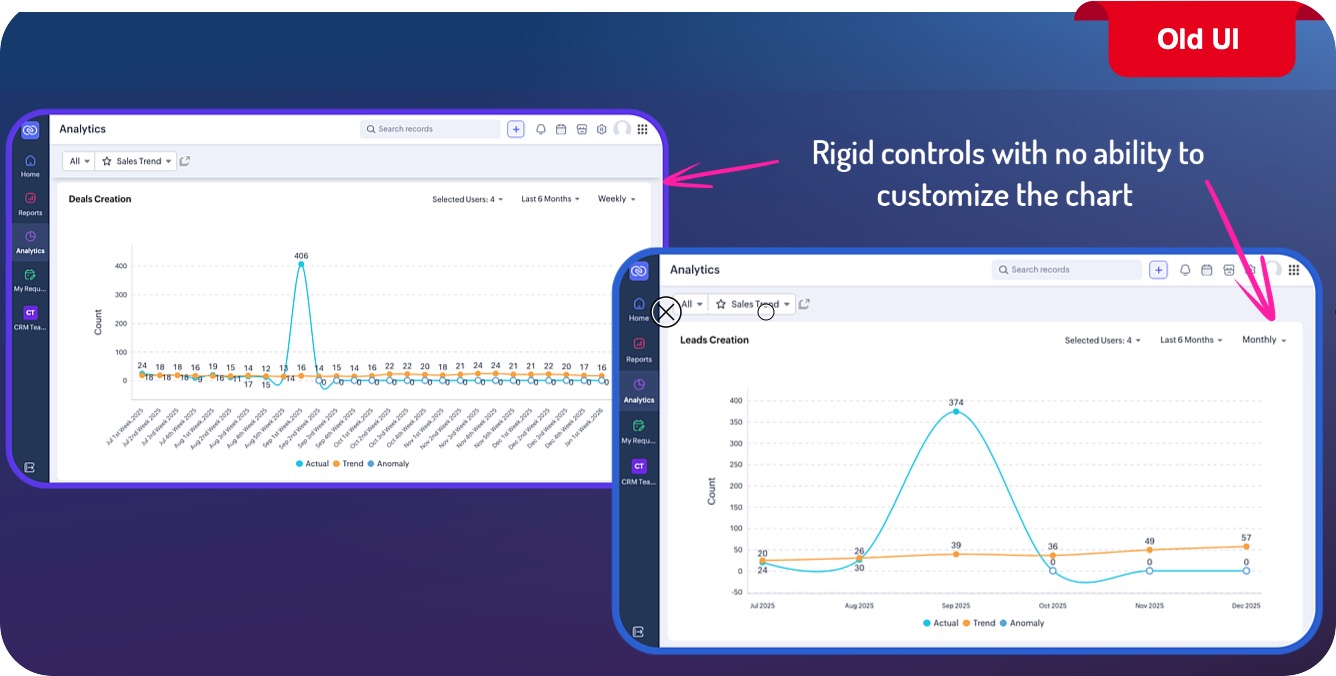
Also, in the current setup, anomaly identification can fluctuate. If there are changes to data used for an Another limitation was that anomaly detection could change over time. If the underlying data was modified after an anomaly had already been detected, the system might re-evaluate it and change its status. However, many businesses prefer that once an anomaly is detected and recorded, it remains unchanged.To address these challenges, we have redesigned these dashboards.
What’s New?
The Sales Trend and Sales Follow-up Trend dashboards have now been rebuilt using the same logic as the custom anomaly components available in other dashboards.
This update brings greater transparency into how the metrics are calculated and allows you to adjust the parameters based on your business needs. In addition, anomalies that have already been identified will now remain recorded even if the data changes later.
Hello Everyone
PFC Group is presenting the latest Zoho CRM update!
The Sales Trend and Sales Follow-up Trend dashboards in Zoho CRM are system-built dashboards designed to help you track patterns in your sales activities and conversions. Using Zia’s intelligence, these dashboards analyze data from your leads, contacts, deals, and activities to detect unusual changes, trends, and potential anomalies. This helps you understand how healthy your sales pipeline is and where improvements may be needed.
You can also explore more about Zia’s Anomaly Detection in Zoho CRM to understand how these insights are generated.
Previously, these dashboards used predefined analytical components. This meant that the data included in the analysis, the calculation criteria, and the metrics shown were all fixed by the system. Because of this, the insights generated were quite general and not always perfectly aligned with every business model.
For example, consider the “Lead Created” component.
If your company participates in a trade show or a marketing event, it is normal to receive a sudden increase in leads during that period. However, since the system compares this with your usual lead flow, the dashboard may mark this spike as an anomaly.
To address these challenges, we have redesigned these dashboards.
What’s New?
The Sales Trend and Sales Follow-up Trend dashboards have now been rebuilt using the same logic as the custom anomaly components available in other dashboards.
Key Improvements
With this update, the dashboards now follow the same user interface and controls used by other analytical components.
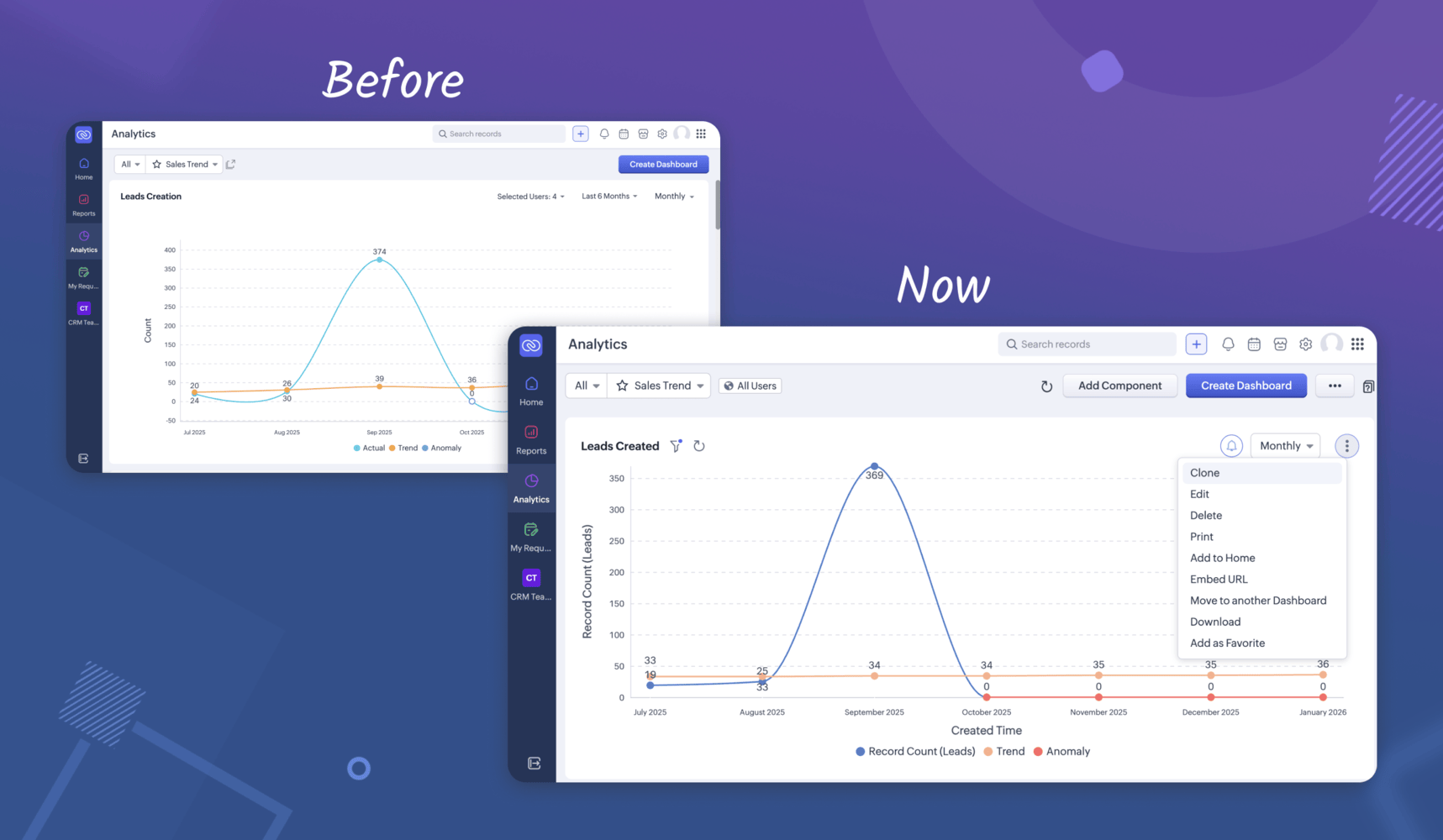
Edit components
You can now modify the component name, filters, metrics, and other settings to match your business goals and operational requirements.
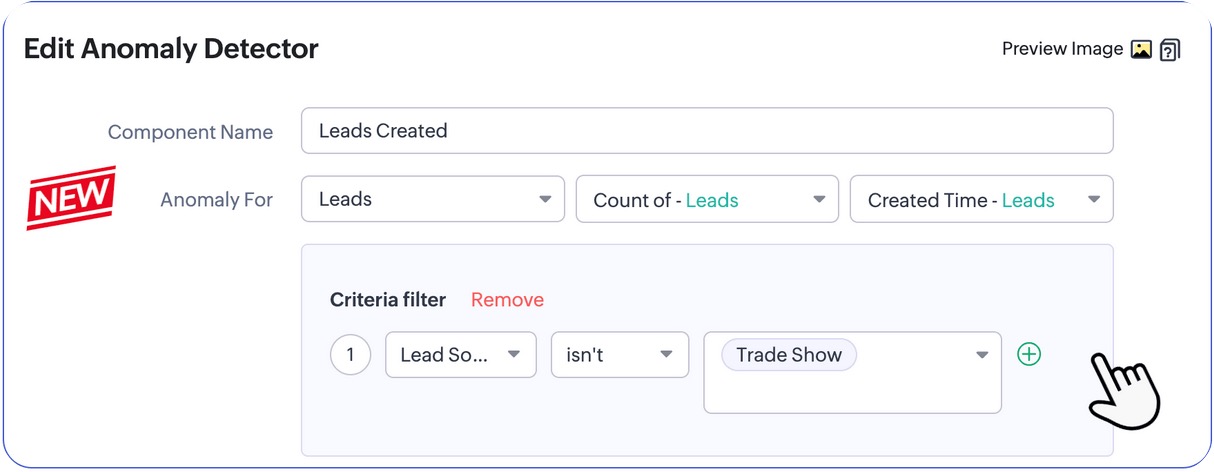
Add new components -You can include additional analytical components directly in the dashboard to track other important metrics.
More dashboard actions available- You can now easily clone, print, download, embed, move, bookmark, add to home, or delete components within the dashboard.
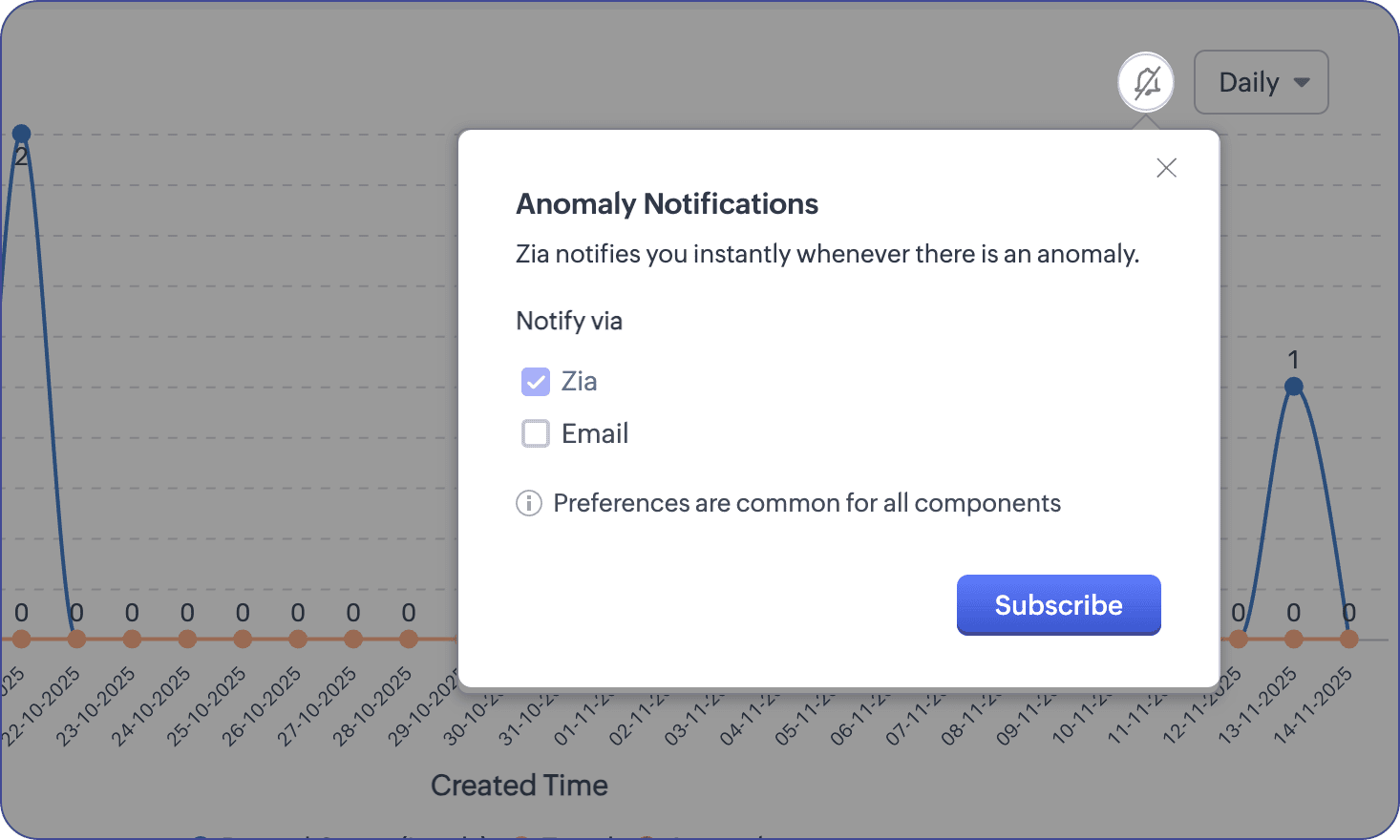
- Improved filters
The controls for selecting users and time periods have been moved under a filter icon near the chart title. You can apply filters to quickly update the chart or save them as default settings.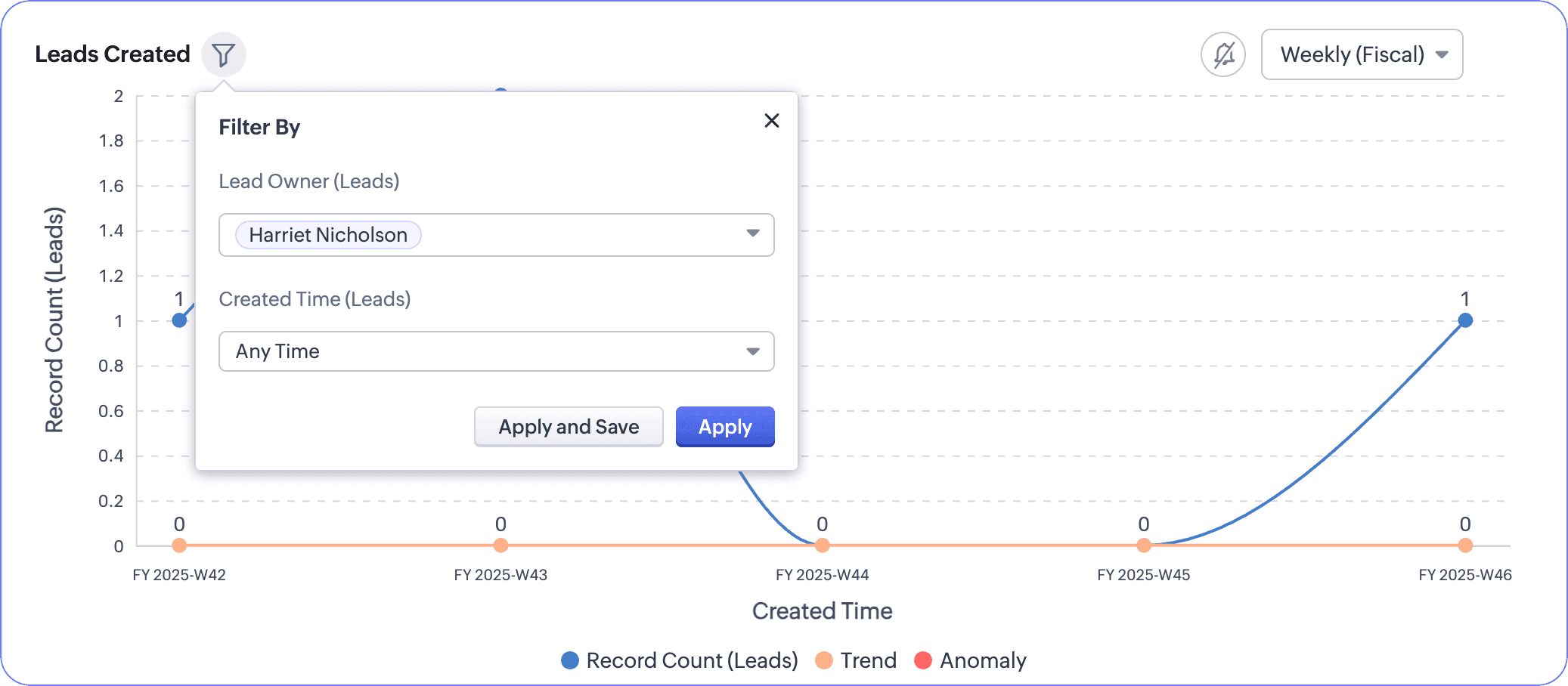
What Stays the Same?
Even though the dashboards are now customizable, the default settings and metrics remain unchanged. If the existing setup already works well for your business, you can continue using it without making any adjustments.
In short, this update mainly focuses on improving flexibility and unifying the user interface, while still allowing businesses to personalize how anomalies and trends are calculated.

Info
Release Plan:
The rollout has started for organizations in the SA and CA data centers. Updates for other data centers will be announced soon.
Eligibility:
Enterprise Edition, Ultimate Edition, Zoho One, and Zoho CRM Plus
Related Articles
Zoho CRM: The Canvas Record Form for Enhanced Customization
Zoho announced Zoho Crm innovation with Canvas functionality now extends to record forms, enabling you to personalize record entries with the power of Canvas! Enhancing CRM Interactions with CanvasIn the heart of any CRM lies the ability to manage ...Zoho CRM: Introducing Rollup summary
Hello All, We hope you're well! We're here with an exciting update that goes right into CRM's core capabilities. It's called the Rollup summary. Let's go! Your CRM is a vast database with well-connected data sources, where you can access both the ...Rebrand your CRM with the all-new custom domain mapping setup
This is a game changer as this potentially allows every organization to rebrand their CRM system and align it with the domain name of their business. Note: This feature is currently in the Early Access mode. To request access to this feature please ...Zoho CRM : Compliance Made Easy for Email Authentication
We are introducing you with significant updates to enhance email authentication and verification processes across Zoho CRM and other Zoho services. These changes aim to bolster security, ensure compliance with industry standards, and improve user ...Zoho CRM: New Assignment Rules
Zoho CRM is introducing a new feature to make assignment rules even more flexible and powerful. Administrators can now automate the assignment of records based on specific criteria. These criteria can be related to the fields in the record or the ...