Zoho CRM: New Spam Detection for Webforms – Keep Your Data Clean & Secure
Hello everyone,
The highly requested Spam Detection feature for webforms is finally here!
Web forms are a key tool for collecting leads and customer information. But sometimes, fake or malicious submissions sneak in, cluttering your CRM and reducing data quality.
What Does Spam Detection Do?
Spam Detection helps you:
Reduce manual work by highlighting suspicious webform submissions.
Identify fake entries through invalid emails, phone numbers, or bot activity.
Hold potentially spammy records for manual review.
Automatically block spam entries from entering your CRM.
How Webform Submissions Are Handled
All webform submissions are checked against spam detection rules:
Valid submissions from verified sources are added directly to the Leads module (unless you require approval for all submissions).
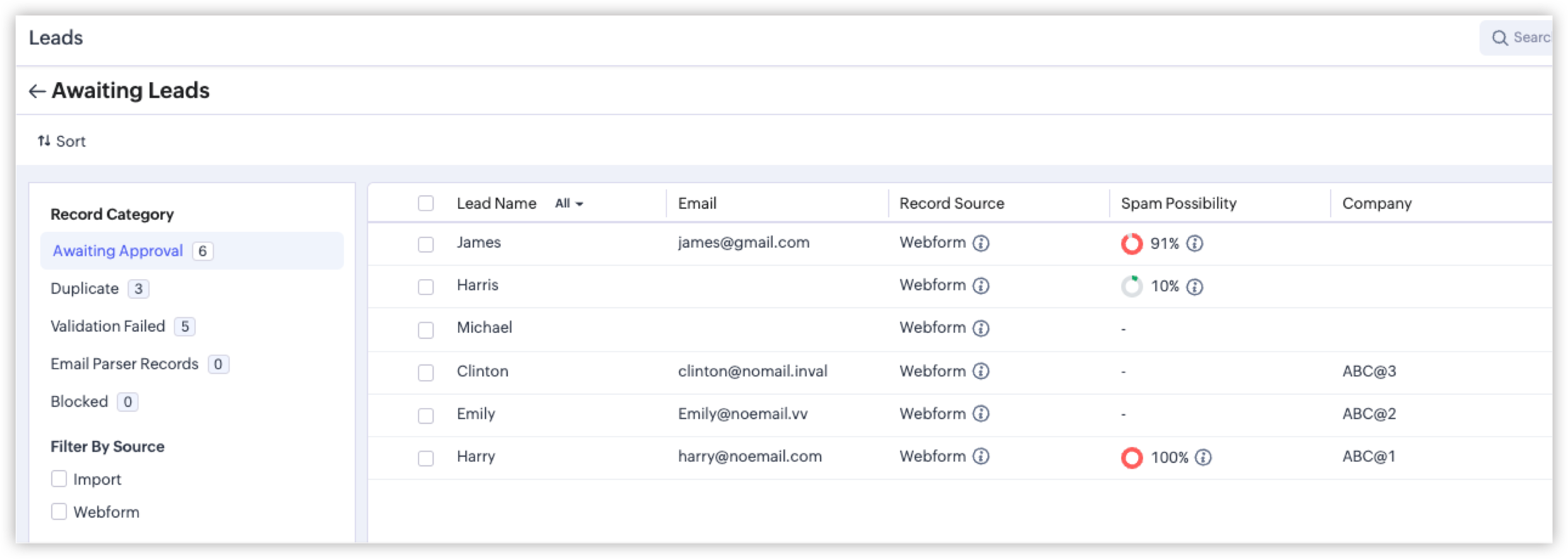
Suspicious submissions are flagged as potentially spam and placed in the Awaiting Leads section for review.
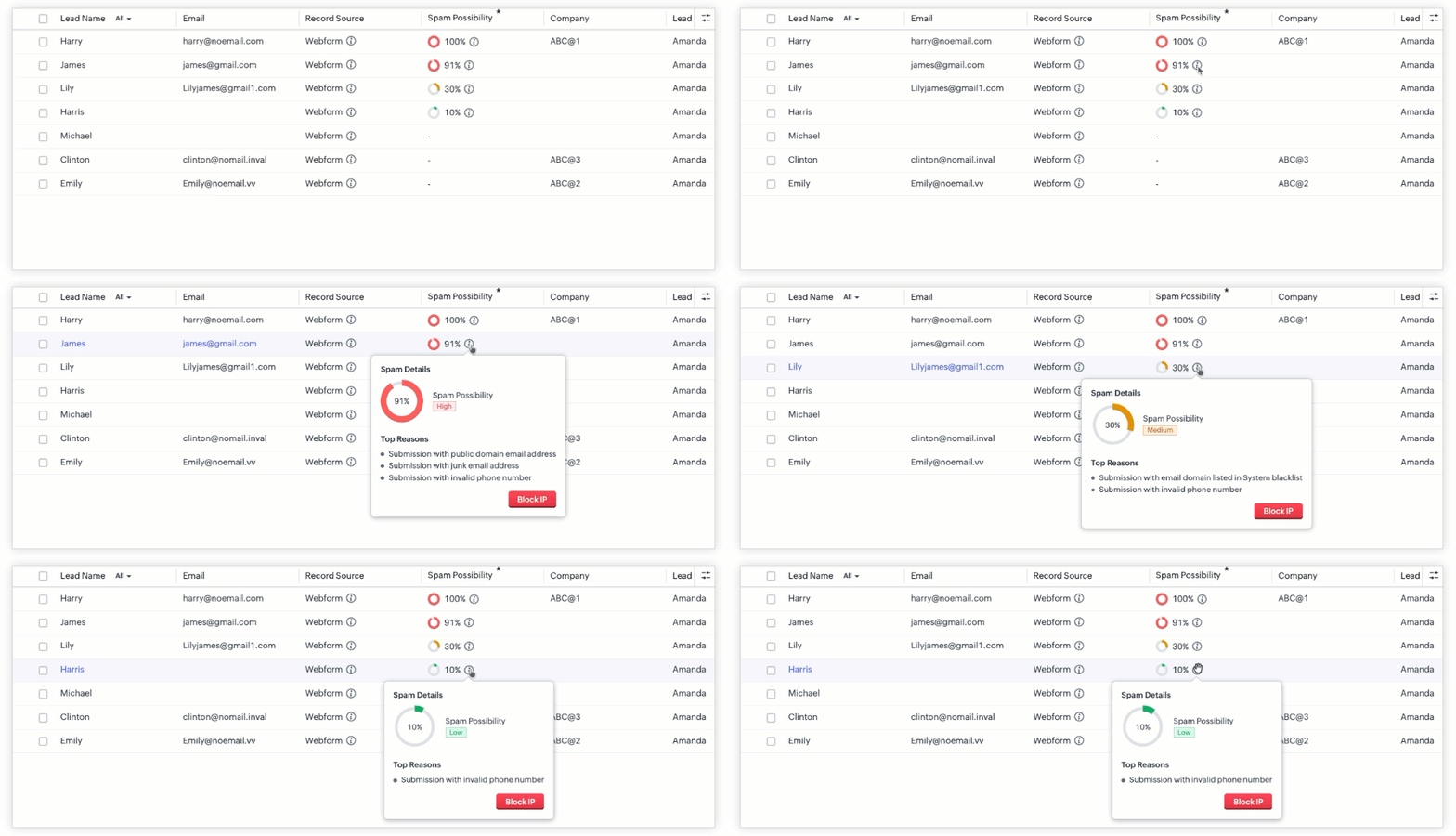
Each flagged record gets a Spam Possibility Score, showing how likely it is to be spam. You can hover over the info icon to see:
IP address of submission
Webform name and URL
Reasons why it was flagged
How Spam Scores Work
The system calculates a score based on different checks, including:
Bot submissions: Submissions made by automated bots or crawlers.
Invalid phone numbers: Fake, toll-free, or junk numbers.
Invalid emails: Emails from temporary domains, spam sources, or unauthorized domains.
Honeypot field triggers: Hidden fields that only bots fill — real users don’t see them.
Score colors for quick reference:
Green: 1–20% (low chance of spam)
Orange: 21–70% (medium chance)
Red: 71–100% (high chance)
Managing Records Awaiting Approval
Previously, admins manually reviewed webform submissions. Now, Spam Detection adds new options:
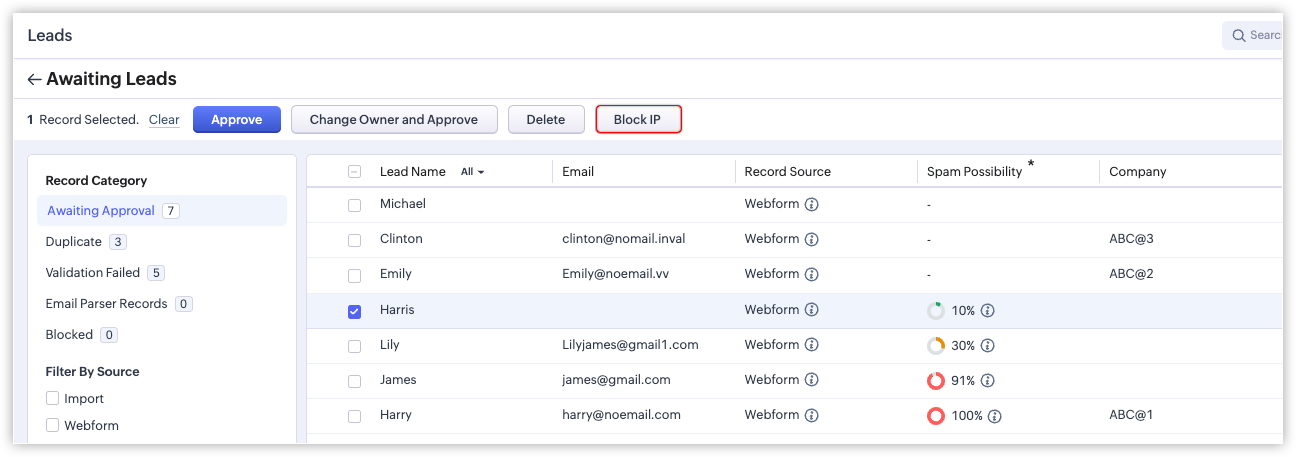
Block IP: Stop suspicious sources from submitting again.
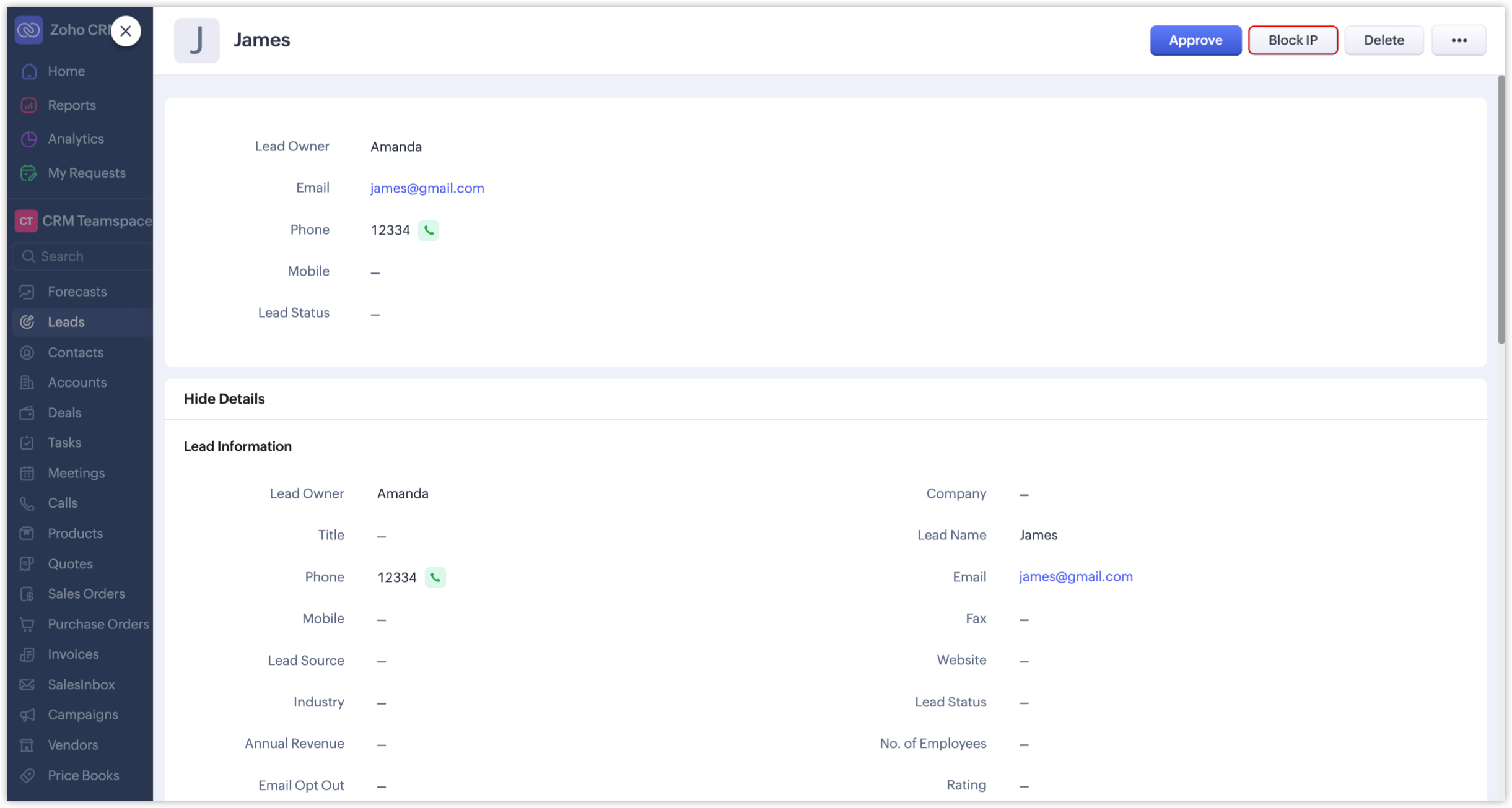
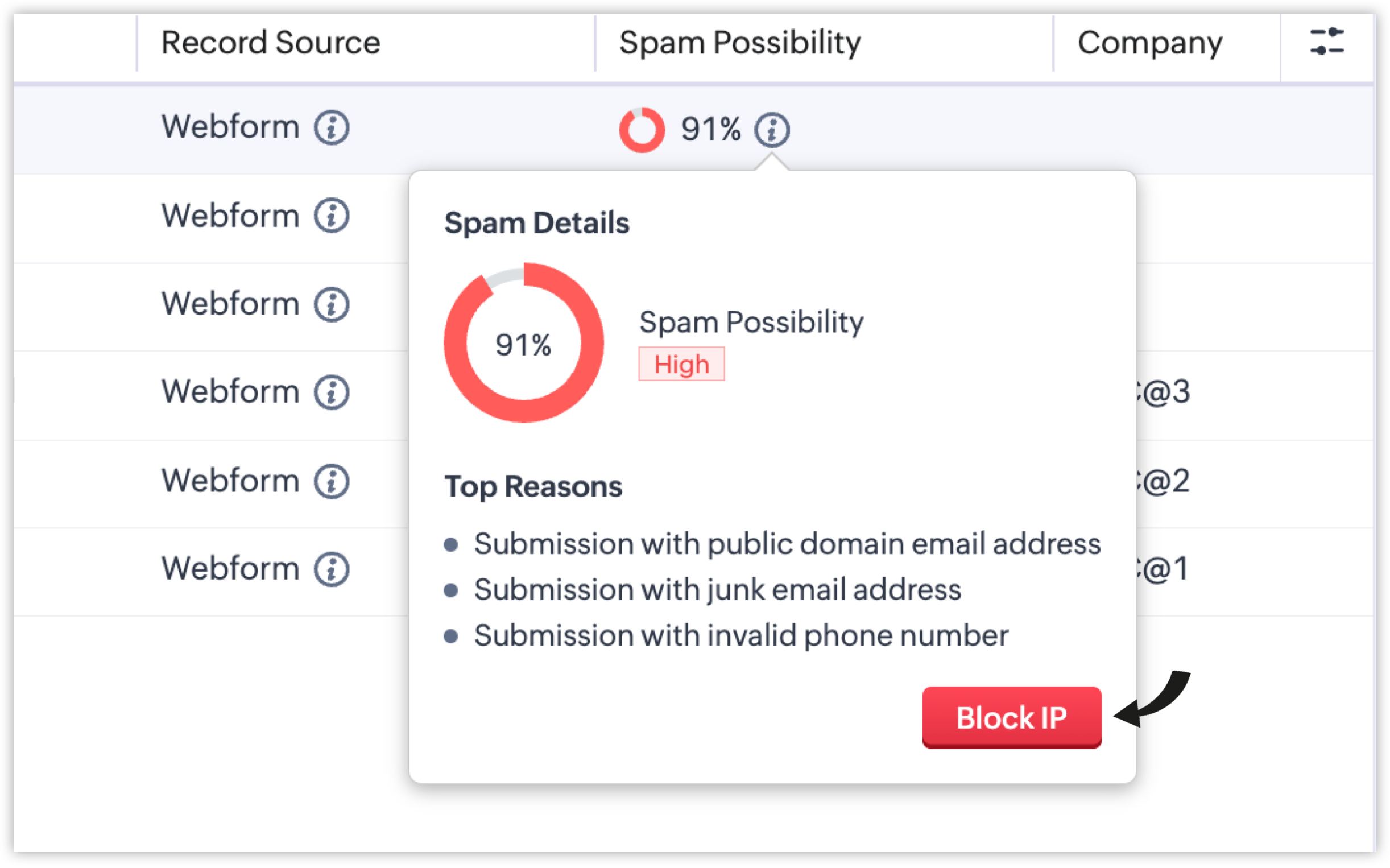
Blocked category: Submissions from blocked IPs go here.
Zoho also maintains a system blacklist, automatically blocking known risky IPs.
How to Enable Spam Detection
When creating or editing a webform, you’ll see the Spam Detection section.
Adjust the Spam Possibility Score slider to decide which submissions should be flagged for review.
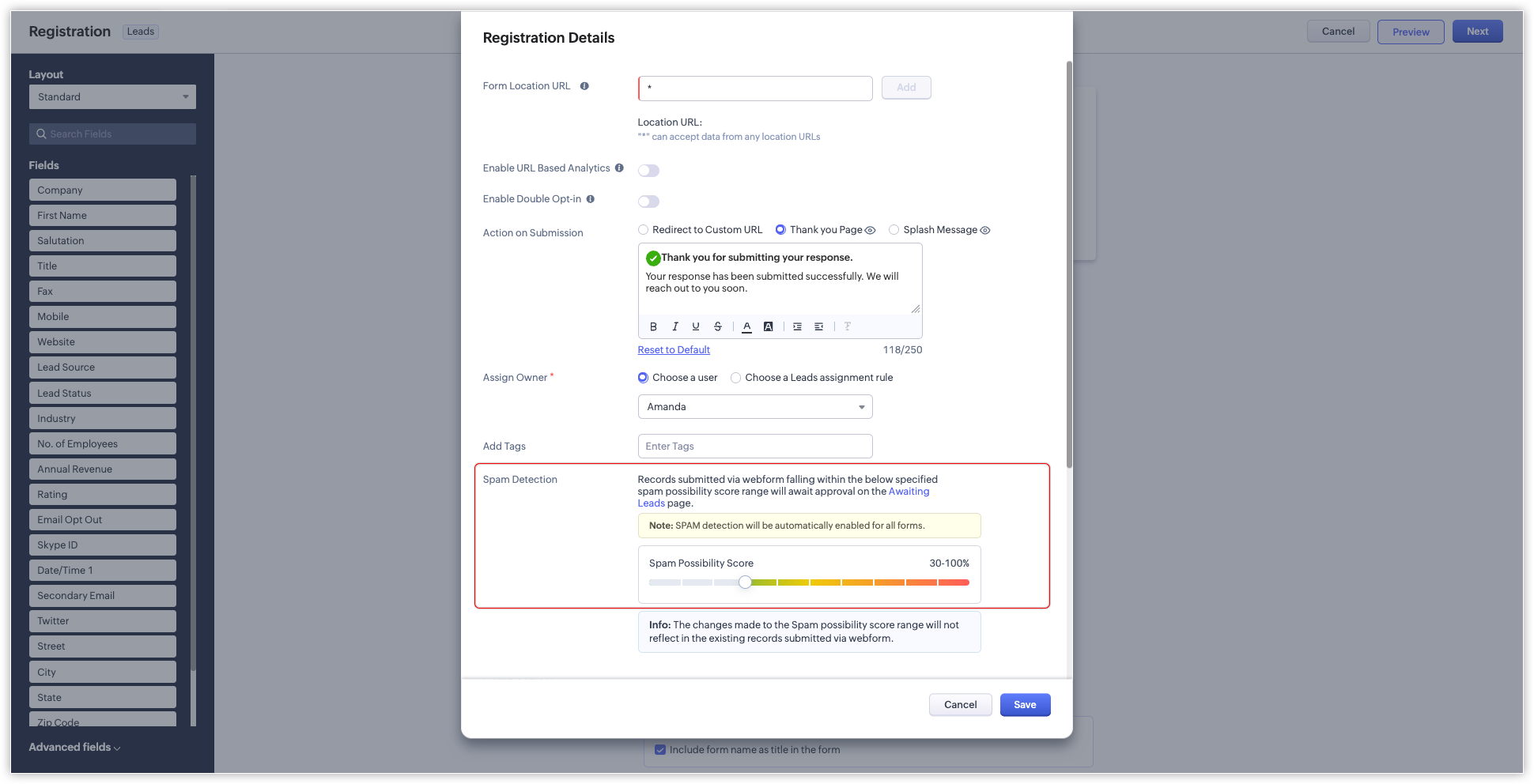
By default, records scoring 90–100% are held for approval, but you can change this range.
Only submissions within the set range are flagged; lower-scoring entries go directly into the CRM.
 Note: Records whose spam possibility scores fall within the set range will be held for approval, along with the relevant percentages and reasons. If, say, the chosen range is 80 to 100%, only those records with spam possibility percentages between 80 and 100 will be listed. Submissions with lower percentages will not be held as spam.
Improved Record Approval Page
Zoho CRM has redesigned the record approval page to make reviewing submissions easier:
"Approve Leads" is now "Awaiting Leads".
Switch easily between categories and check all records awaiting approval.
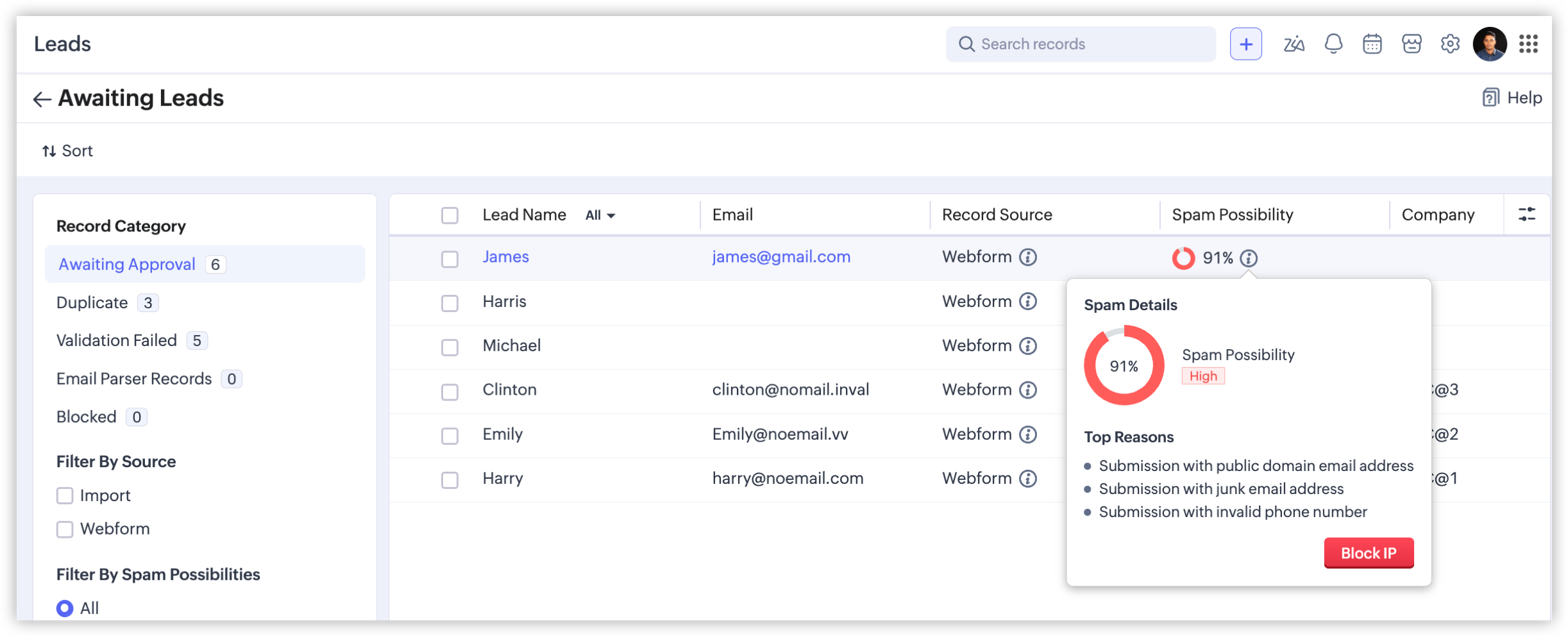
Filters help you quickly sort records by:
Source: Webform or import
Spam Possibility Score
Fields: Created Time, Record Owner
IP Address: Filter blocked submissions
Keeps your CRM clean and reliable
Reduces manual review work
Blocks spam automatically
Helps admins make smarter decisions
This revamp makes it easier to stay on top of potential spam, keeping your CRM organized and accurate.
Summary
Zoho CRM’s Spam Detection for webforms:
Try it now to protect your CRM and improve data quality.

Related Articles
Zoho Analytics 6.0 Beta: A New Era in Data Analytics
Zoho has introduced Zoho Analytics 6.0 Beta, a significant upgrade tailored to the diverse needs of business users, data analysts, data engineers, and data scientists. This version incorporates extensive user and market feedback, offering innovative ...Zoho CRM: New Assignment Rules
Zoho CRM is introducing a new feature to make assignment rules even more flexible and powerful. Administrators can now automate the assignment of records based on specific criteria. These criteria can be related to the fields in the record or the ...Zoho CRM : Compliance Made Easy for Email Authentication
We are introducing you with significant updates to enhance email authentication and verification processes across Zoho CRM and other Zoho services. These changes aim to bolster security, ensure compliance with industry standards, and improve user ...Zoho CRM: The Canvas Record Form for Enhanced Customization
Zoho announced Zoho Crm innovation with Canvas functionality now extends to record forms, enabling you to personalize record entries with the power of Canvas! Enhancing CRM Interactions with CanvasIn the heart of any CRM lies the ability to manage ...Zoho CRM: Introducing Rollup summary
Hello All, We hope you're well! We're here with an exciting update that goes right into CRM's core capabilities. It's called the Rollup summary. Let's go! Your CRM is a vast database with well-connected data sources, where you can access both the ...