Zoho Bookings Introduces AI-Powered Booking Page Customization
Creating a professional booking page no longer requires manual design effort.
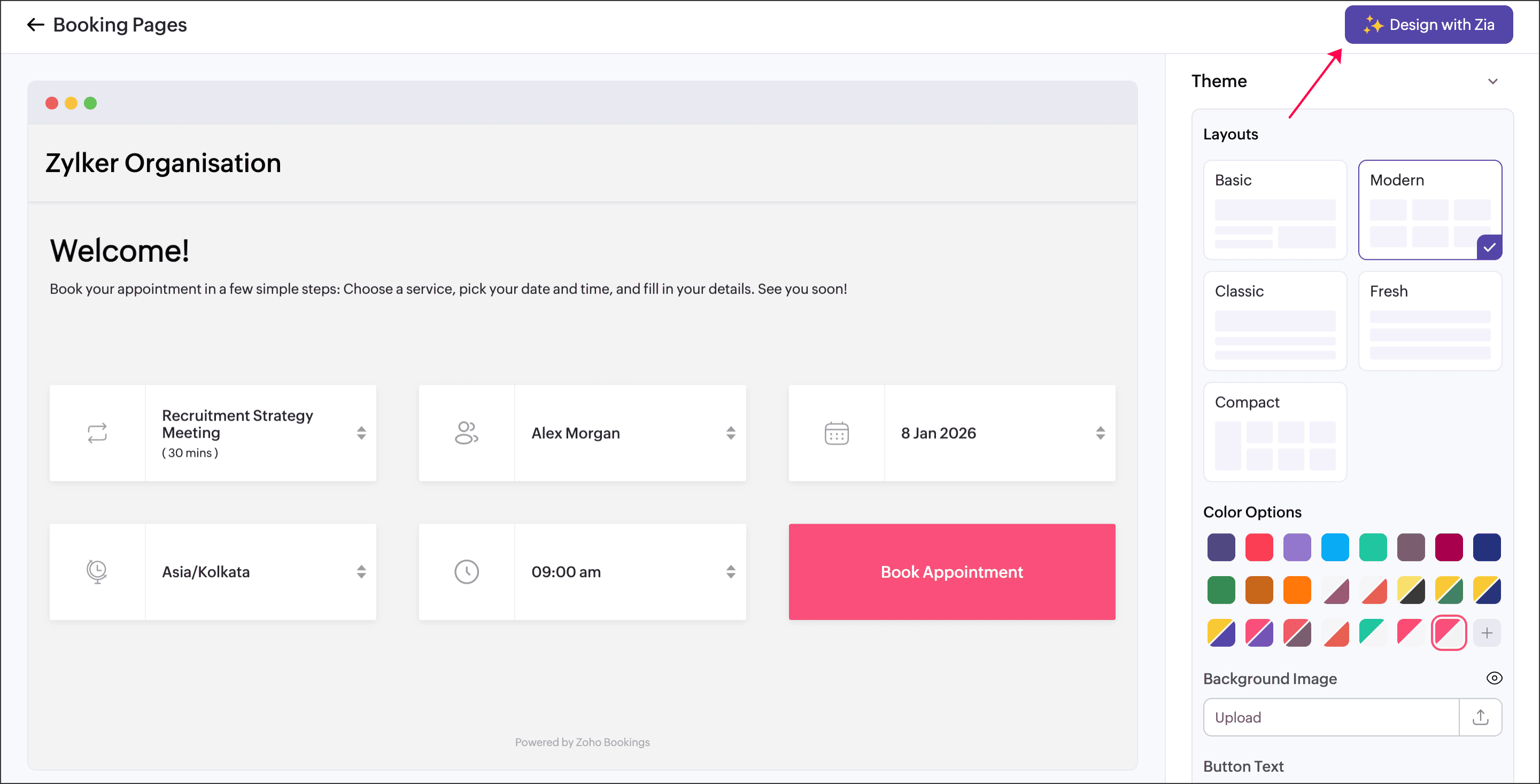
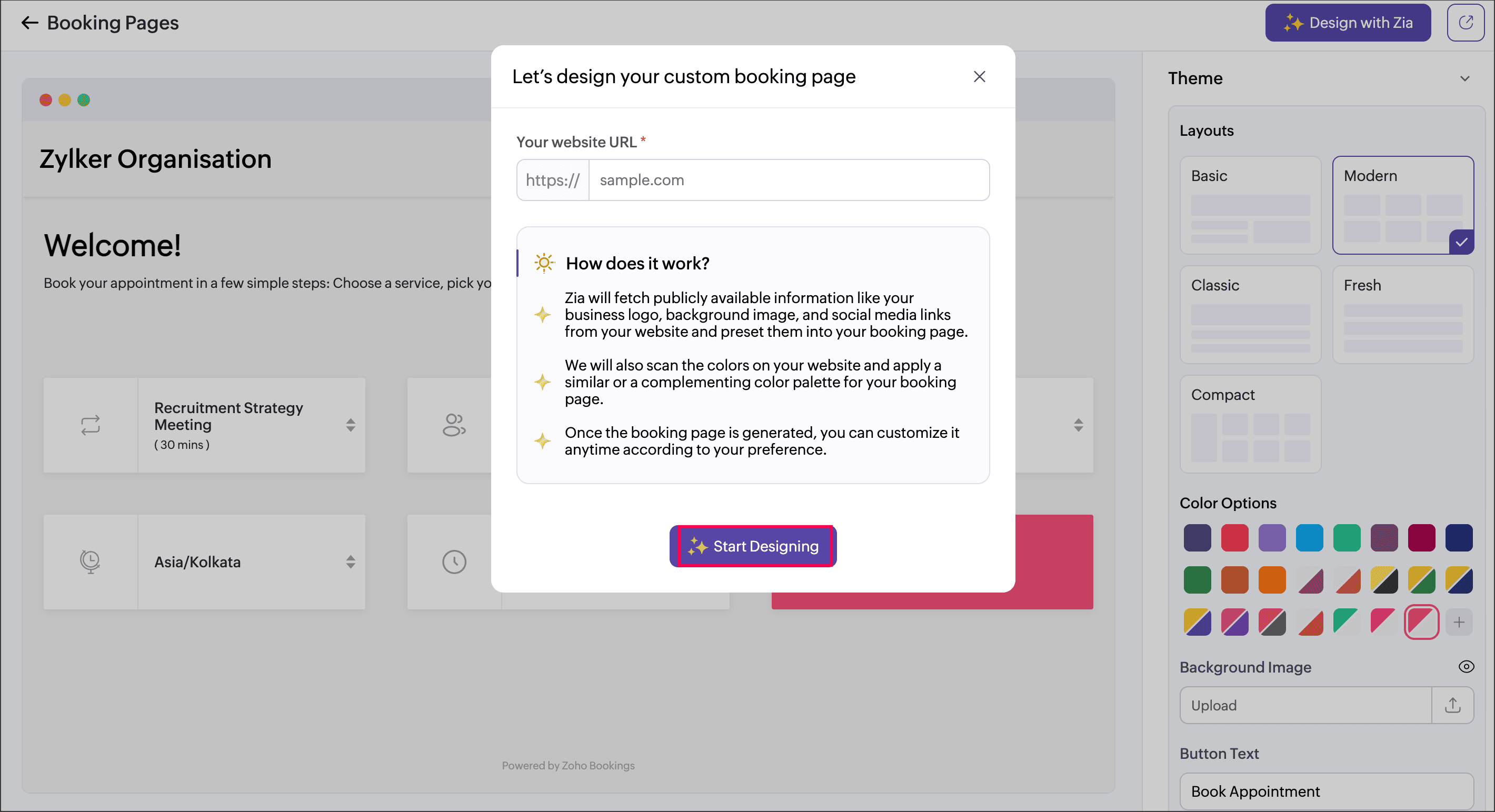
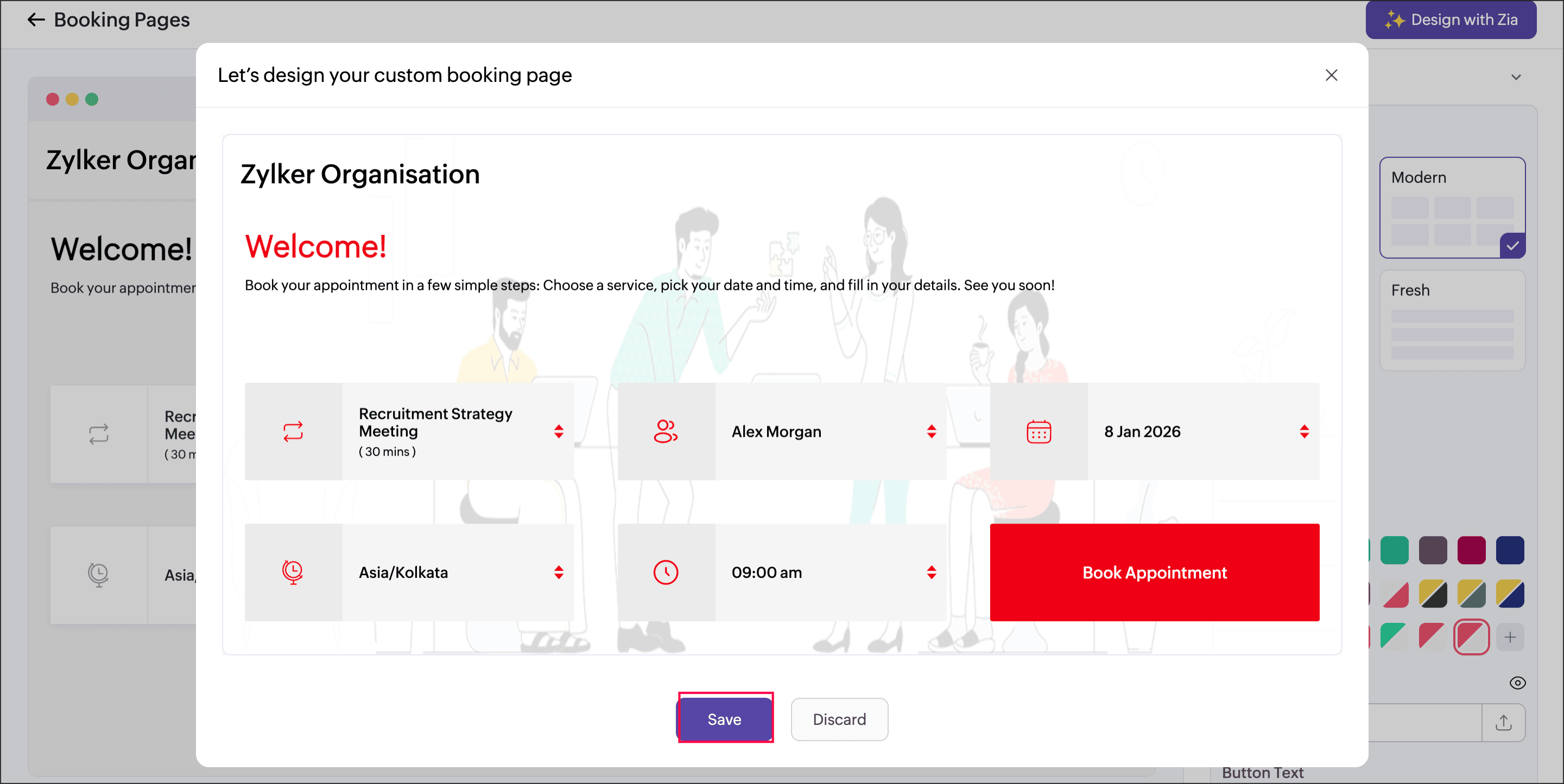
With a new AI-driven enhancement powered by Zia, Zoho Bookings can now automatically build and style your booking page based on your business website. Simply enter your website URL, and the system generates a page that aligns with your brand identity — saving time while maintaining consistency.
This means you can deliver a polished, brand-matched booking experience without starting from scratch.
What This Enhancement Offers
Automatic Brand Styling
The system scans your website and pulls key elements such as:
Company logo
Contact email and phone number
Background visuals
Social media links
Brand-Aligned Design Application
It analyzes your website’s:
Background colors
Text styles
Button formats
Overall color palette
Then, apply a matching or complementary theme to your booking page.
Smart Information Population
Publicly available business details from your website are used to pre-fill essential booking page information, reducing setup time.
Full Editing Control
After the AI generates your page, you can still:
Adjust layout
Modify colors
Update headers and footers
Edit page properties anytime
Automation handles the first draft — you stay in control of the final look.
How to Set It Up
Getting started takes just a few steps:
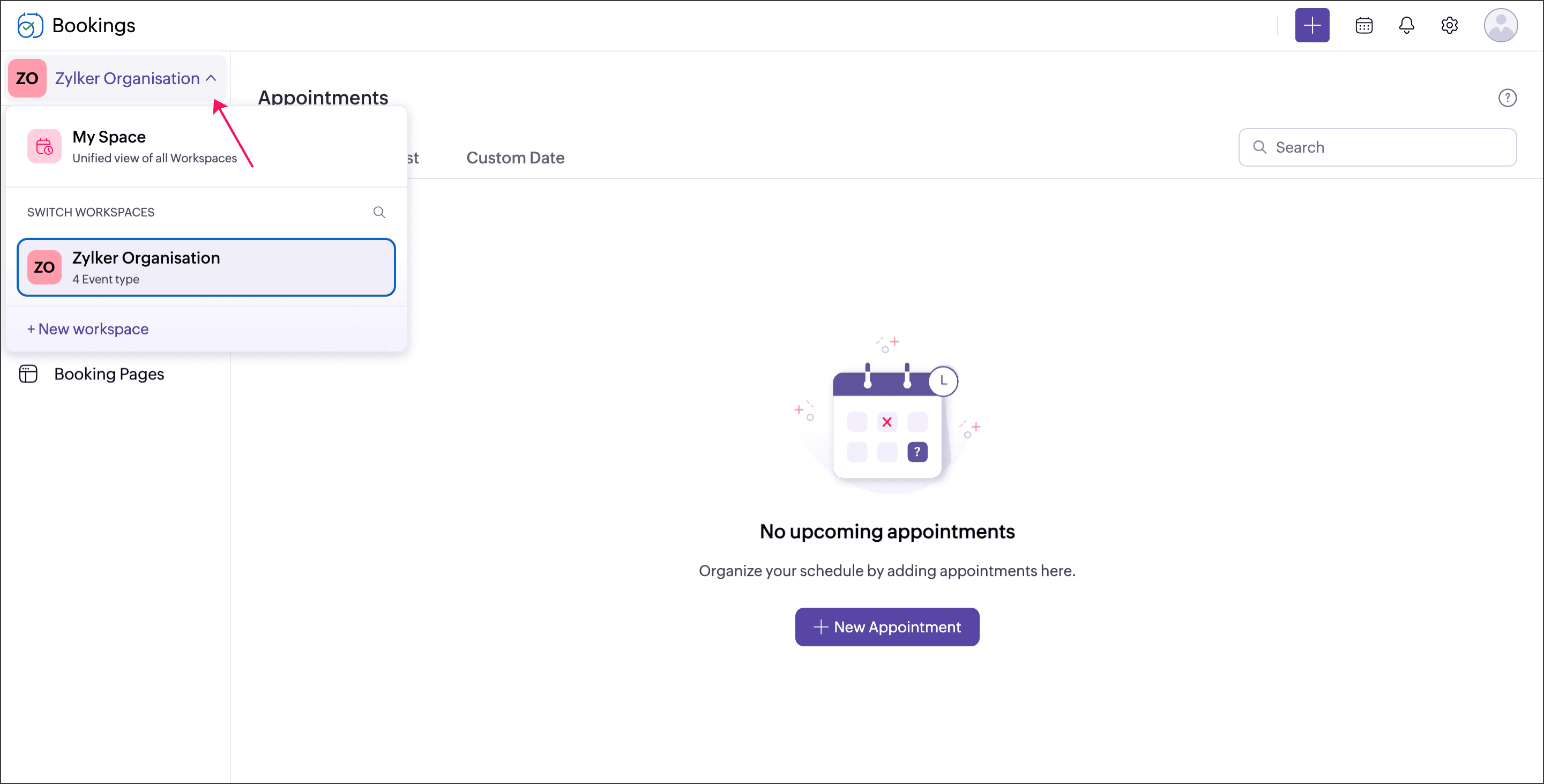
Select your preferred workspace from the left panel.
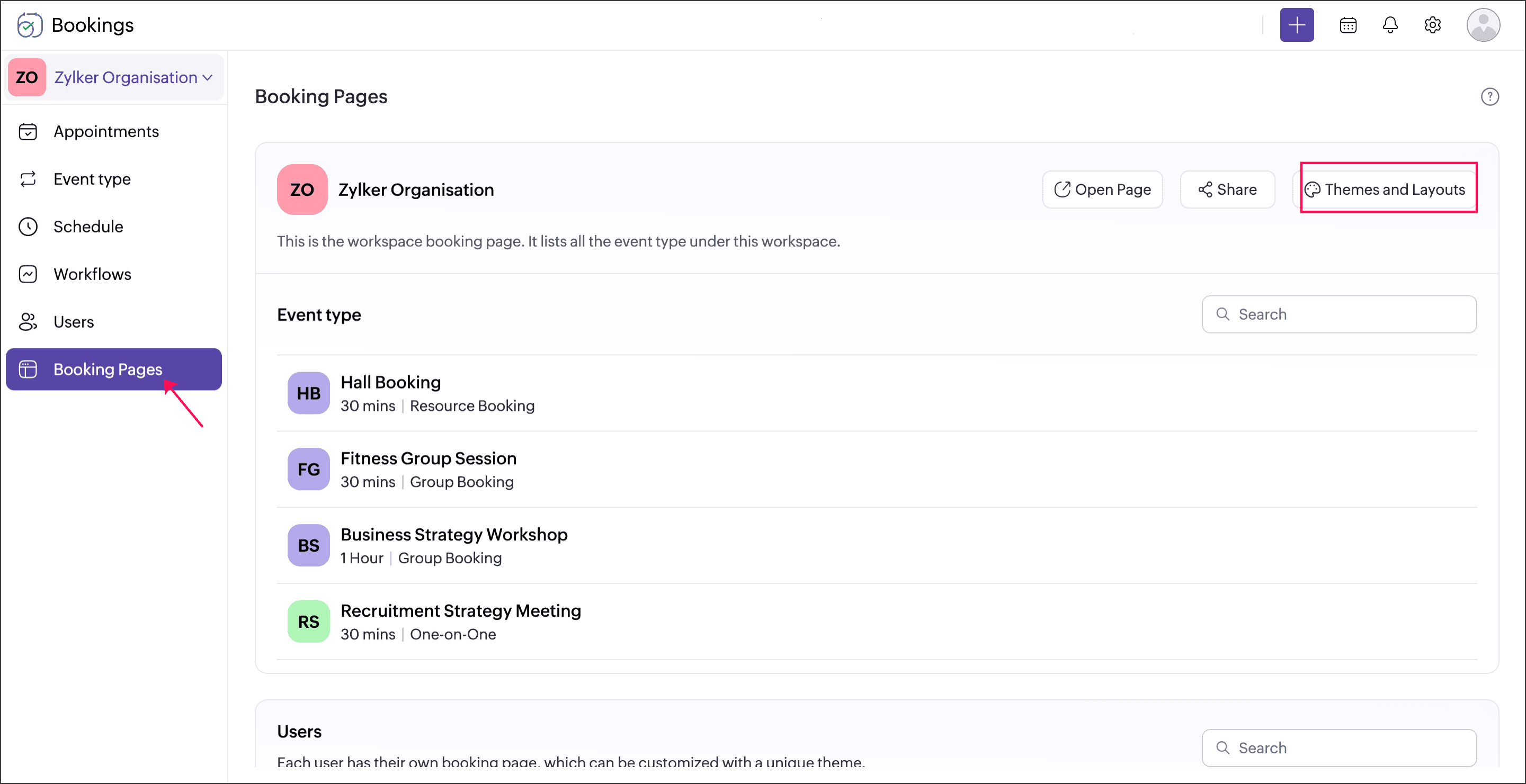
Go to Booking Pages → Choose Themes and Layouts.
Feature Availability
- Included in the Premium plan.
- Super Admins and Admins can customize booking pages for all workspaces.
- Workspace Admins can manage booking pages within their assigned workspace.
- Managers and Staff can personalize their individual booking pages.
Why This Matters
This AI-powered update helps businesses:
- Launch booking pages faster
- Maintain consistent brand identity
- Reduce dependency on design resources
- Deliver a more professional customer experience
In short, it transforms booking page setup from a manual task into a streamlined, intelligent process — completed in minutes.
For more details, please visit www.pfc-group.com.
Related Articles
Introducing Zoho Service Plus : A unified platform for customer service - Early Access for Partners
We are excited to announce early access to Zoho Service Plus, a unified platform that brings together all of our customer service applications into a single platform. The early access program is exclusive only to partners. With Service Plus, manage ...Zoho CRM: The Canvas Record Form for Enhanced Customization
Zoho announced Zoho Crm innovation with Canvas functionality now extends to record forms, enabling you to personalize record entries with the power of Canvas! Enhancing CRM Interactions with CanvasIn the heart of any CRM lies the ability to manage ...Zoho Bookings: New feature - Collective Booking
We're excited to announce the much-awaited feature Collective Booking, a new service type for handling a new type of appointment. Through this feature, you can now involve multiple staff members in a single appointment, opening up new possibilities ...Zoho CRM: AI-Powered Customization Made Easy
Hello everyone, Zoho introduce a significant enhancement for Zoho CRM Enterprise users: the ability to build custom AI models using Catalyst’s QuickML directly within Zoho CRM. As many of you know, Zia, the AI-powered assistant in Zoho CRM, provides ...Zoho Bookings product update: Calendar Unification
We've been noticing the noise around Calendar integrations and events sync. Well, look no further. We've put in some sleek work to bring all the action in one place, improved the UX and put in measures to notify users when things go south. Below is ...