Zia Agents in Zoho CRM: Create and Manage Digital Employees Easily
If you’ve been using Zia Agents in Zoho CRM, you’re probably familiar with Connections as the main way to deploy them. You create an agent (set its goal, add instructions, connect tools, and attach a knowledge base) and then deploy it into Zoho CRM using a connection.
Inside Zoho CRM, you configure:
When the agent should run
Choose the module and decide whether it should trigger for all records, only specific records based on conditions, or manually using a custom button.What data should the agent use
Provide context using record fields, related modules, and signals like email sentiment or missed calls so the agent can make better decisions.How inputs are mapped
Connect the agent’s tool inputs to the correct CRM fields so it can work with real-time data when triggered.
This setup works well for tasks that run on conditions or when triggered manually. However, all actions performed by the agent are recorded under the user who deployed it, not as a separate identity.
That’s where Digital Employees come in
With Digital Employees, things change.
When you deploy a Zia Agent as a Digital Employee, it is created as a separate user in your Zoho CRM account.
It gets a unique email ID (under the @ziaagent.ai domain)
It is added to Zoho Directory
It has its own role and profile, just like a real user
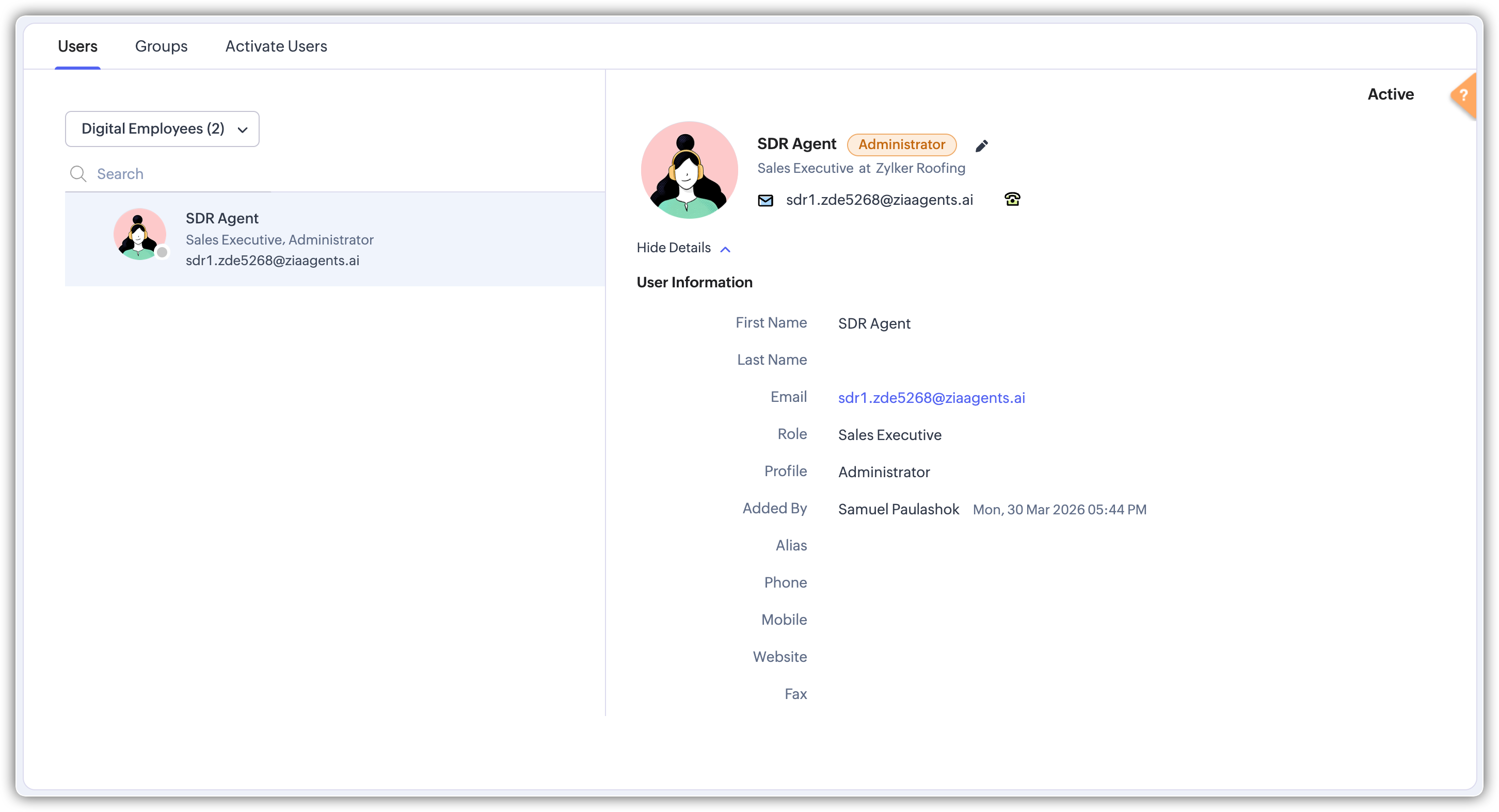
What changes with this approach?
Every action taken by the Digital Employee—like updating records, assigning owners, or sending emails—is tracked under its own identity, not the admin.
This gives you two key benefits:
1. Audit visibility
You can clearly see what actions were done by the Digital Employee vs human users.
If a record is updated or an email is sent, you’ll know exactly who (or what) did it.
2. Permission control
Since it has its own role and profile, you can control:
What it can access
What actions it can perform
This keeps everything aligned with your existing security setup.
Think of it like a digital teammate
You assign responsibilities, and it handles the execution inside your CRM.
Example use cases
SDR Digital Employee
As soon as a new lead is created, it can:
Evaluate the lead
Send a first email
Assign it to the right sales rep
Churn Monitoring Employee
It can:
Track risk signals in accounts
Send retention emails automatically
Log all actions under its own name
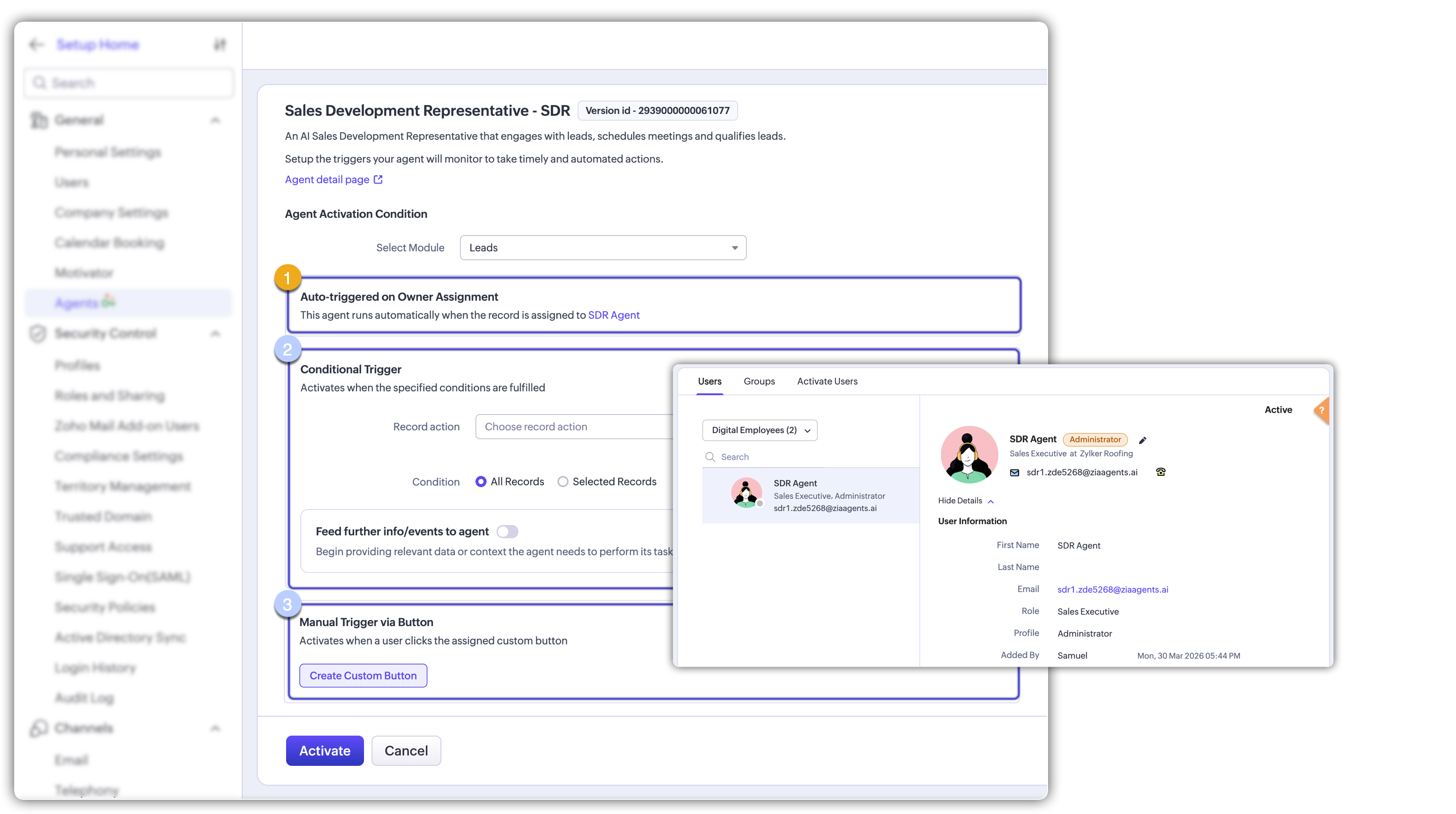
Trigger options during deployment
While Digital Employees usually activate when a record is assigned to them, you can also:
Add extra conditions for triggering
Use a custom button to trigger them manually
Agent Store
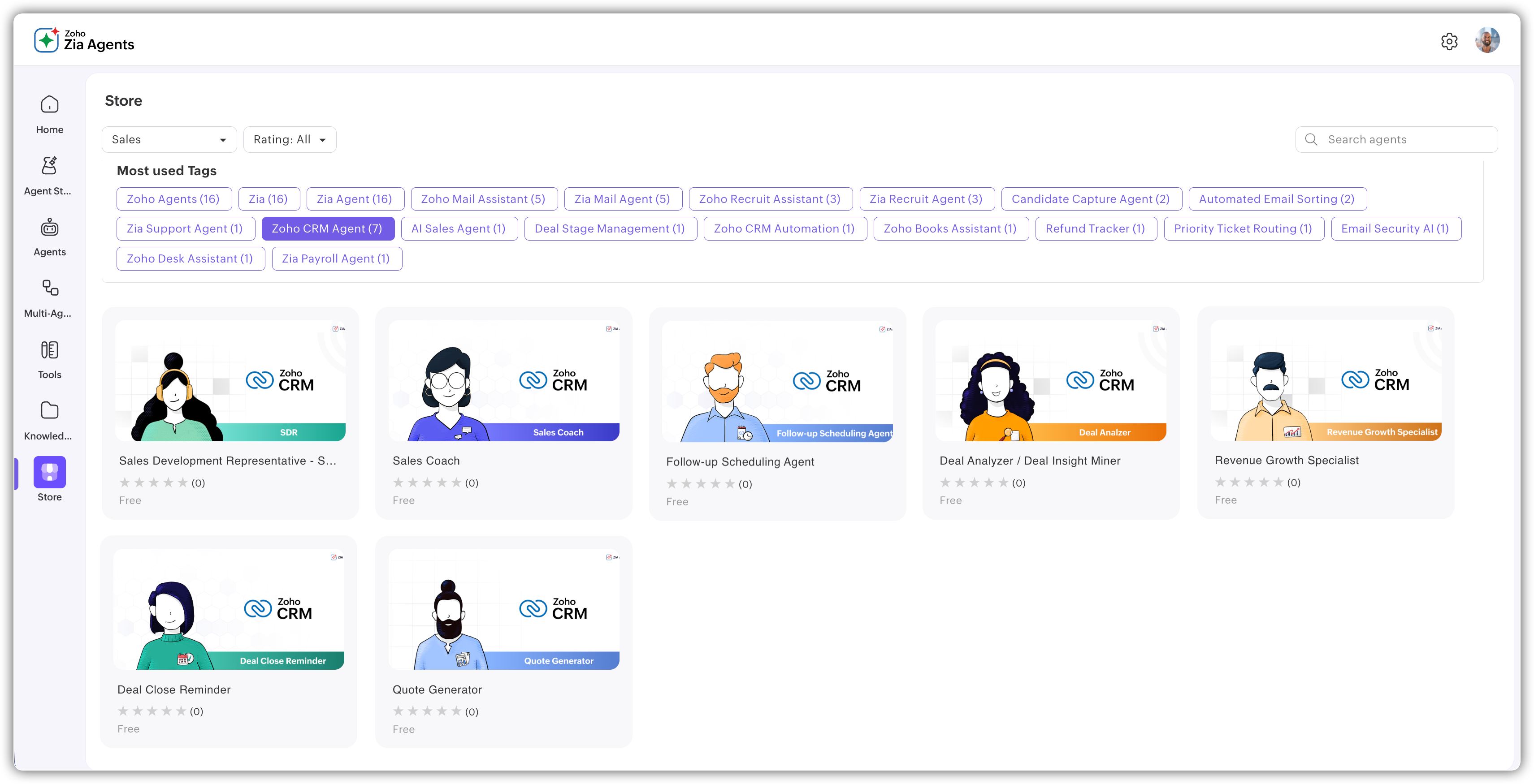
You can now explore ready-to-use agents in the Agent Store inside your Zia Agents setup.
Browse agents by category (CRM and more)
These agents come pre-configured with tools and instructions
No setup needed from your side
If an agent matches your requirement, you can simply hire and deploy it as:
A connection, or
A digital employee
 Availability:
 - Zia Agents in Zoho CRM is available for Enterprise and higher editions
- Available across US and India data centers (DCs)
- Digital Employees are currently supported only in standalone CRM plans
Related Articles
Zoho CRM: The Canvas Record Form for Enhanced Customization
Zoho announced Zoho Crm innovation with Canvas functionality now extends to record forms, enabling you to personalize record entries with the power of Canvas! Enhancing CRM Interactions with CanvasIn the heart of any CRM lies the ability to manage ...Rebrand your CRM with the all-new custom domain mapping setup
This is a game changer as this potentially allows every organization to rebrand their CRM system and align it with the domain name of their business. Note: This feature is currently in the Early Access mode. To request access to this feature please ...Introducing Zoho Service Plus : A unified platform for customer service - Early Access for Partners
We are excited to announce early access to Zoho Service Plus, a unified platform that brings together all of our customer service applications into a single platform. The early access program is exclusive only to partners. With Service Plus, manage ...Zoho CRM: Global Sets
Hello all, We are thrilled to announce Global picklists, a much awaited feature for CRM Admins! As administrators who implement and manage CRM solutions, you may have dealt with picklists that are present across multiple modules and have the same ...Zoho CRM: Introducing Rollup summary
Hello All, We hope you're well! We're here with an exciting update that goes right into CRM's core capabilities. It's called the Rollup summary. Let's go! Your CRM is a vast database with well-connected data sources, where you can access both the ...