Zoho Desk: Schedule, Manage, and Send Replies Faster
Hello Everyone,
Zoho has added new improvements to scheduled replies:
For agents: Better control, easier tracking, and fewer mistakes when managing replies.
For admins: A clear overview to ensure consistency and timely action.
What’s New?
Scheduled Replies View
Before, agents had to open each ticket individually to track scheduled replies, making it hard to manage drafts or check statuses across multiple tickets. Now, with the Scheduled Replies view, both agents and admins can see all scheduled replies in one place.
This view shows key info like scheduled time, status, and thread details, making it easy to monitor and adjust messages.
The view is divided into:
All Scheduled Replies: Shows all scheduled replies in the department for admins and agents.
My Scheduled Replies: Default for agents to see and manage only their own scheduled replies.
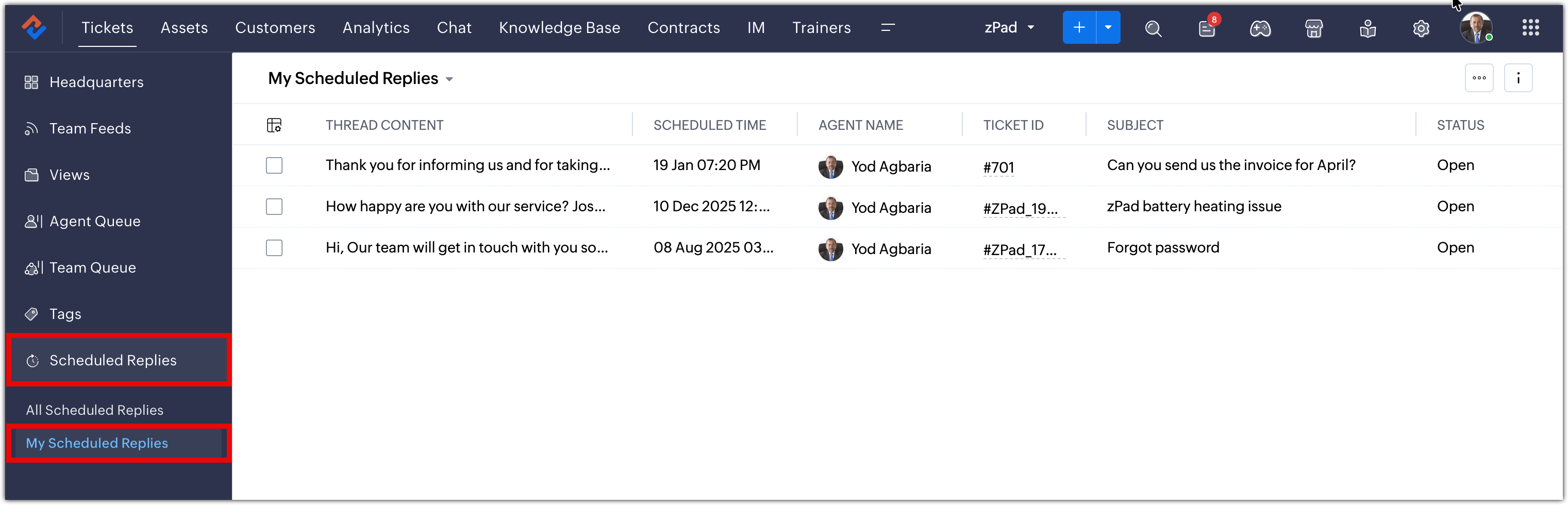
Table View for Scheduled Replies
The table displays details like thread content, scheduled time, status, and time zone. Agents can also customize the table and perform actions such as:
Jump to Scheduled Reply: Go directly to the message thread.
Send Immediately: Reply now, ignoring the scheduled time.
Reschedule: Change the scheduled sending time.
Clear Schedule: Remove the scheduled time and save the message as a draft.
Send Immediately & Close: Send the reply and close the ticket.
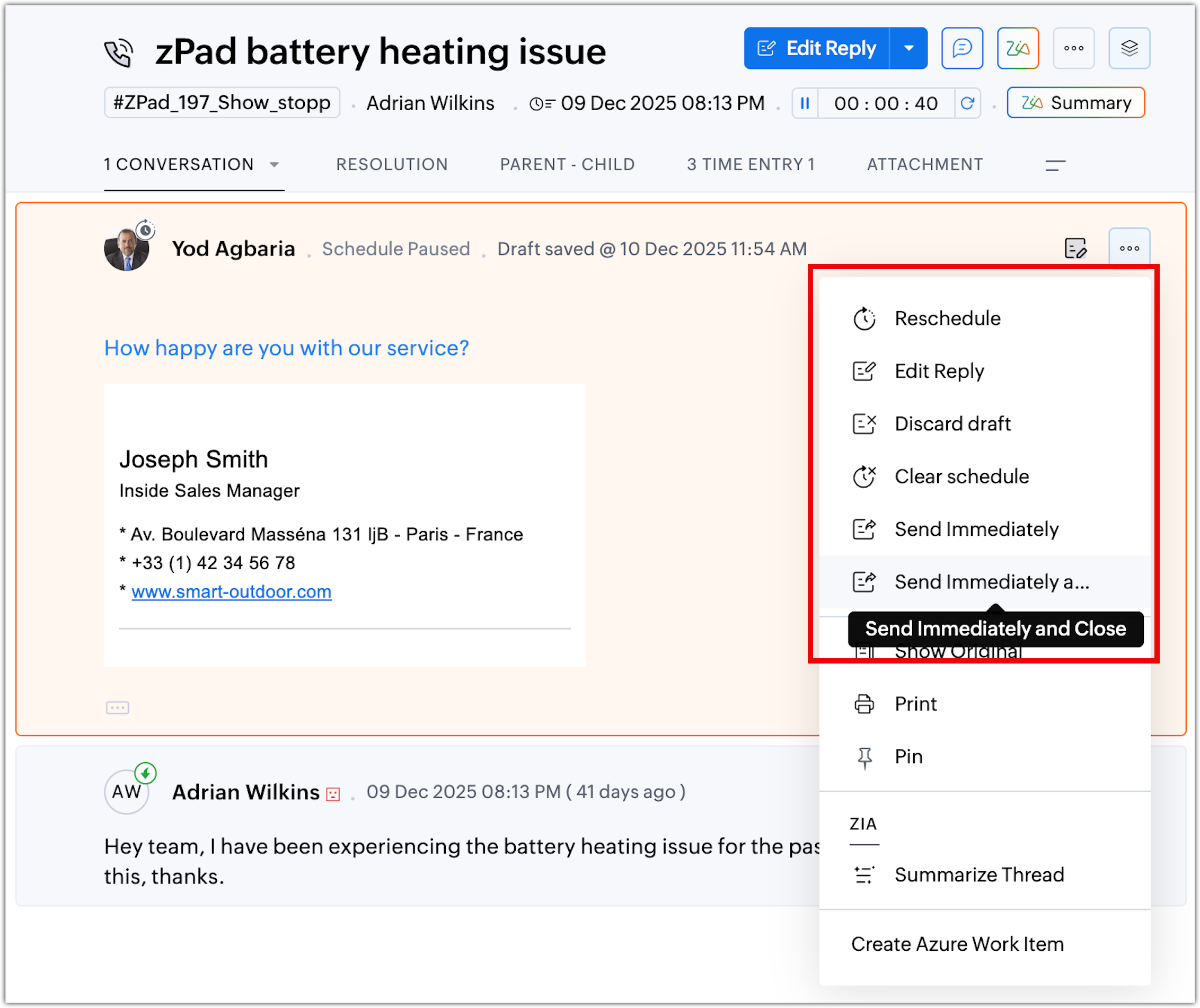
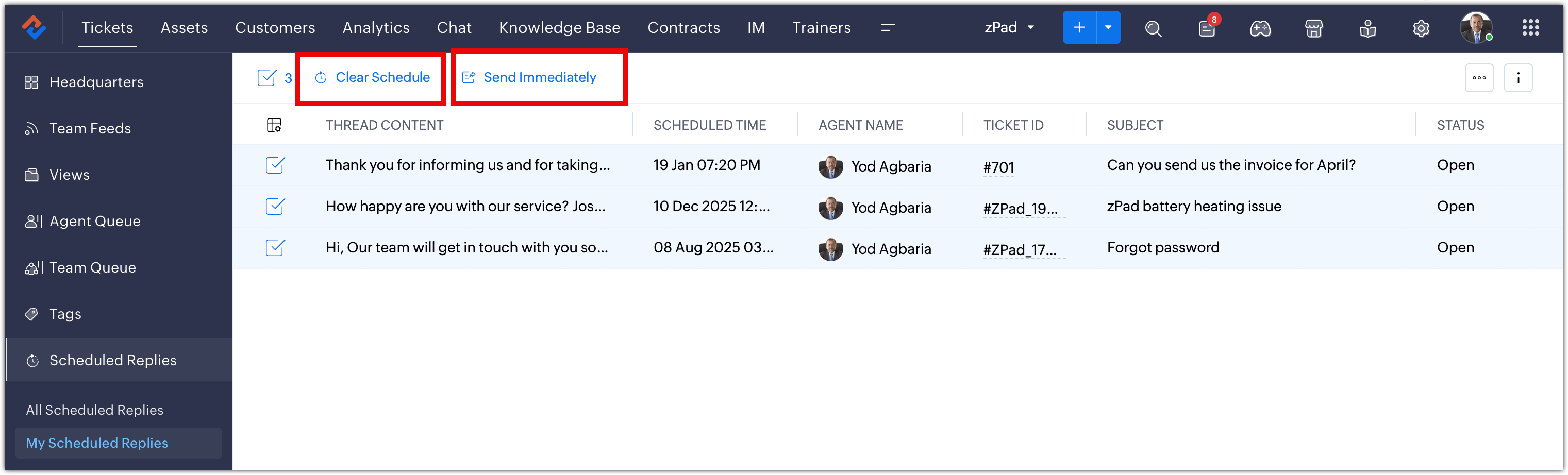
Mass Actions for Scheduled Replies
Managing multiple scheduled replies is now faster. Agents can select up to 50 records at once and perform actions like clear schedule or send immediately.
These features are available for all customers across DC.
Related Articles
Zoho Desk: What's new in 2024
Here are some of the areas we've improved. Ticket management Customization Automation Zia Privacy and Security Data administration Personalization and multilingual Mobile experience Ticket Management Easily link and manage related tickets with ...Zoho Desk: 2-Year Data Analytics in Zoho Desk
Zoho has announced a much-anticipated feature in Zoho Desk. A select group of users now has early access to the "2-Year Data in Analytics - Reports" feature, allowing them to create reports using data from the past two years. Enhanced Reporting ...Zoho Desk's Instant Messaging | Product Updates | May'23
Hello Partners, As we advance into the year, we're eager to bring you this month's product updates, where we'll run you through the significant updates in the Instant Messaging module. I hope this info is insightful as you continue using our IM ...Introducing Zoho Service Plus : A unified platform for customer service - Early Access for Partners
We are excited to announce early access to Zoho Service Plus, a unified platform that brings together all of our customer service applications into a single platform. The early access program is exclusive only to partners. With Service Plus, manage ...Zoho Desk Now Helps You Write Better, Faster Ticket Replies
A quicker, more efficient way to manage ticket replies is here—with powerful generative AI tools now integrated into the ticket detail view. These intelligent features are built to ease the workload on support agents, enhance communication quality, ...